Questions? Call (315) 298-8510, or visit us online at www.fulton.com
OPERATION
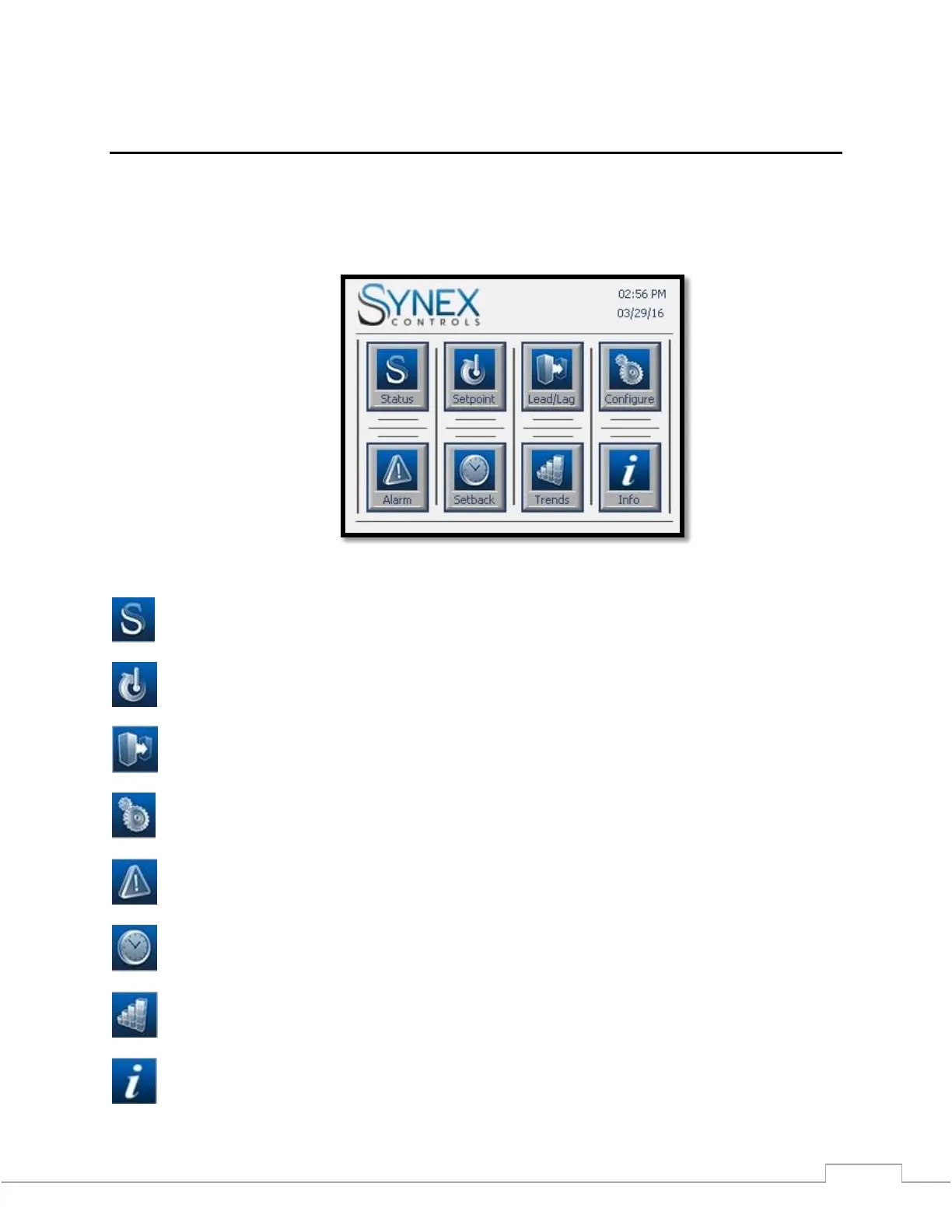
Main Menu Screen
The main menu provides a touchscreen interface to select other screens. (The Main Menu Screen is only available
on Color Screen models; however the navigation buttons are consistent with the LX model)
Figure 4 – Main Menu Screen (Color)
System Status Screen
Setpoint / Outdoor Reset Configuration Screen
Lead / Lag Configuration Screens
System Configuration Menu
Alarm Status Screen
Setback Schedule Screens
Trending Screen
Information Screen



 To Next Page