Questions? Please Contact Your Local Manufacturer’s Representative
SECTION 3 VTG-IOM-2016-1214 OPERATION
3-11
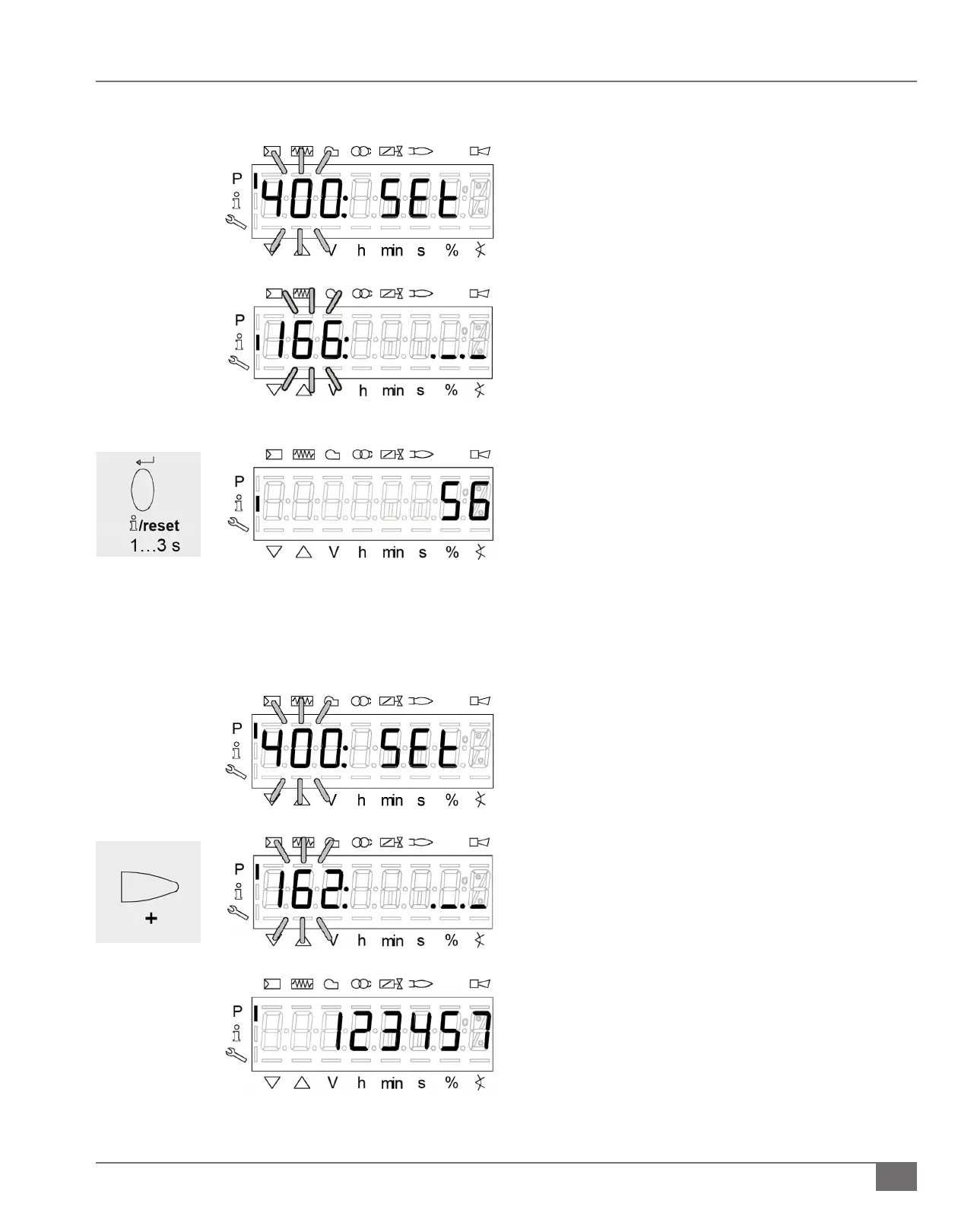
1) Press and hold the “F” and “A” buttons simultaneously.
2) “400” will ash. Press the “-“button to scroll to “100”.
a. Press the enter i/reset button
b. Press the “+” button until parameter 166 is ashing,
press the enter i/reset button.
c. Press the enter i/reset button to view the total
number of startups.
1) Press and hold the “F” and “A” button simultaneously.
2) “400” will ash. Press the “-“button to scroll to “100”.
a. Press the enter i/reset button.
b. Press the “+” button until parameter 162 is ashing,
press the enter i/reset button.
c. Press the enter i/reset button to view the total
number of burner operation hours.
Viewing Total Burner Start-ups
Viewing Total Burner Hours







 To Next Page