© The Fulton Companies 2016
OPERATION VTG-IOM-2016-1214 SECTION 3
3-10
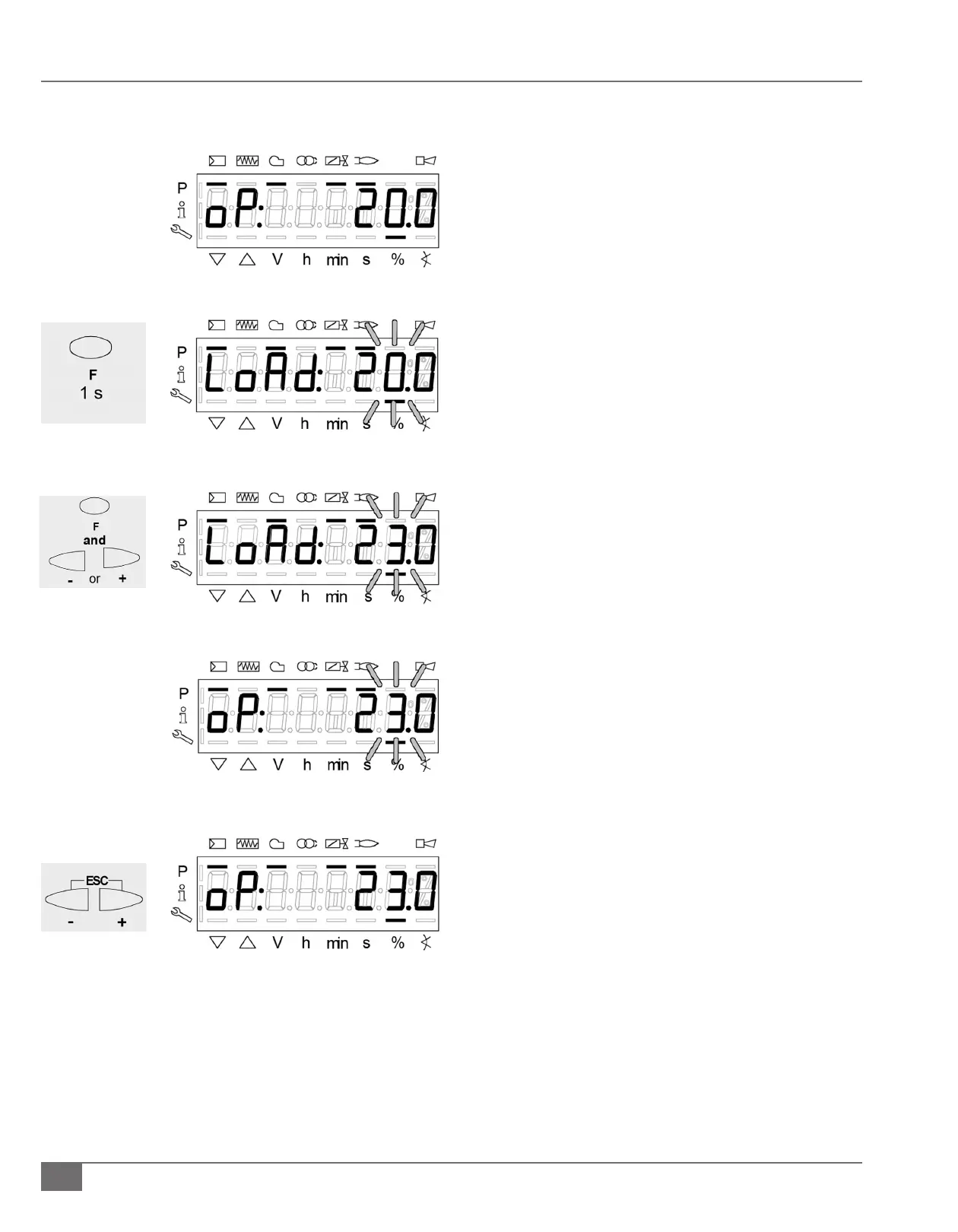
1) Burner is in operation mode.
a. The display shows oP: on the left, the percentage of
the current output on the right.
2) Press and Hold the F button for 1 second.
a. The display shows LoAd:, the current output ashes.
3) Still holding the F button press the – or + to adjust the
required output in manual.
a. The display shows LoAd:, still holding the F button
the new output ashes.
4) Release the F button.
a. The current manual output ashes; oP: is still
displayed on the left solid indicating that manual
control is activated.
5) Press and hold the – and + for 3 seconds to return to
automatic mode.
a. The output will no longer ash, oP: will be displayed
on the left solid and the operating percentage will
be displayed on the right.
Manual Control (Manual Request for Output)







 To Next Page