© The Fulton Companies 2016
OPERATION VTG-IOM-2016-1214 SECTION 3
3-12
1) Press and hold the “F” and “A” button simultaneously.
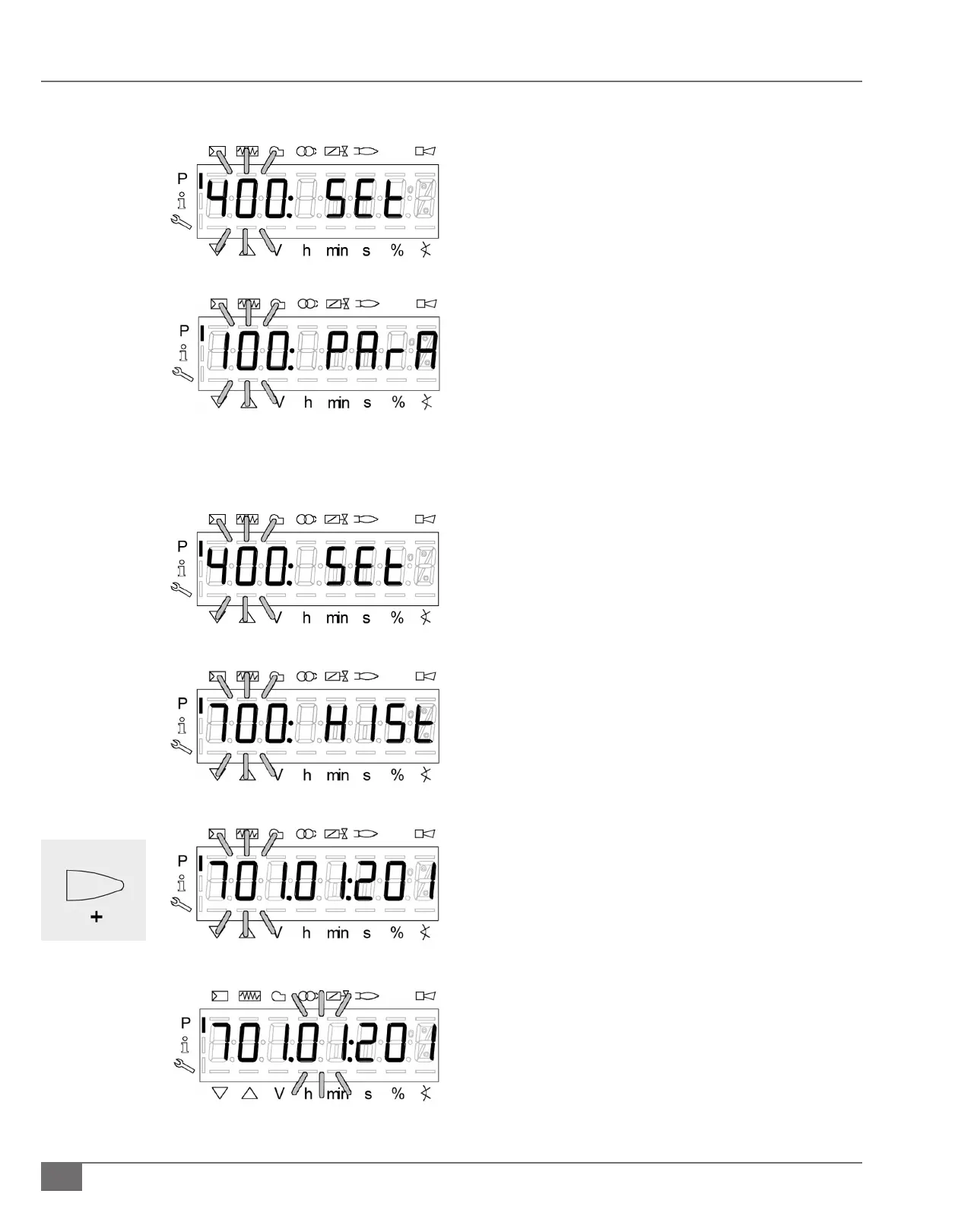
2) “400” will ash. Press the “-“ button to scroll to “100”.
a. Press the enter i/reset button
b. Press the “+” button until parameter 145 is ashing,
press the enter i/reset button.
c. Press the enter i/reset button and use the “+” button
to scroll to the desired number. Once the desired
number is reached, press the enter i/reset button.
1) Press and hold F and A until Code is displayed.
a) Then enter the national board number.
b) Press enter once password has been completed.
c) 400: Set will be displayed
1) Press the + arrow three times to 700 parameter the
display will read 700: HISt.
a) Press the Enter button and it will bring 701 ashing
on the display.
b) Press the Enter button and .01 will be ashing. The
number to the right is your error code.
c) Press the + arrow and .02 will be ashing. The
number to the right is the diagnostic code.
d) Press the + arrow and .03 will be ashing. The
number to the right is the error class.
e) Press the + arrow and .04 will be ashing. The
number to the right is the Phase in which the error
occurred.
f) Press the + arrow and .05 will be ashing.
IMPORTANT: “._._” will be displayed to the right of
.05. To access the Startup Counter (cycle) you must
i) PRESS ENTER and the value will now be displayed.
Press ESC (hold – and + arrows together) to return
to the ashing .05.
Changing Modbus Address
Viewing Lockout History







 To Next Page