Questions? Call (315) 298-8510, or visit us online at www.fulton.com
Password and Screen Saver
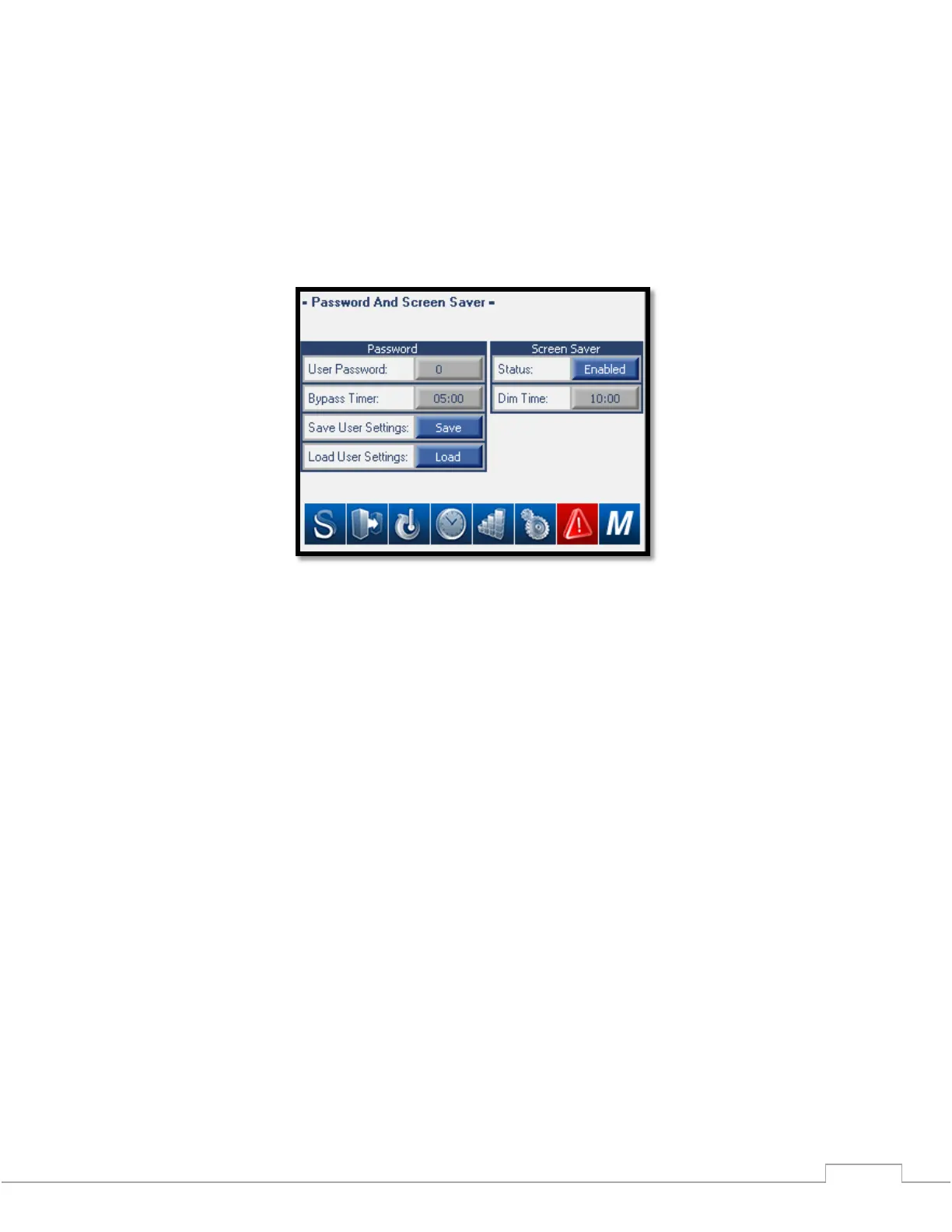
Password Configuration allows a 4-digit password to be entered that prevents the unauthorized access to the
setup screens. The Password Bypass Timer allows access to the setup screens (once the password has been
entered) for the configured time. When the password bypass timer expires, the password will need to be entered
to access the setup screens. The Screen Saver Config allows for timed dimming of the screen as a screen saver
function. Touching the screen brings the display back. See Figure 10.
Figure 11 – Password and Screen Saver Configuration Screen
User Password: Displays the current user password and allows the user to change the current user
password. When the Password is enabled the only accessible screens without entering the password are
the System Status Screen, Trend Screen, and Alarm Status Screen. To disable the password enter 0 into
the User Password setting.
Bypass Timer: After the password has been entered the user will have unlimited access to all screens
until the bypass timer expires. Once the bypass timer expires the password will need to be re-entered to
access protected screens.
Save User Settings: By selecting “Save” the ModSync will retain all user settings in memory.
Load User Settings: By selecting “Load” the ModSync will load all user settings saved previously.
Screen Saver: When enabled the ModSync will load a screen saver if the screen has not been touched
before the Dim Timer expires. Once the screen saver has loaded just touch the screen again to load to the
Main Menu.







 To Next Page