6.1 Updating program
6-1
6.1 Updating program
The program for TERM CPU and RF CON/CPU is updated.
To update the program, insert the floppy disk to the floppy disk drive and then turn on
the terminal unit, IC-215. The updating starts automatically.
Table 6.1.1 Program number
Program Program number
TERM CPU 1650162-01.xx
RF CON/CPU 1650159-01.xx
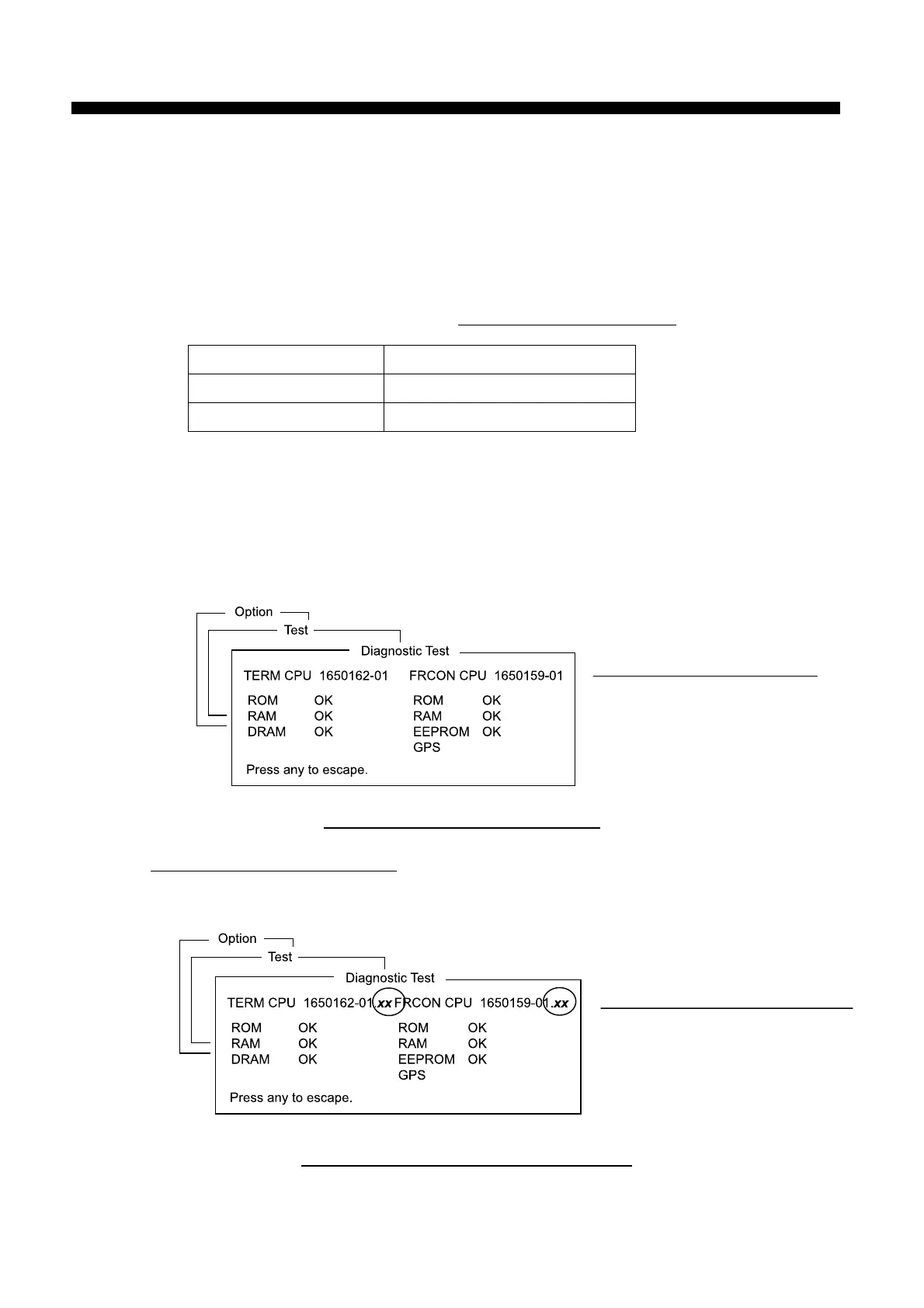
6.1.1 Checking program version
1. Check the program version of RF CON CPU and TERM CPU by the self-test
([F7/Option]-[7/TEST]-[3/Self Test]).
Fig. 6.1.1 Checking program version
2. Checking detail program version
After the test, press [F] [E] [L] [C] [O] [M] while holding [Ctrl] to show the program
version in detail.
Fig. 6.1.2 Checking detail program version
Chapter 6. Updating program
Program Version number
Detail Program Version number



 To Next Page