AP4.9 Function settings
AP4-21
AP4.9.6 Attachment conversion
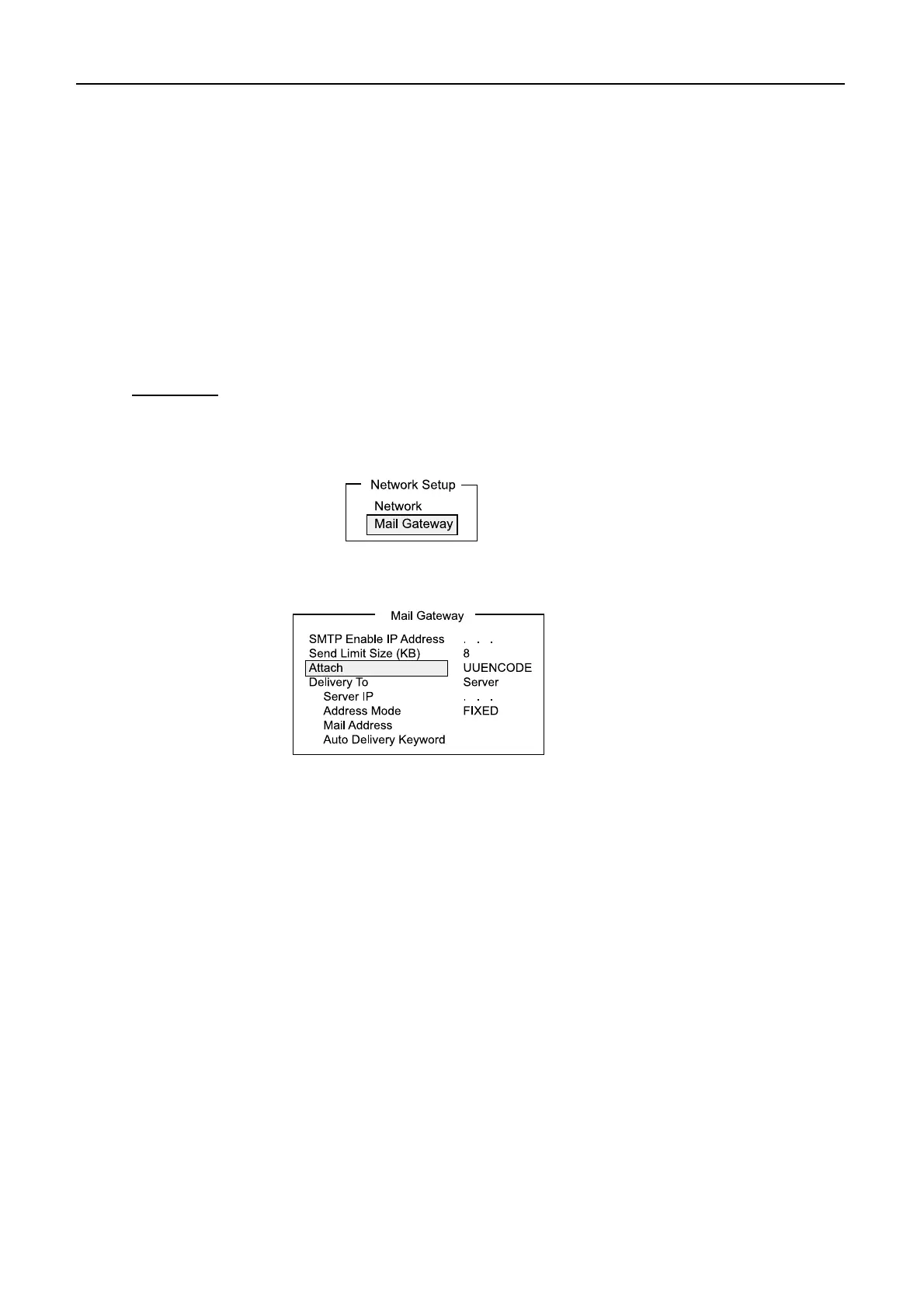
When a sending e-mail attachment from a PC in the network is MIME encoded, the
system converts it into UNENCODE (Default) or BINARY attachment according to
menu setting.
Note 1) BINARY is selected when the e-mail of the land subscriber does not
support UNENCODE attachment.
Note 2) Note that some LES do not handle BINARY attachments. Contact your
LES for details.
Procedure
1. Press [F8][2] to open “System Setup” menu.
2. Select [Network Setup], followed by [Enter].
3. Select “Mail Gateway”, followed by [Enter].
4. Select “Attach”, followed by [Enter].
5. Choose “UUENCODE” or “BINARY”, followed by [Enter].
6. Press [Esc] to open [Update].
7. Select “Yes”, followed by [Enter].
8. Press [Esc].



 To Next Page