6.2 Program files
6-3
6.2
Program files
Each program disk contains following files. Note that the file size is reference only.
Table 6.2.1 Program files
TERM CPU RF-CON CPU
File Size File Size
Boot.ini 1k Boot.ini 1k
Termcpu.bin 683k Loadrfc.bin 5k
Loadfd_a.bin 46k Rfconcpu.bin 360k
Uprfcon.bin 43k
6.3 Installing Terminal software to PC
The terminal software of FELCOM15 is required to install to the PC connected to
[DET] port.
- Type: 16-5-0164 - Code No.: 000-4438-920
- Program number: 1650164-xx
OS: Windows 95/98/2000/NT/ME/XP
Memory: 32 MB and more
Free space on the hard disk: 20 MB and more
CPU: Pentium 100 MHz and more
Floppy disk drive: Available
The procedure to update terminal software is the same as that of software installation.
To install/update terminal software;
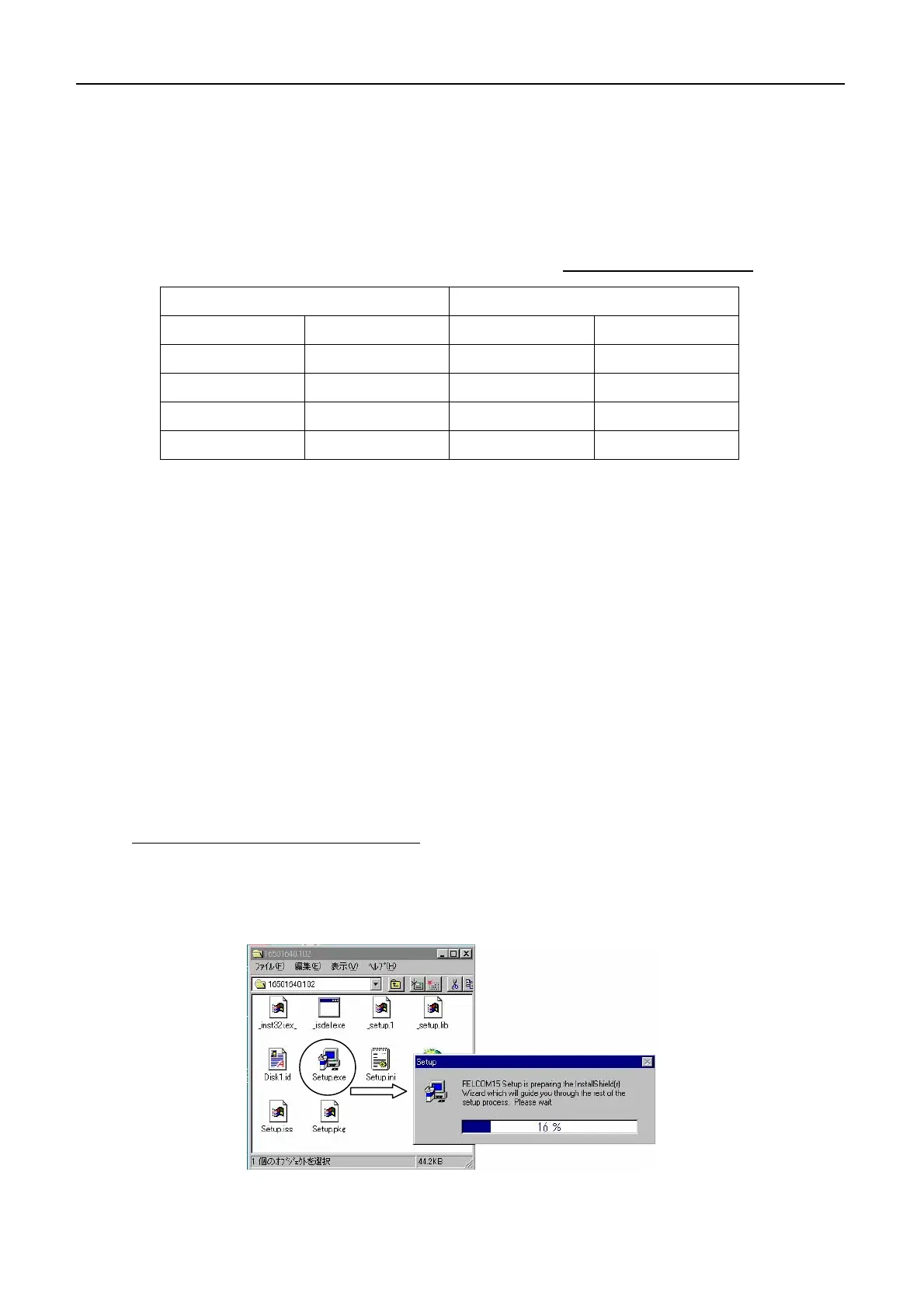
1. Insert PC terminal program floppy disk into the floppy disk drive.
2. Double click “Setup.exe” file, and the installation starts automatically.



 To Next Page