5.11 Saving and loading of system setting
5-24
5.11 Saving and loading of system setting
For the back up of the system setting, the setting value is saved and loaded onto/from
the floppy disk.
Saving
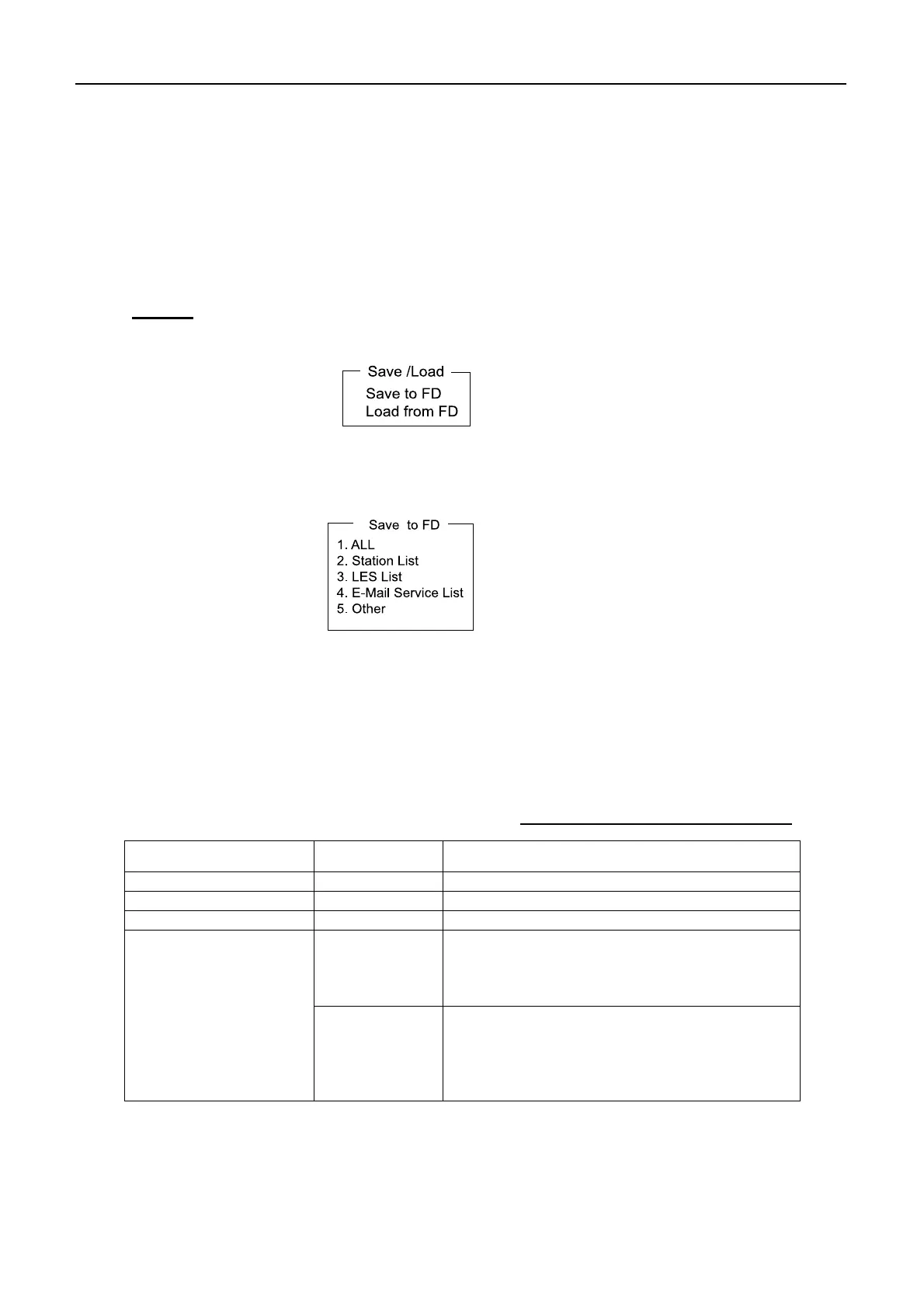
1. Press [F8][9][6] to show “Save/Load” display.
2. Select “Save to FD” and press [Enter].
3. Select the item to be saved. When selecting “1. All”, items from “2. Station List” to
“5. Other” are saved.
4. Select [Yes] and press [Enter].
5. When “OK to Save ?” display appears, select “Yes” and then press [Enter].
Table 5.11.1 File name when saving
Item File name Description
2. Station List STATION.DAT [F8]-9-1: STATION list
3. LES List LES.DAT [F8]-9-2: LES list
4. E-Mail Service List EMAIL.DAT [F8]-9-5: E-MAIL service list
DTE.DAT
Other settings for the terminal unit
[F8]-3: Editor Setup, [F8]-4: Terminal Setup,
[F8]-7: E-Mail Setup, [F8]-2: Network Setup,
[F8]-2: IMN
5. Other
SYSTEM.DAT
Settings for DCE
[F8]-2: System Setup(Other than IMN),
[F8]-5: EGC Setup,
[F8]-9-3: EGC Channel list,
[F8]-9-4: NCS Channel list,



 To Next Page