AP4.10 E-Mail Client Setup
AP4-24
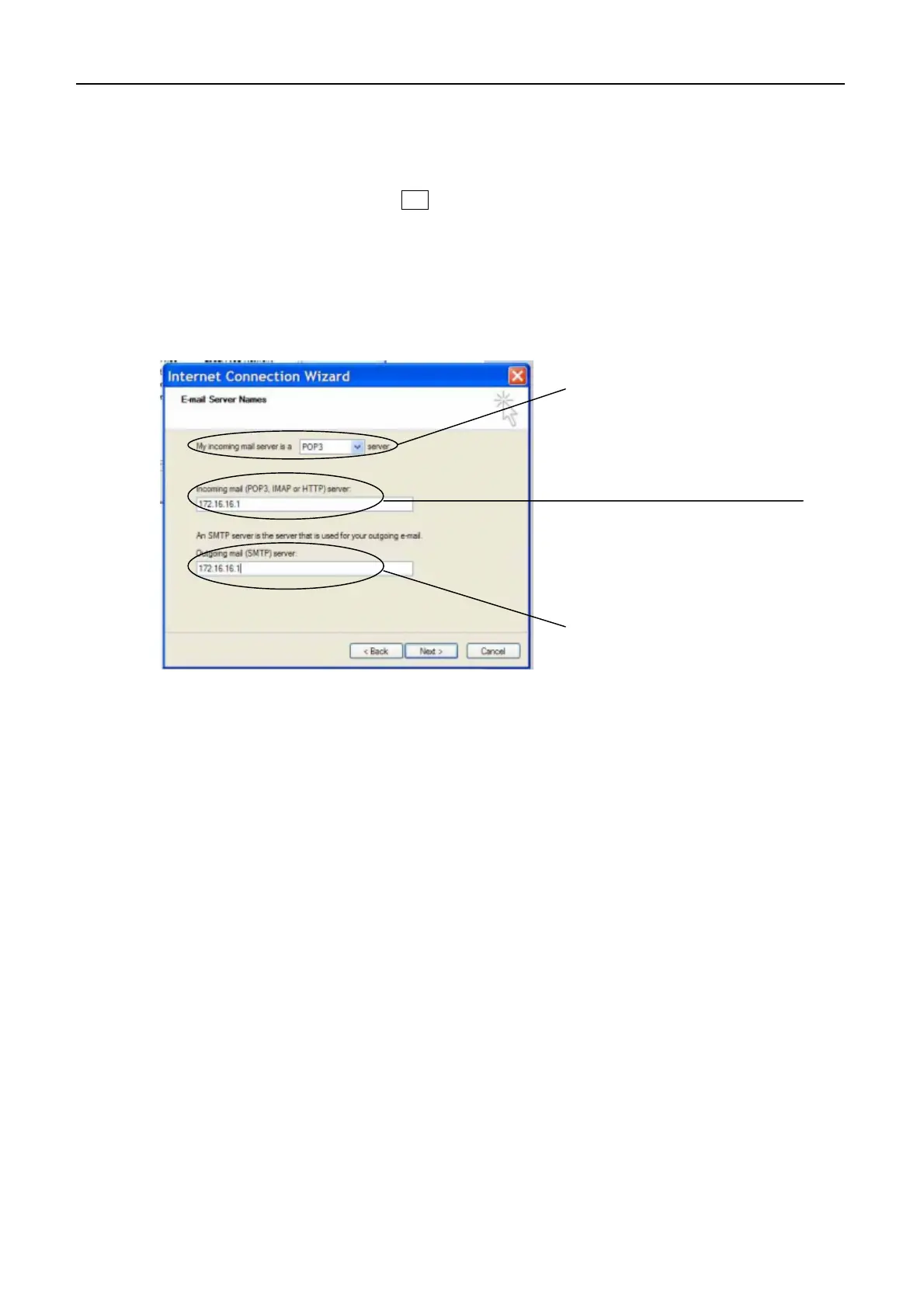
6. Set following items in “E-Mail Server Name”.
- My incoming mail server is a server : POP3.
- Incoming mail (POP3, IMAP or HTTP) server : IP address set on FELCOM 15.
- Outgoing mail (SMTP) server : IP address set on FELCOM 15.
The default IP address of FELCOM 15 is “172.32.16.1”. After entering IP address,
click “NEXT. “Internet Mail Login” appears.
“POP3”
IP address set on FELCOM 15
IP address set on FELCOM 15



 To Next Page