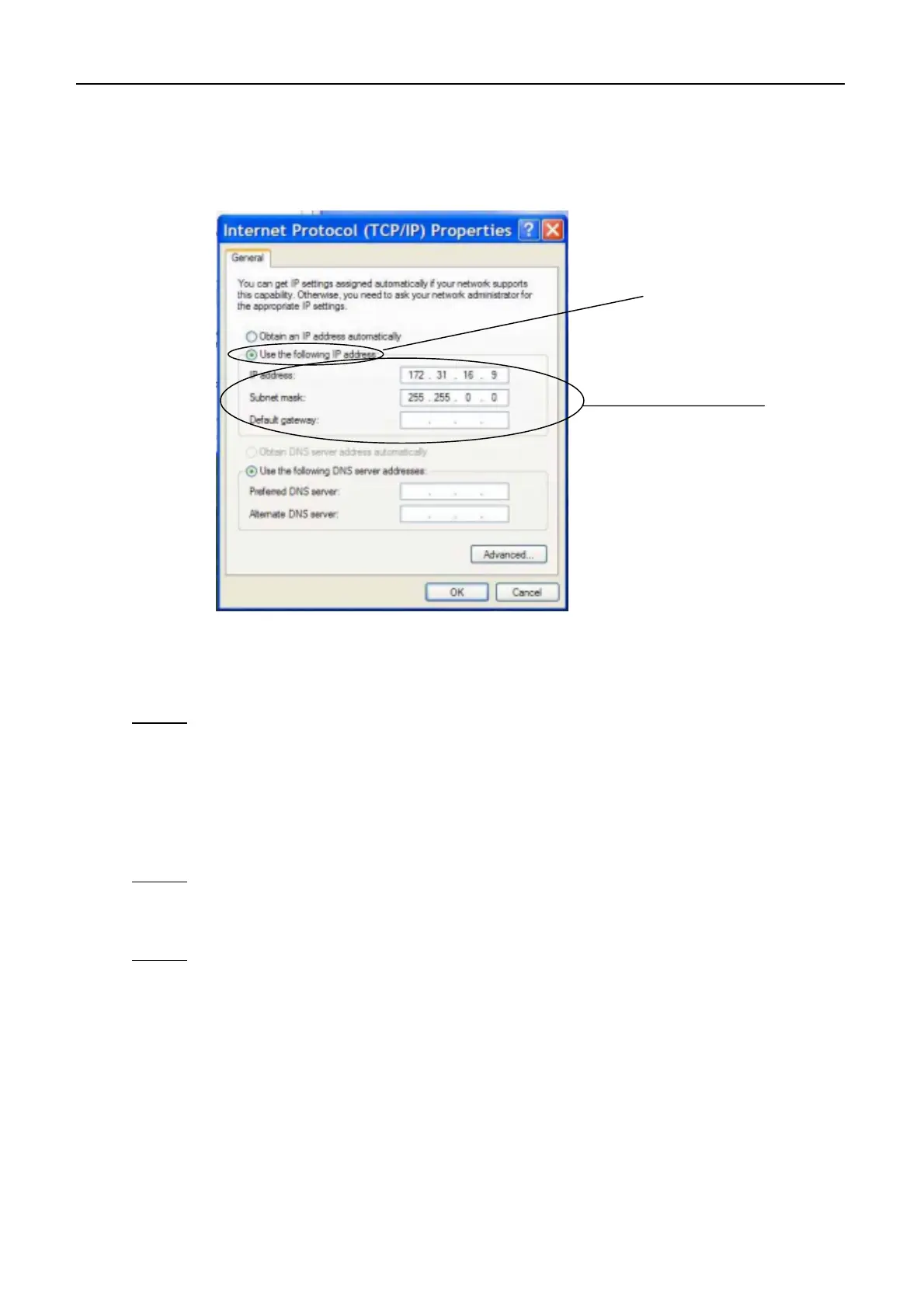
AP4.11 Windows XP LAN Setting
AP4-31
6. Tick “Use the following IP address” and set IP address and subnet mask.
7. Click “OK” to register the setting value.
Note 1
Set IP address and subnet mask as follows when the default IP address (172.32.16.1)
and subnet mask (255.255.0.0) are used.
- IP address: 172.32.16.x
Enter a number other than 1 to “x”. 1 is for FELCOM 15.
- Subnet mask: 255.255.0.0
Note 2
To allocate IP address from the server automatically, tick “Obtain an IP address
automatically” and set “DHCP” in “Network” menu on FELCOM 15 to ON.
Note 3
When connecting to other network by using the router, set IP address of “Gateway”.
Tick here. See notes
1 and 2.
Set IP address and
subnet mask.



 To Next Page