2. PROGRAMMED SCREEN
2-11
4. Use the Cursorpad (S or T) to select the category and press the ENT key. The
category options screen, which differs depending on the selected category, ap-
pears.
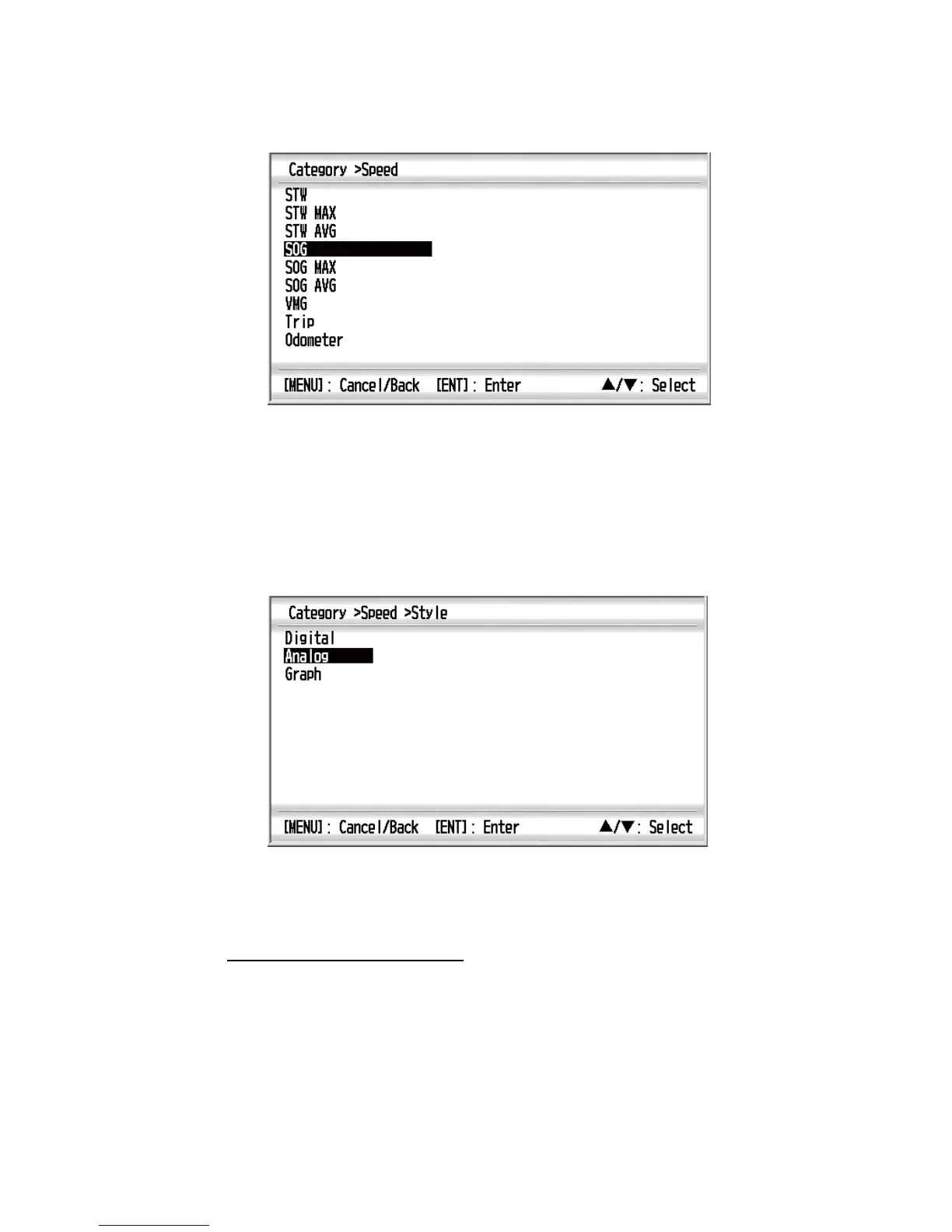
Category options (e.g. [Speed] category)
Note 1: If you selected [None] in the category list, the data screen is blank.
Note 2: For details of each category, see section 3.2.
Note 3: The available category and category options depend on the selected
screen division. The unavailable category and category options are displayed in
gray.
5. Use the Cursorpad (S or T) to select an option and press the ENT key.
Note: Unavailable style options are displayed in gray.
6. Use the Cursorpad (S or T) to select [Digital], [Analog] or [Graph] then press the
ENT key.
How to change the properties
1. With the data screen displayed, press the ENT key. For the no-split screen, go to
step 3.
2. Use the Cursorpad to select the data box you want to change.
3. Press the ENT key long. The window for properties appears. The content differs
according to the display item.
Note: When there are no properties, the screen returns to the previous data
screen.



 To Next Page