4. ALARMS
4-3
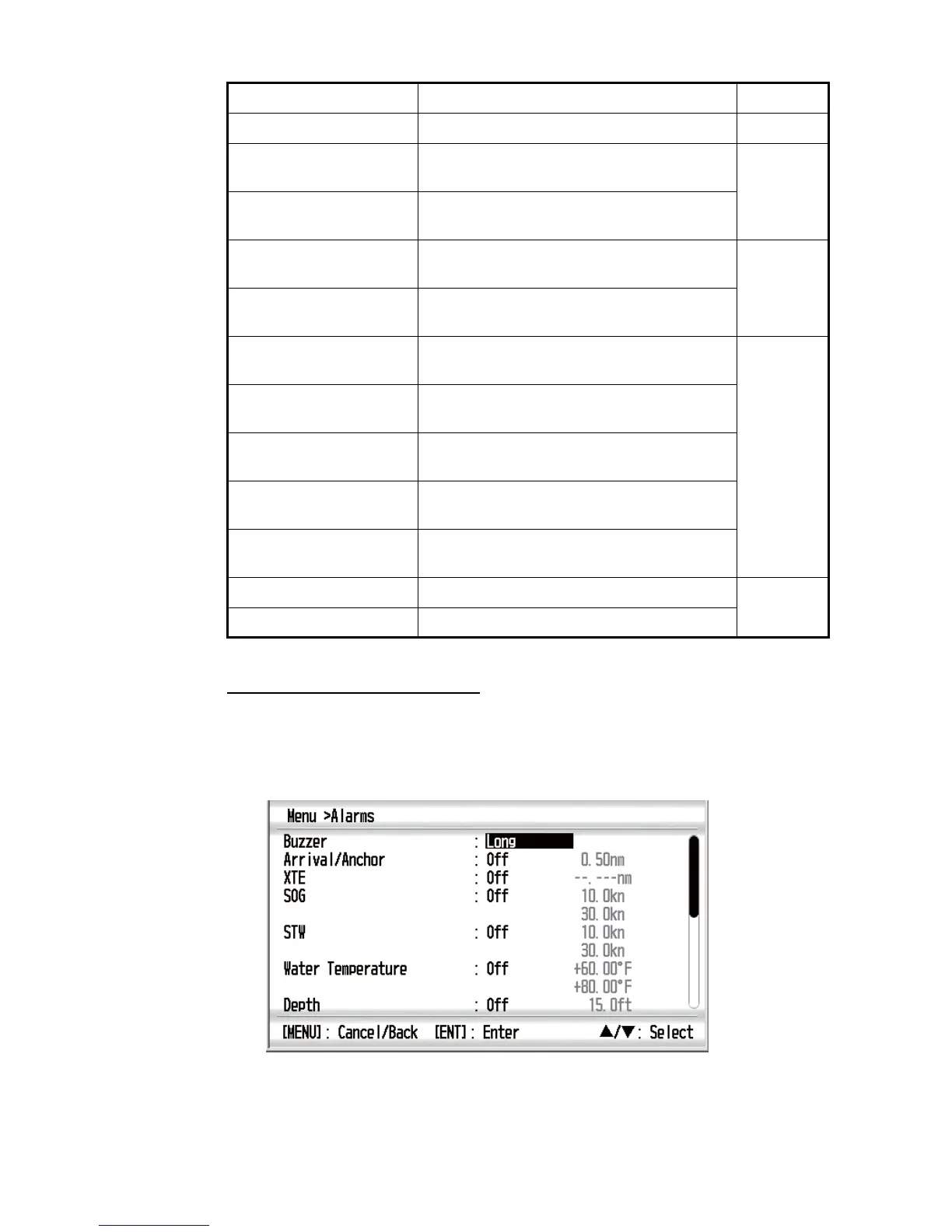
How to open the [Alarms] menu
Open the [Alarms] menu as follows:
1. Press the MENU key to open the menu.
2. Use the Cursorpad (S or T) to select [Alarms] and press the ENT key.
TIME ALARM! The preset time arrives. 4.3.8
TRIP ALARM! Your ship has traveled the trip distance set-
ting or above.
4.3.6
ODOMETER ALARM! Your ship has traveled the odometer distance
setting or above.
ROLL ALARM! The right and left sway of your ship is equal to
or exceeds the roll setting.
4.3.7
PITCH ALARM! The backward and forward sway of your ship
is equal to or exceeds the pitch setting.
BATTERY ALARM! The input voltage is the voltage setting or be-
low.
4.3.8
MAX TRUE WIND
SPEED ALARM!
The true wind speed is the max true wind set-
ting or above.
LOW TRUE WIND
SPEED ALARM!
The true wind speed is the low true wind set-
ting or below.
HIGH APPARENT WIND
ANGLE ALARM!
The wind angle from starboard is the high ap-
parent wind angle setting or above.
LOW APPARENT WIND
ANGLE ALARM!
The wind angle from port is the low apparent
wind angle setting or above.
RAM ERROR! RAM storage medium is error.
8.2
ROM ERROR! ROM storage medium is error.
Alarm category Meaning Reference



 To Next Page