AFR-24S User Manual
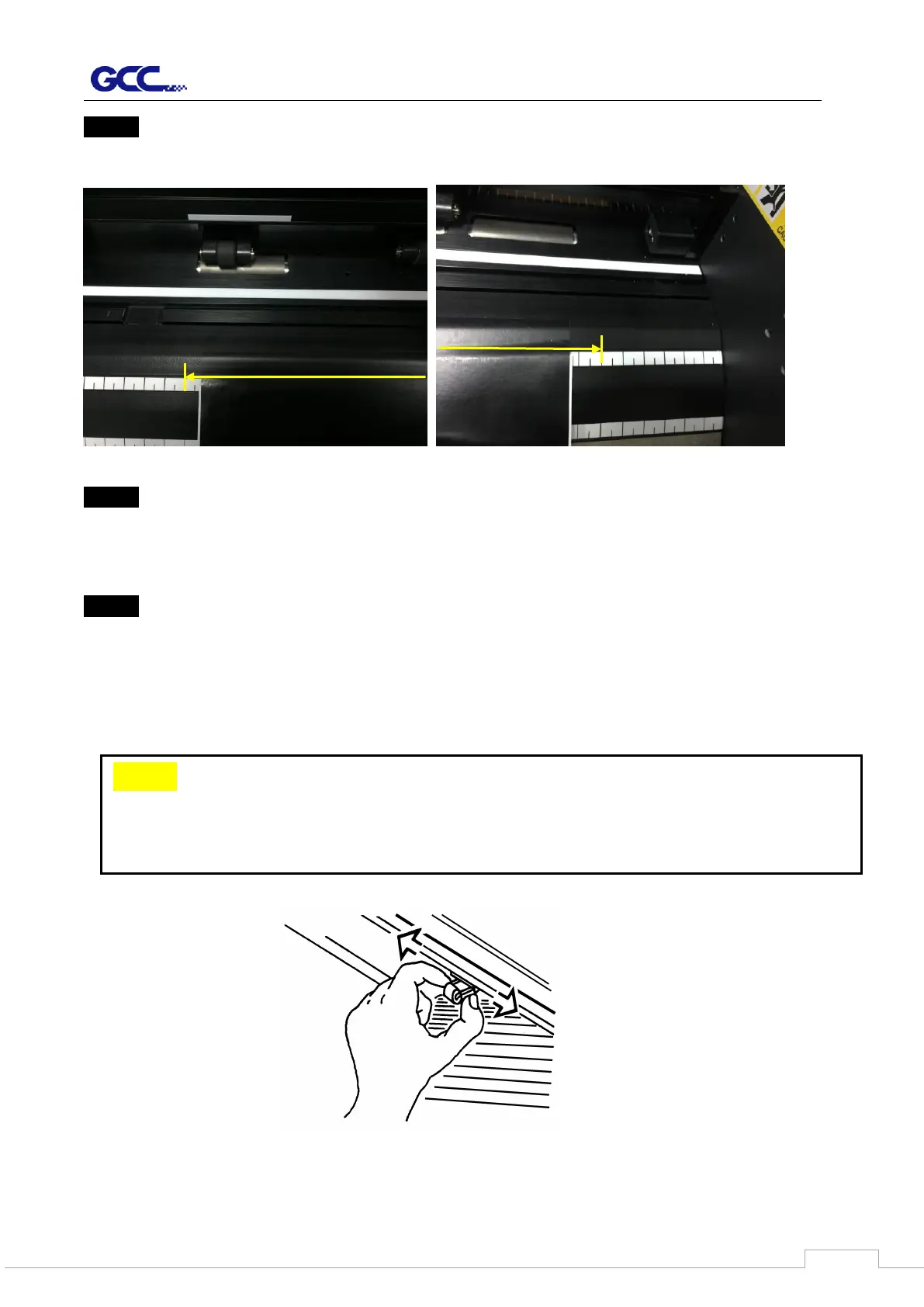
Step 4
Place the media between the cutoff ranges.
Step 5
Push the lever backward to lower down the pinch rollers.
Step 6
Turn on the power, the tool carriage will measure the size of the media automatically. And
the plotting cutter begins to work.
Note:
1. Always adjust the position with the pinch roller raised.
2. Move the pinch roller by applying force at the rear portion of the pinch roller support.
3. Do not move it by holding its front rubber roller (Figure 4-4).



 To Next Page