Section 3: Programming Operator Manual
G1900™
© Genmega 2011
3.3
3.1.2 WHEN AN ERROR OCCURS
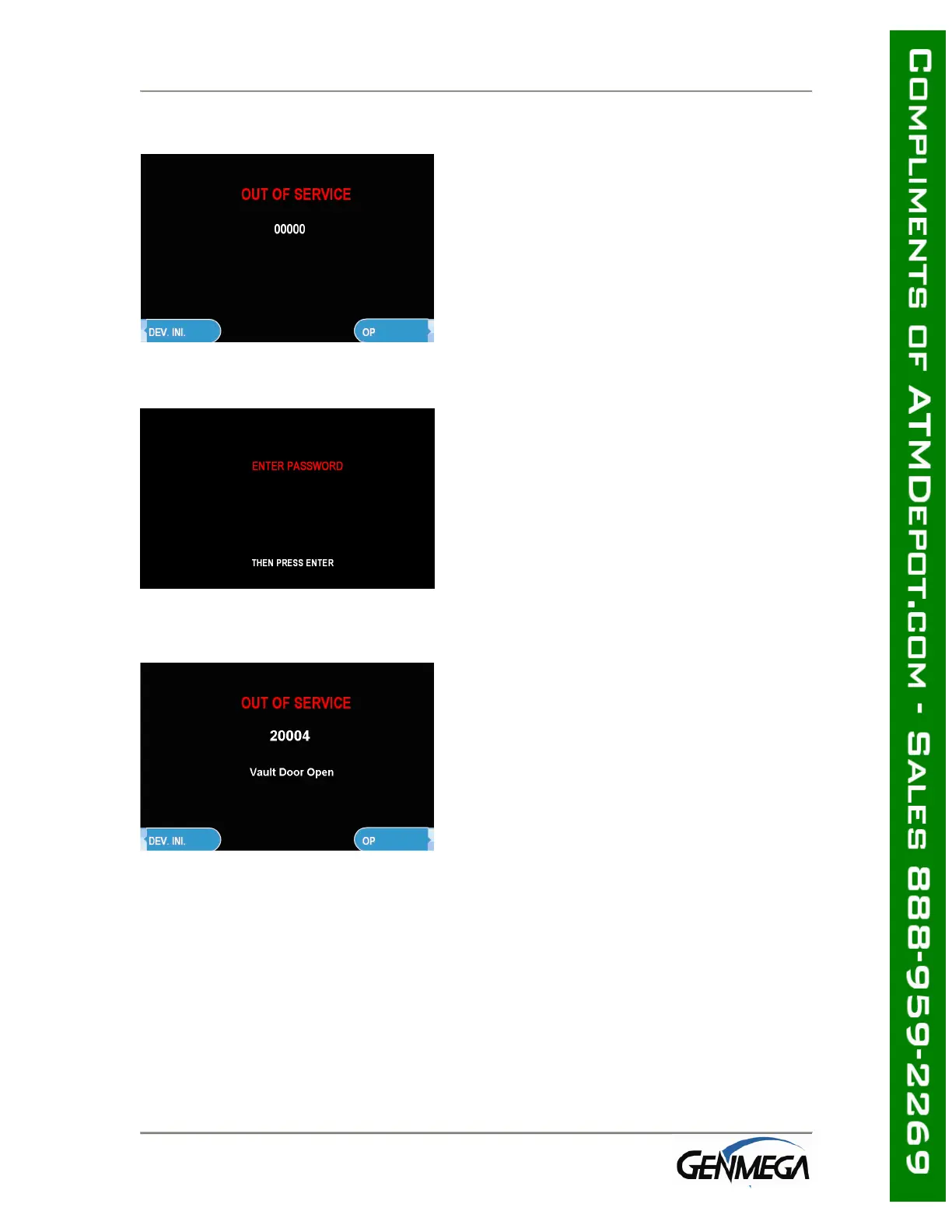
Step 1
When an error occurs, please press
[ENTER] – [CLEAR] – [CANCEL] – [1] – [2] –
[3].
NOTE: If the machine goes out of service,
the error code will not always appear on the
screen. If you do not see an error code,
enter operator function and go to reports.
Look in the error summary for error codes.
Step 2
“ENTER PASSWORD” will be displayed. Enter
the Master, Service or Operator Password to
continue.
Contact your distributor for default
passwords.
Remember to press ENTER key after
typing password!
Step 3
When the screen is in current display, press
“OP” key to access the “OPERATOR
FUNCTION.”



 To Next Page