Section 3: Programming Operator Manual
G1900™
© Genmega 2011
3.10
3.2.6 HEALTH CHECK MESSAGE
Health Check is an option that will send a system status signal to your processor at a
set interval. Check with your dealer or processor to determine if they are prepared
to receive this type of messaging.
To Enable, simply access the menu from Host Setup. Use the Host Send button to
enable or disable the feature and the Message Send Interval button to set how often
the machine will broadcast its status (in hours).
NOTE
: When using Standard 1 processing mode, an option for ‘Extended Health
Check’ will appear. This option is for 4 cassette dispensers and is not used in the
G1900™
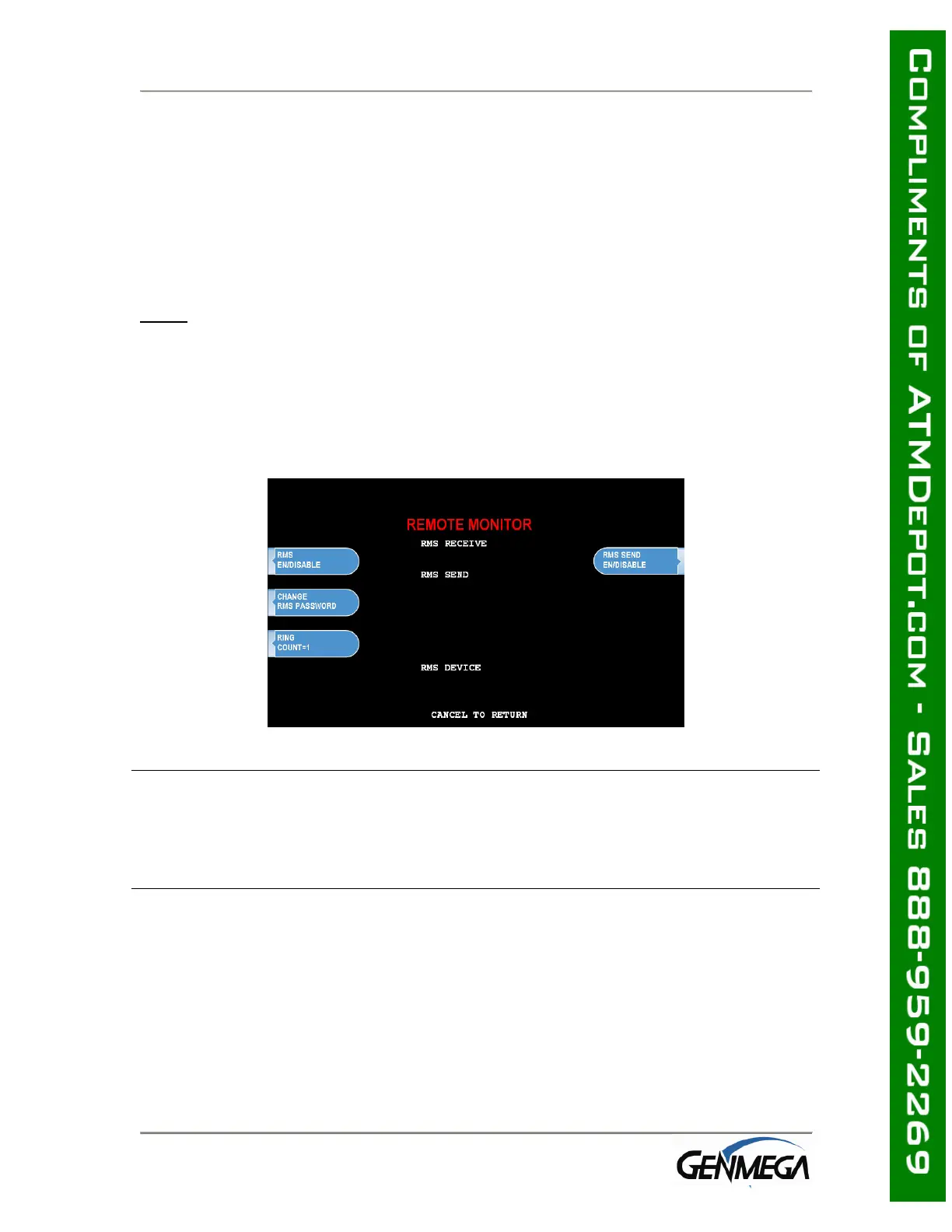
3.2.7 REMOTE MONITOR
Remote Monitoring is the ability to dial into your ATM and send or retrieve
information using Genmega Remote Management Software (RMS).
RMS EN/DISABLE
This will allow the ATM to be monitored remotely.
Enable The ATM will answer incoming RMS calls.
Disable The ATM will not answer any incoming calls.
RMS SEND
This feature causes the ATM to dial out to a computer running RMS software to
report a malfunction, a fatal error or an out of service condition. Any time the ATM
goes out of service for longer than 3 minutes, it will call the number programmed at
Remote Phone #1 (and then Remote Phone #2 if Remote #1 is busy). It will
attempt this call 3 times. In order to use this feature you MUST have a PC (with a
modem and a dedicated phone line) running RMS software available 24 hours a day.
Enable The ATM will dial out to report out of service condition.
Disable The ATM will NOT dial out to report out of service condition.



 To Next Page