Appendix C: TDES Key Installation Operator Manual
G1900™
© Genmega 2011
C.1
APPENDIX C: Master Key Installation
Master Key Installation
Master keys are entered only through an approved EPP (Encrypting Pin Pad) device and
are stored in the keypad. These keys, along with another key downloaded from your
processor are used to encrypt the ‘PIN’ numbers for customer transactions.
Two Passwords (Secure Mode Passwords) are required in order to enter ‘Key Mode’ and
change any options.
NOTE
: You will NOT be able to enter keys or change key mode until the Secure Mode
Passwords have been changed from default. After changing both passwords, you must
back out of the operator menu and reinitialize the ATM.
Please follow the procedures below to begin this process.
Installation Procedure:
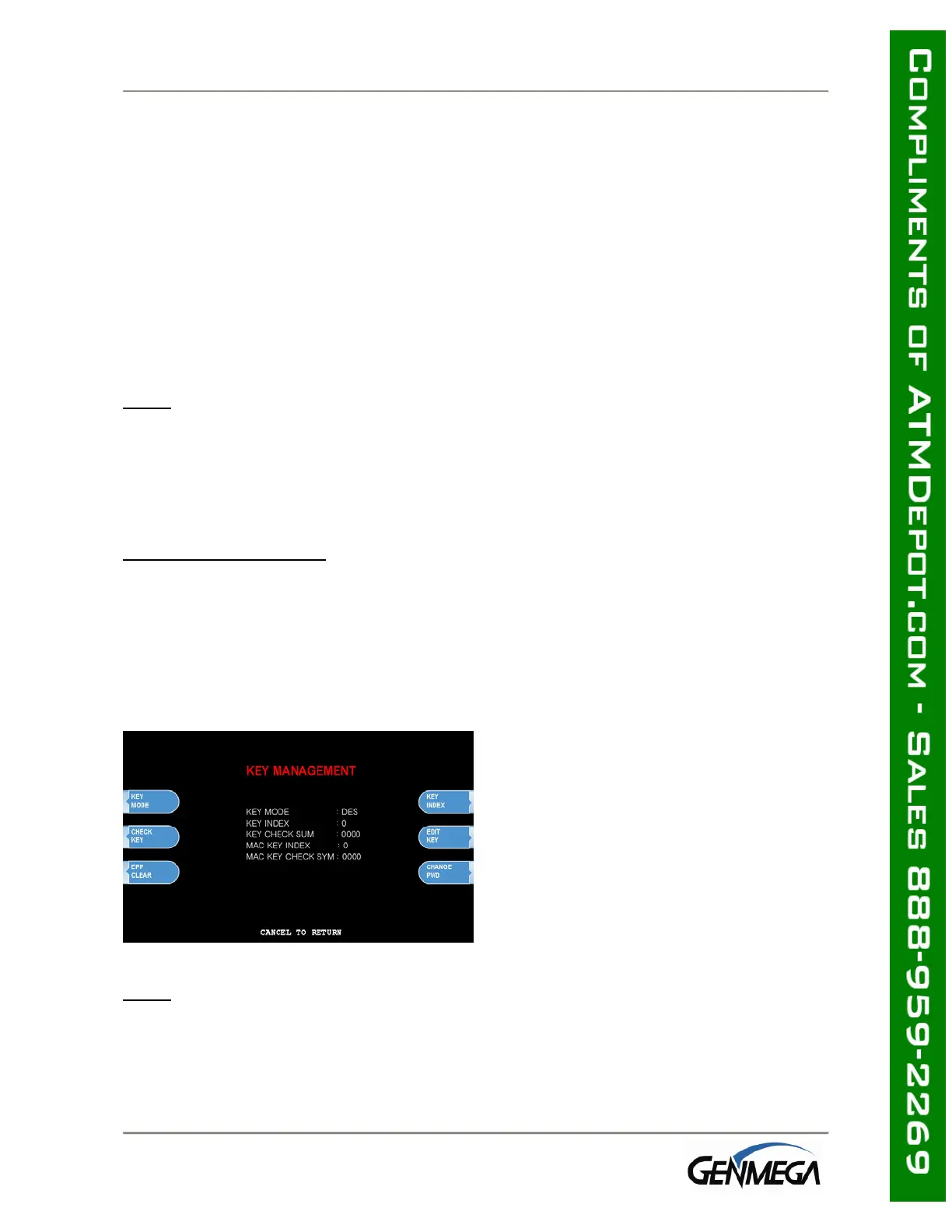
To access the Key Management menu from Host Setup, you’ll need to enter the Secure
Mode Password (parts 1 and 2). See page 3.6 for Secure Mode instructions.
Default Secure Mode password is:
Part #1 = 000000 / Part #2 = 000000
Access the Key Mode selections by entering
the operator function menu
[ENTER]+[CLEAR]+[CANCEL] + 1 + 2 + 3
Enter Master Password and choose Host
Setup
Note: Master Password is required to access
Key Management Menu.
NOTE: You must change the Secure Mode Password from default before any changes can
be made to Key Management, or enter any keys. Change the default passwords for Part
#1 and Part #2 and then completely exit the Operator Menu (cancel out and let machine
initialize) Once you go back in and use the new Secure Mode Passwords, you’ll be able
to make changes or enter keys.



 To Next Page