Section 6: Customer Transactions Operator Manual
G1900™
© Genmega 2011
6.9
6.6 ERROR RECOVERY
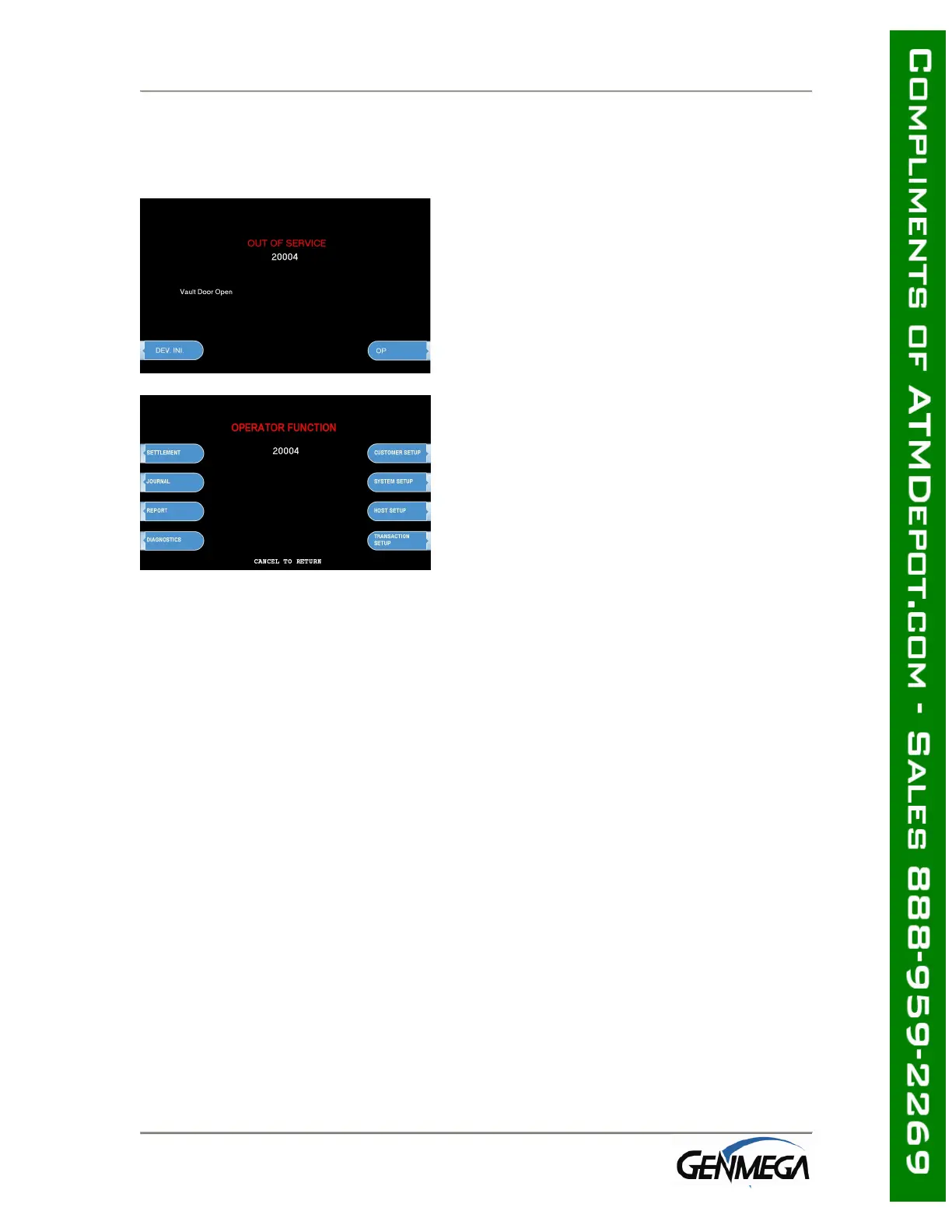
If an error occurs the following screen will be displayed.
Step 1
To access the Operator Function menu, press
the following keys in order <Cancel>, then
<Clear>, then <Enter> then 1, then 2, then
3.
Step 2
Verify the Error that has occurred through the
“ERROR CODE” of the “REPORT MENU” in the
“OPERATOR FUNCTION,” menu and perform
the corrective action, then press the “DEVICE
INITIALIZE” screen key.
If the Error is not corrected after resetting,
contact your service personnel.



 To Next Page