Section 5: Diagnostics Operator Manual
G1900™
© Genmega 2011 5.1
DIAGNOSTICS
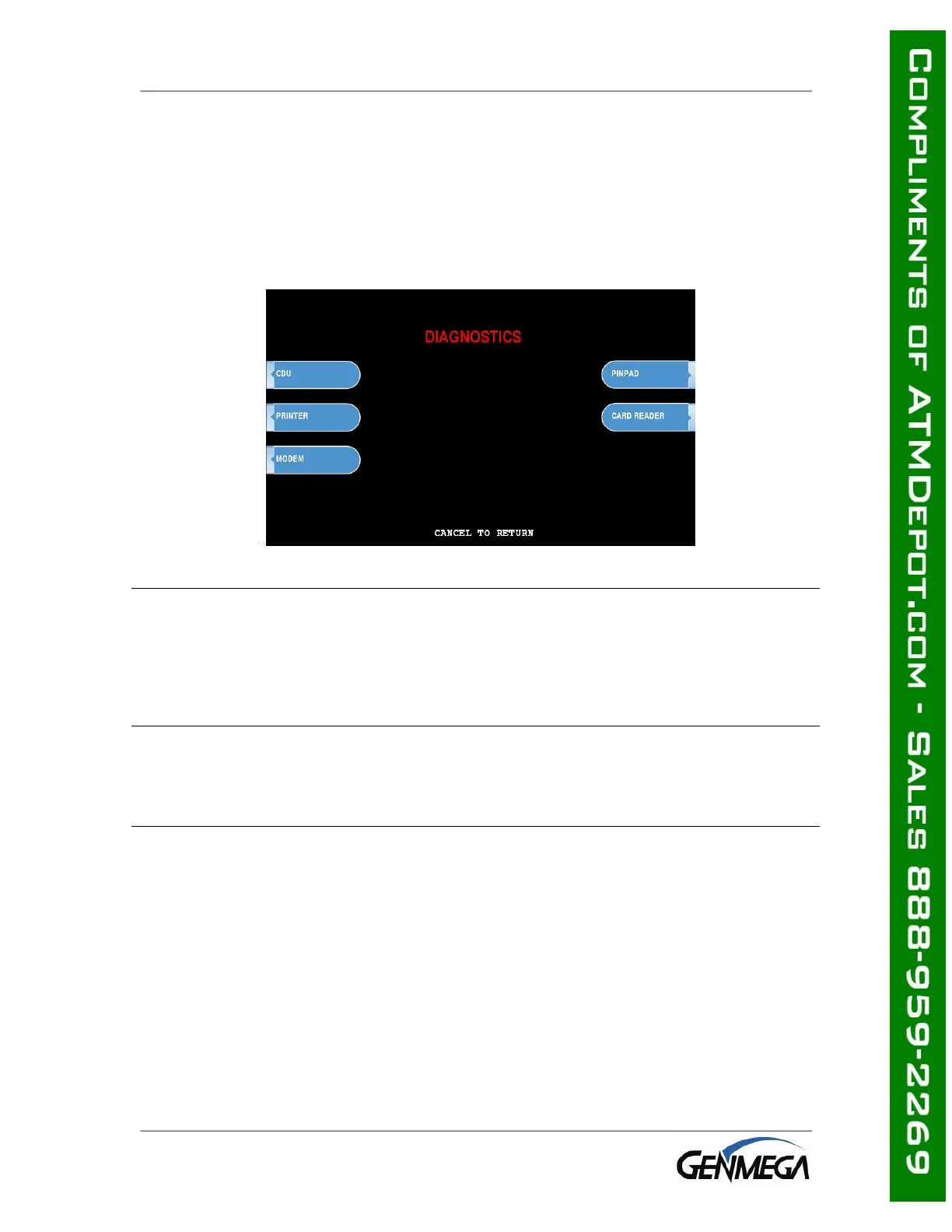
5.1 DIAGNOSTICS MENU
The ATM features built-in diagnostics features to assist you in troubleshooting any
problems that may develop. Below is the main diagnostics menu.
CASH DISPENSER
This will test the ability of the cash dispenser to pull a note from one or both
cassettes (based on how the CDU is programmed) and send it to the reject bin. You
can choose from the first cassette, second cassette or both cassettes at once.
NOTE: You must have bills entered into Settlement before running this test.
PRINTER
This test will print a test receipt. If the test is successful you should receive a receipt
with three sets of sample characters for each time the test is run.
MODEM
The modem test will allow you to enter a phone number into the machine and test
dial. To run the test, press the Modem button and then press Test Dial. Using the
main keypad, enter a phone number to be dialed (for example your cell phone
number) and then press <Enter>. The modem should dial out to the number you
entered. To end the call press Modem Hang up. In most cases a failure during the
modem test will relate more to phone line problems rather than the modem circuit
itself.



 To Next Page