Section 4: Operation Operator Manual
G1900™
© Genmega 2011
4.23
PRINT ALL SETUP
The Print All Setup report is a complete listing of all the programming details for your
ATM. It includes everything from software versions to message screens and host
setup parameters. This report is extremely important when troubleshooting
problems. It is highly recommended to keep a copy of this on hand for when you
need to contact your service personal. To print the report, press the Print All Setup
button, when the report is finished it will prompt you to press Enter to return to the
Reports Menu.
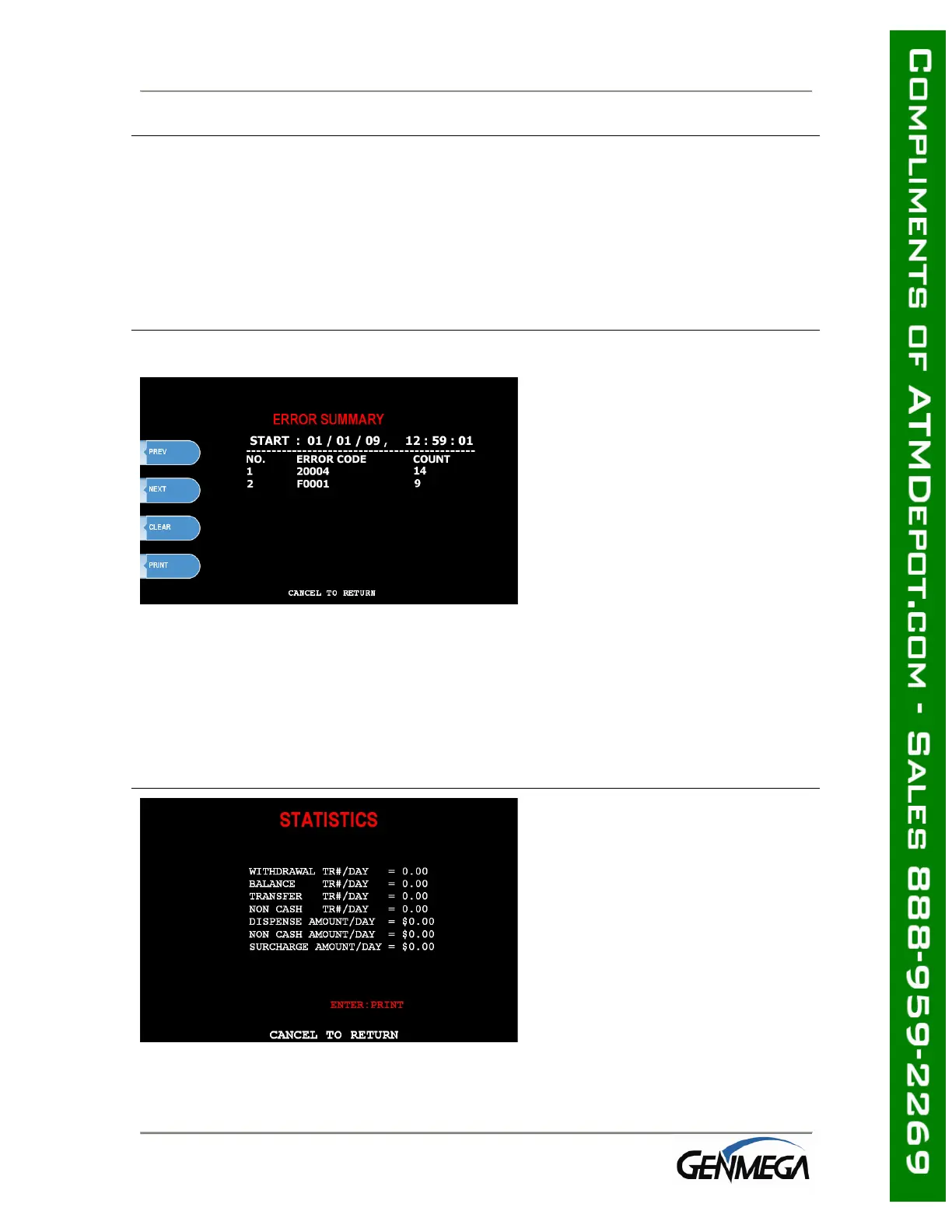
ERROR SUMMARY
This report is a running total of all
errors that have occurred to your
ATM. It lists the errors by the
number of times they occurred.
Sometimes your machine can go
out of service and no error code is
displayed (usually with
communications problems). If this
happens, check the error
summary, as the code will be
displayed here. You can print
these errors To the left is a
sample of an error summary
report.
Press Clear to clear the report and start over. This can be useful if you have a
machine were multiple errors are occurring. If you clear the error codes and then
attempt a transaction, if that transaction fails, the error summary will only show
those errors that occurred during that last transaction. You can also print the error
summary list by pressing the Print button.
STATISTICS
This report keeps running averages
of transaction information,
including:
• Withdrawal Transactions per
day
• Non-Cash withdrawals per day
(if enabled)
• Balance Transactions per day
• Transfer Transactions per day
• Notes Dispensed per day
• Surcharge amount collected per
day



 To Next Page