Section 3: Programming Operator Manual
G1900™
© Genmega 2011
3.12
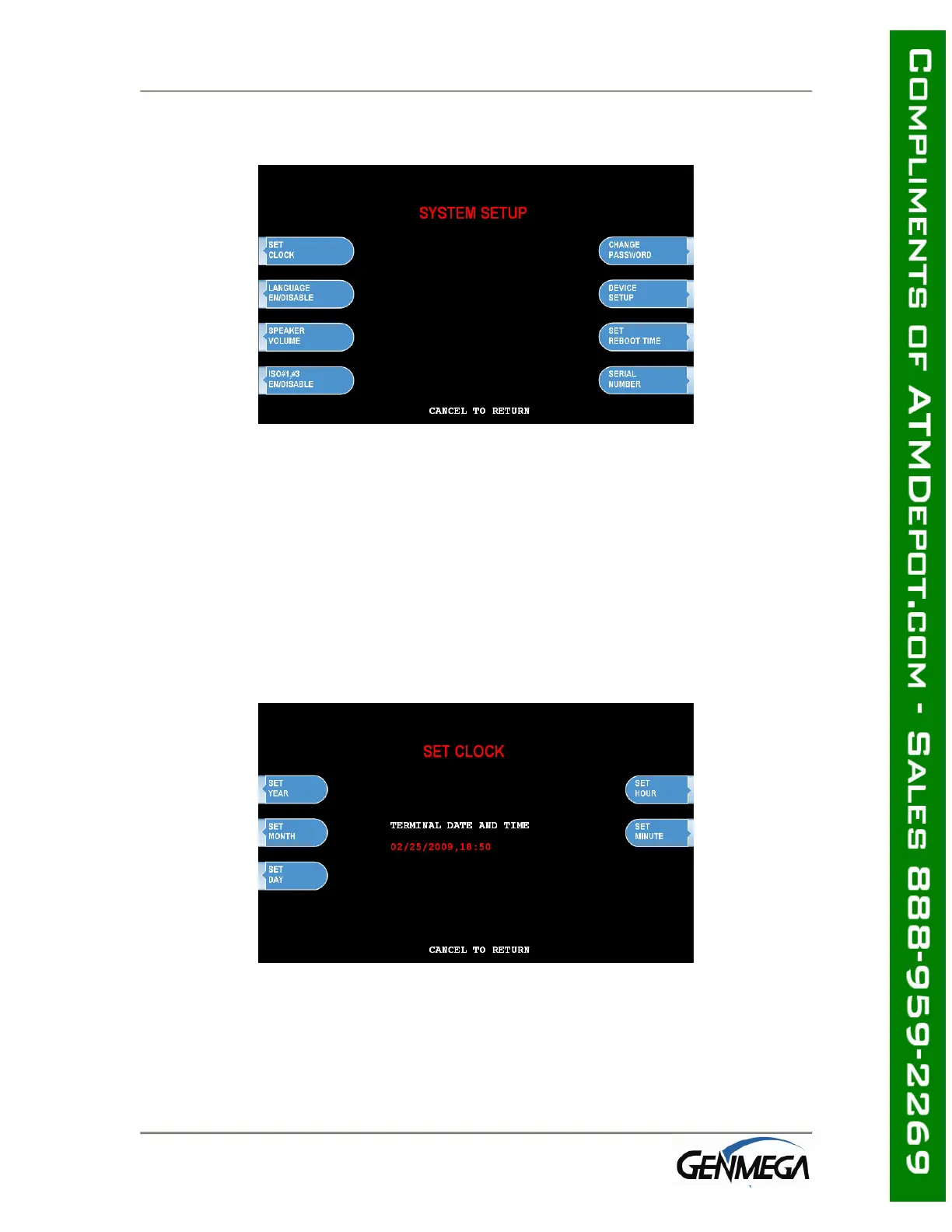
3.3 THE SYSTEM SETUP MENU
3.3.1 SET CLOCK
The Set Clock menu allows you to set the clock built into the ATM to the appropriate
date and time. You should set this for local time in the area the machine is to be
installed. Note that with each transaction you will see also see a “Host” time, this is
the local time for the processor and may be different from local time at the ATM. To
set the clock, simply press the Set Clock button and press the key corresponding to
the function you want to set (month, day, year, etc.)
NOTE: The ATM will not automatically adjust for daylight savings time. You must set
this manually if you wish it to change.



 To Next Page