Section 3: Programming Operator Manual
G1900™
© Genmega 2011
3.31
3.6 TCP/IP SETUP
TCP/IP Setup is done in several menus. First you need to specify TCPIP from the
Communications Menu: [See page 3.24] Check with your processor for which
protocol they are expecting.
Operator Function Menu Æ Customer Setup Æ Change Processor Æ Communication
Change this value to SSL Pass Through (or other depending on processor)
Once you change from Modem, to one of the TCP/IP settings, several other menus
change to support various network functions.
For Example:
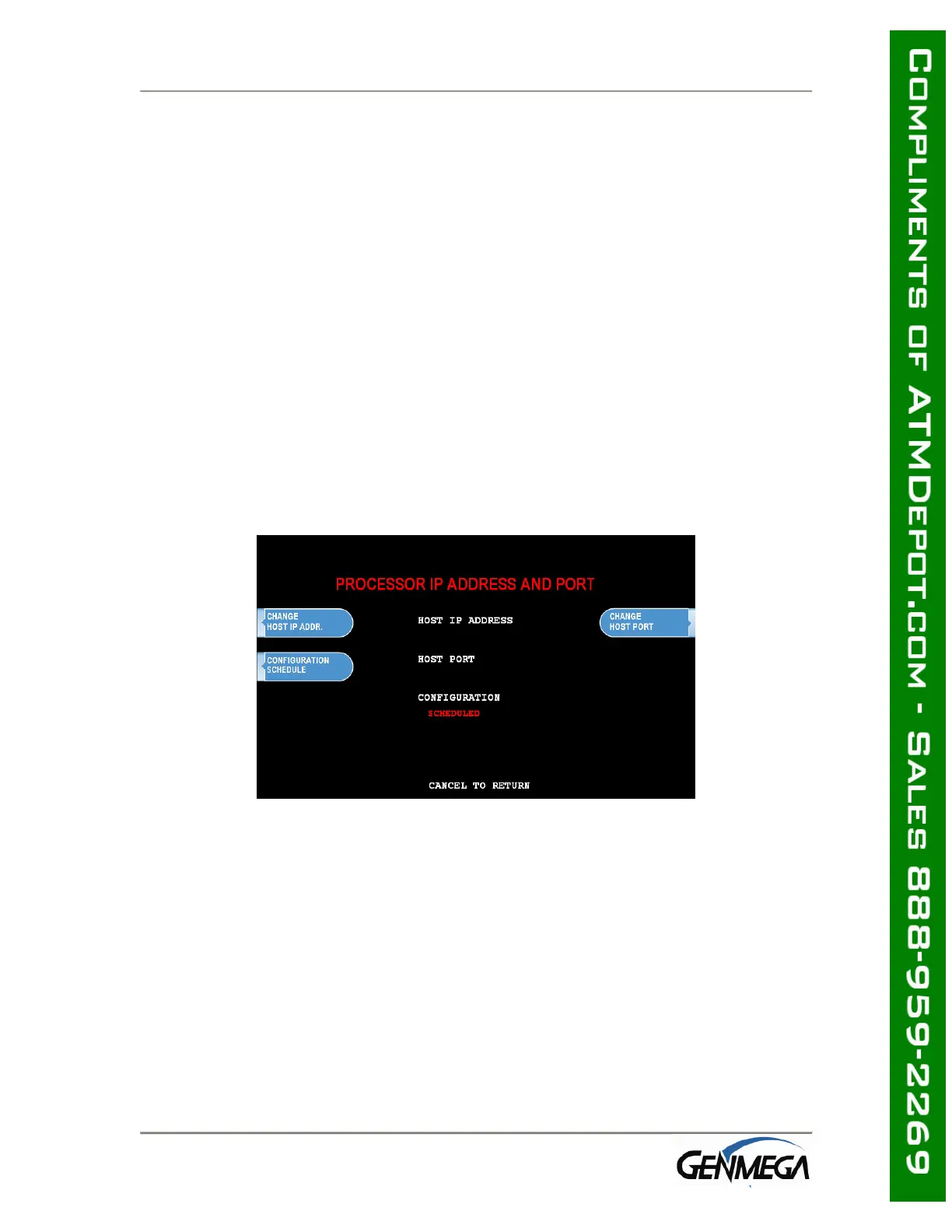
Operator Function Menu Æ Host Setup Æ Processor IP and Address Port
Here you will set the Host Processor IP (or URL) address and port. For some
processors an IP address (example = 121.212.1.21) is used and for others you’ll
enter a URL address (example = trans.mybank.processor).
In addition to the address, there will also be a port setting (example = 6543)
Configuration Schedule allows you to force the ATM to update configuration with the
host upon boot up. You might use this command if the terminal gets consistent Key
Errors and you want to force download of a new working key.



 To Next Page