11
SETUP
After connecting the plotter to the GRAPHIX ADVANTAGE, you will
use the GSP Setup program in GRAPHIX ADVANTAGE to make the
GS15
plus
accessible.
Note: When the GS15
plus
is used with sign design systems other than
GRAPHIX ADVANTAGE, contact the system manufacturer to obtain a
driver for the GS15
plus
and for setup information.
Plotter Selection
1. Double-click on the GSP Setup icon to open GSP Setup.
2. Click on Setup. The Setup drop-down menu appears.
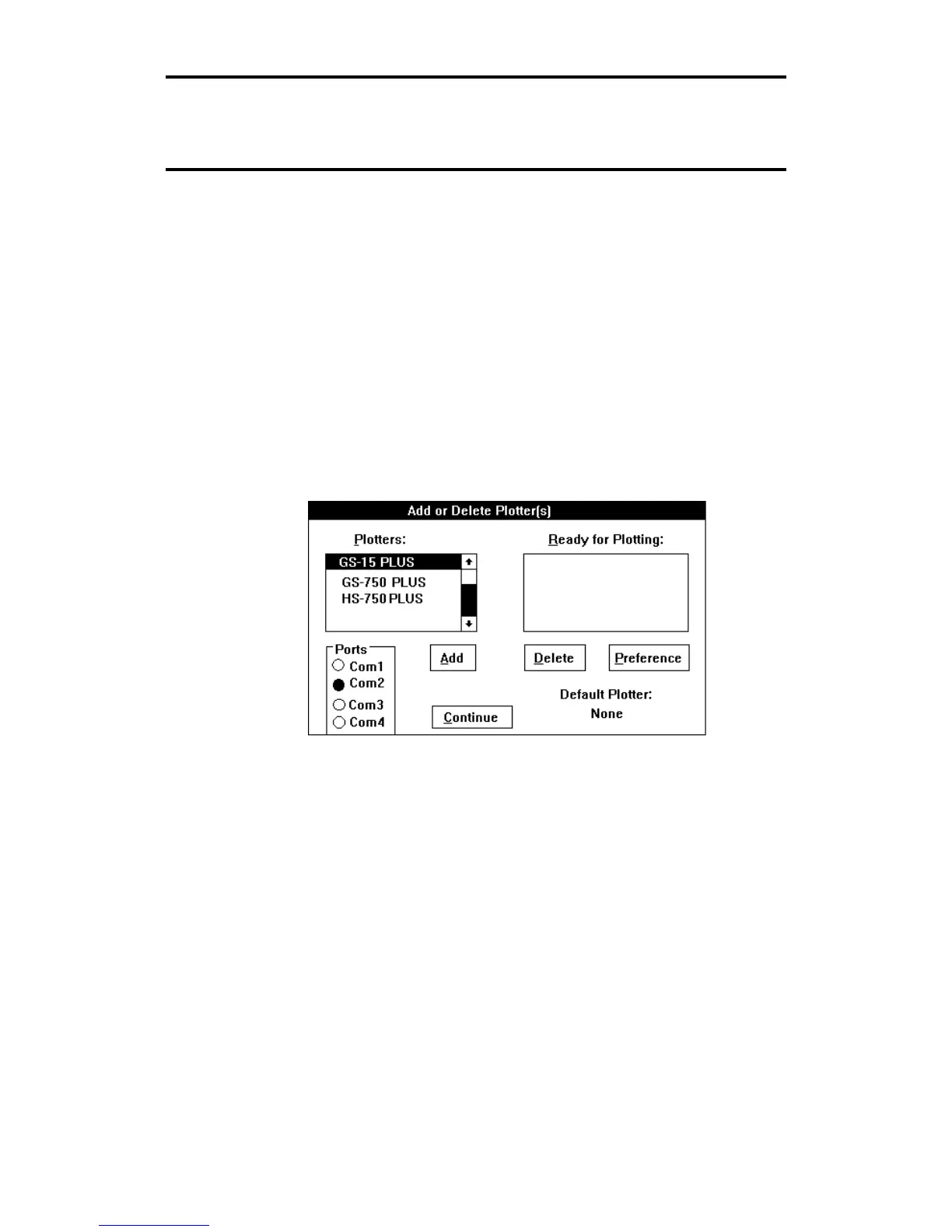
3. Click on Plotter. The Add or Delete Plotter(s) dialog box appears.
4. Click on GS15
plus
in the Plotters list box to highlight it.
5. Click on the port to which the plotter is connected (COM1, COM2,
COM3, or COM4) in the Ports box.
6. Click on Add. GS15
plus
appears in the Ready for Plotting list box.
Your system is now set up to use the GS15
plus
plotter.



 To Next Page