Plotter Adjustment 71
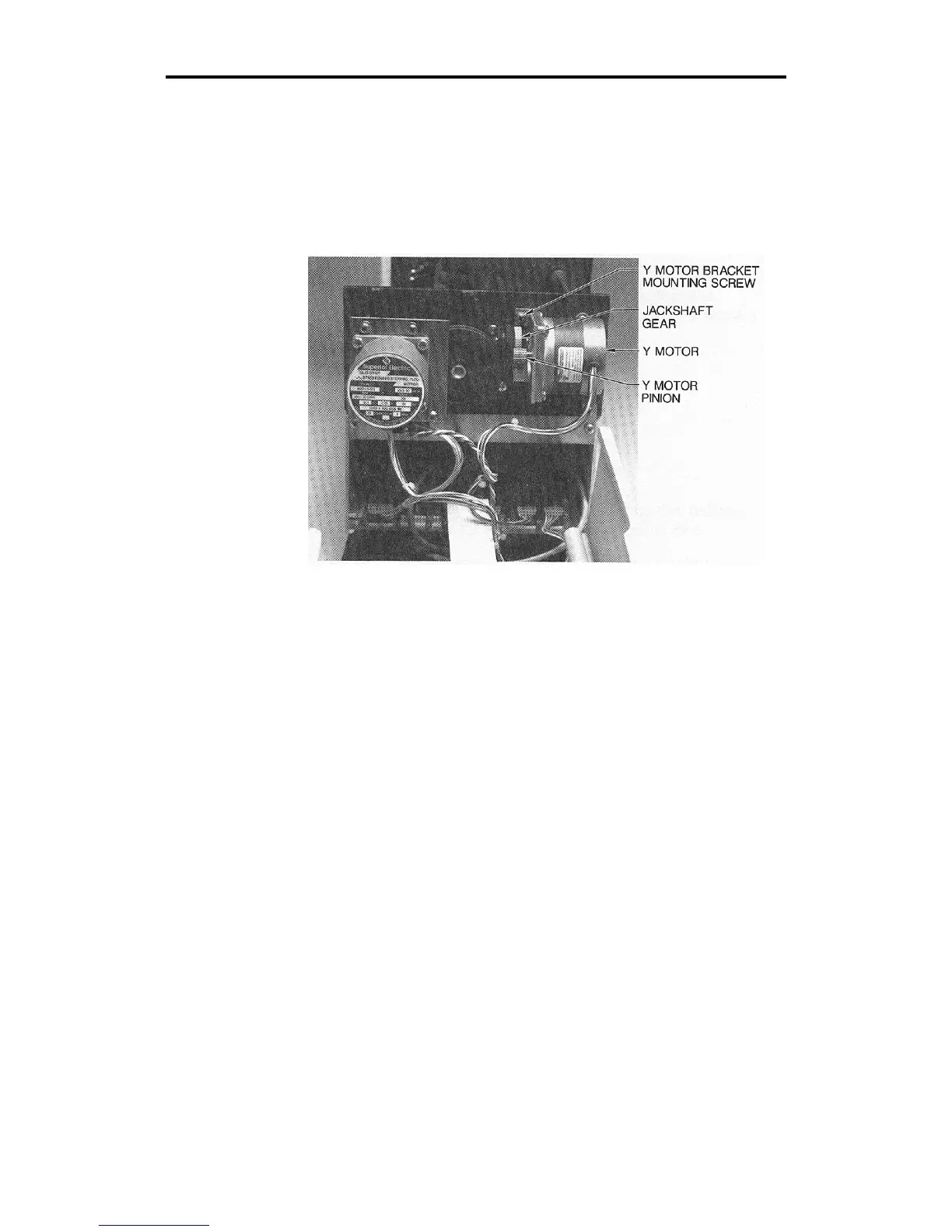
5. Locate the jack shaft gear and the Y motor pinion. These two gears
are meshed together. Gently attempt to rotate the jack shaft gear.
With one finger on the motor pinion, notice if the jack shaft gear
moves while the pinion remains stationary. If the pinion moves with
the jack shaft gear so there is no backlash, go to the section for
Drum End Play Adjustment.
6. If the Y motor pinion remains stationary so there is backlash, locate
the two Phillips head screws. (Only one screw is visible.) Loosen
these screws which hold the Y motor bracket against the side plate.
7. Apply light pressure upward to tighten the mesh of the jack shaft
gear and the Y motor pinion.
CAUTION: Forcing the jack shaft gear and Y motor pinion to
mesh too tightly can cause the jack shaft gear to wear
prematurely.
If you adjust the mesh too loosely, poor letter quality will result.
However, it is safer to tighten the mesh gradually, cut a test
plot, then tighten again than to adjust the mesh too tightly.



 To Next Page