| CARDIOHELP System | 6 Repair | 119 |
Service Manual | 3.3 | EN | 05
Copyright Maquet Cardiopulmonary GmbH
CAUTION!
ESD-sensitive components
To prevent damage to ESD-sensitive components, an ESD-protected environment must be set up.
WARNING!
To finish the task, the following step must be carried out in order to ensure error-free use.
n Carrying out the inspection (⇨ "Inspection", page 33).
1 Open the device (⇨ "Opening the Device", page 108).
Backlight inverter
2 Remove the battery housing (⇨ "Removing Battery Housing", page 116).
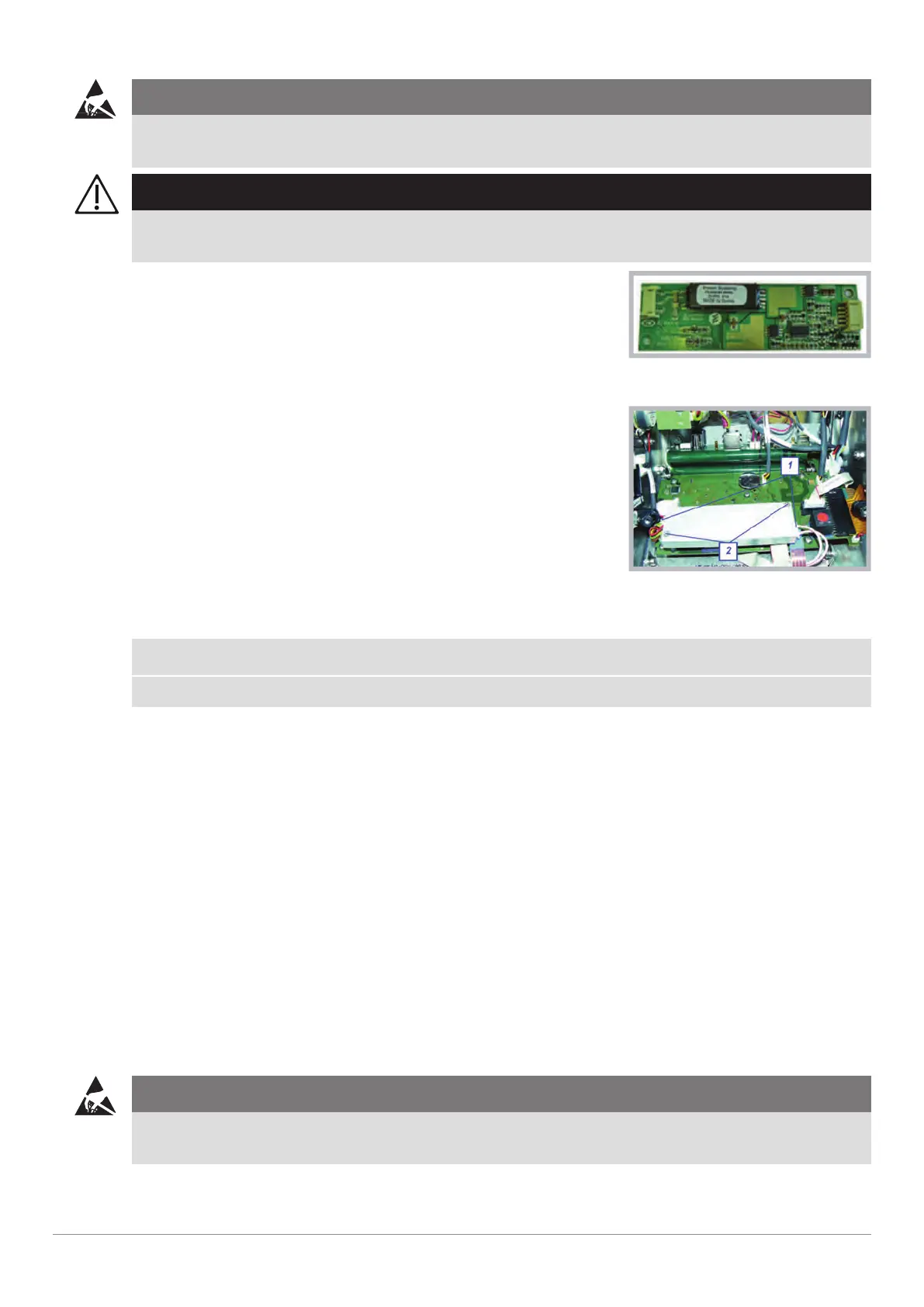
3 Disconnect the two plugs [1] of backlight inverter.
Backlight inverter
4 Unscrew the screws [2] of the backlight inverter.
5 Remove the backlight inverter and place it on the ESD workstation.
NOTE
Perform necessary steps of service work.
▶ Additional steps could be:
- Replacement of backlight inverter.
- Replacement of the HMI PCB (⇨ "Replacing HMI PCB", page 119).
6.13.1 Assemble the Backlight Inverter
1 Mount the backlight inverter with a torque of 0.5 Nm. Do not use Loctite! [2].
2 Connect the two plugs of backlight inverter.
3 Assemble the battery housing (⇨ "Assemble Battery Housing", page 117).
4 Close the device (⇨ "Closing the Device", page 110).
5 Carry out a complete inspection (⇨ "Inspection", page 33).
u Backlight inverter replaced.
u Inspection after repair has been carried out.
6.14 Replacing HMI PCB
Requirements
Service training part 2
CAUTION!
ESD-sensitive components
To prevent damage to ESD-sensitive components, an ESD-protected environment must be set up.


 To Next Page
 Loading...






