1.
Function key settings on the phone (P710)
On the phone, a limited number of functionalities is available.
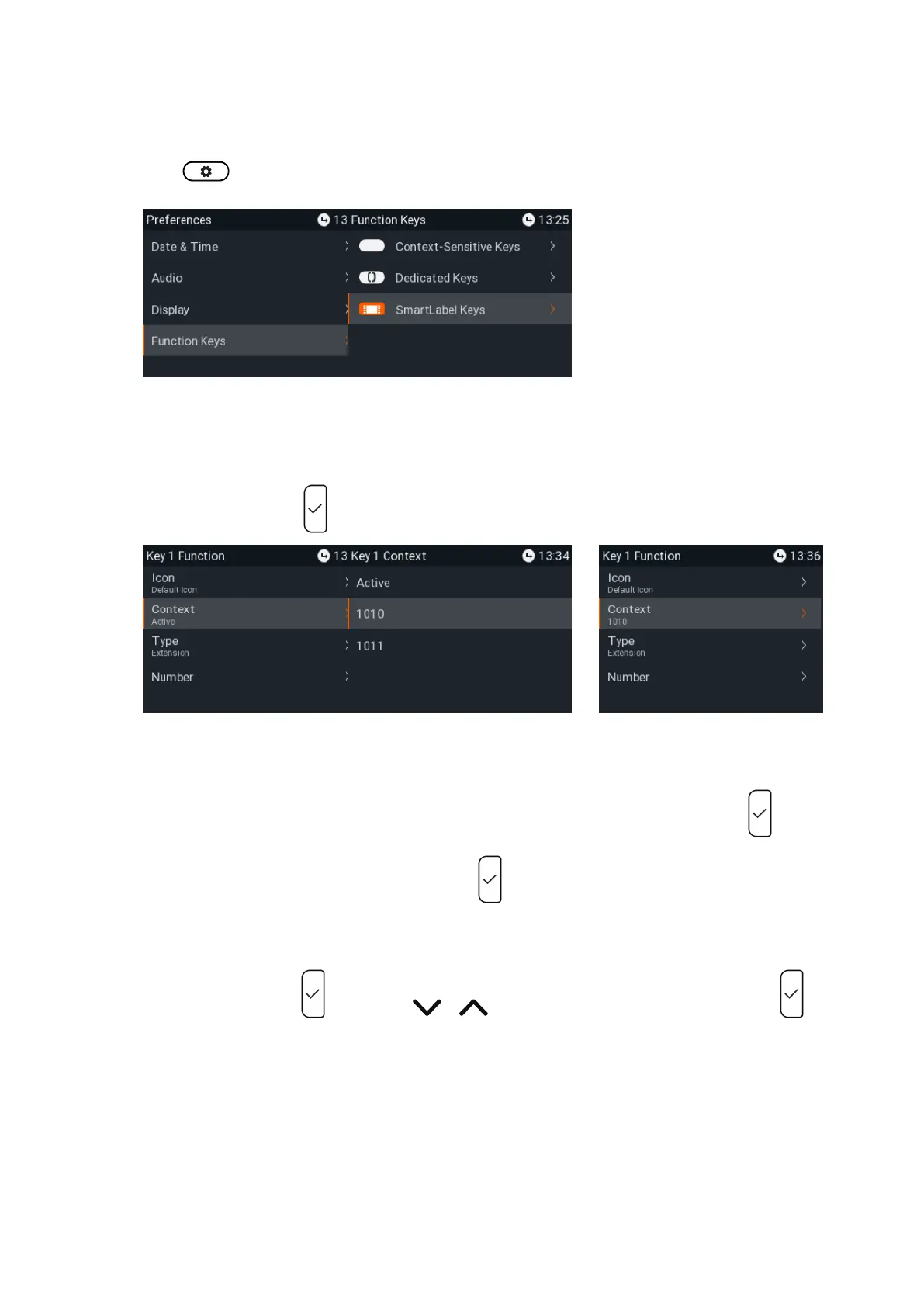
Press and select and (Fig. 1).Preferences Function keys
Fig.1 Fig.2
2. Select SmartLabel Keys (Fig. 2).
3. Select a key and press to open the Key n Function menu (Fig. 3). The selected key flashes yellow.
Fig. 3 Fig. 4 Fig. 5
4. The default for is Active, i.e., all configured identities whose status is "active" (Fig. 4).Context
a. If you want to restrict the functionality to a configured identity, select and press .Context
b. Select the identity from the menu and press . The identity is added to (Fig. 5). The Context
following prompts depend on the selected functionality.
5. Select Type and press (Fig. 6). Use / to scroll to a functionality on the list and press .
The information you will then be prompted to enter depends on the selected functionality.














 To Next Page