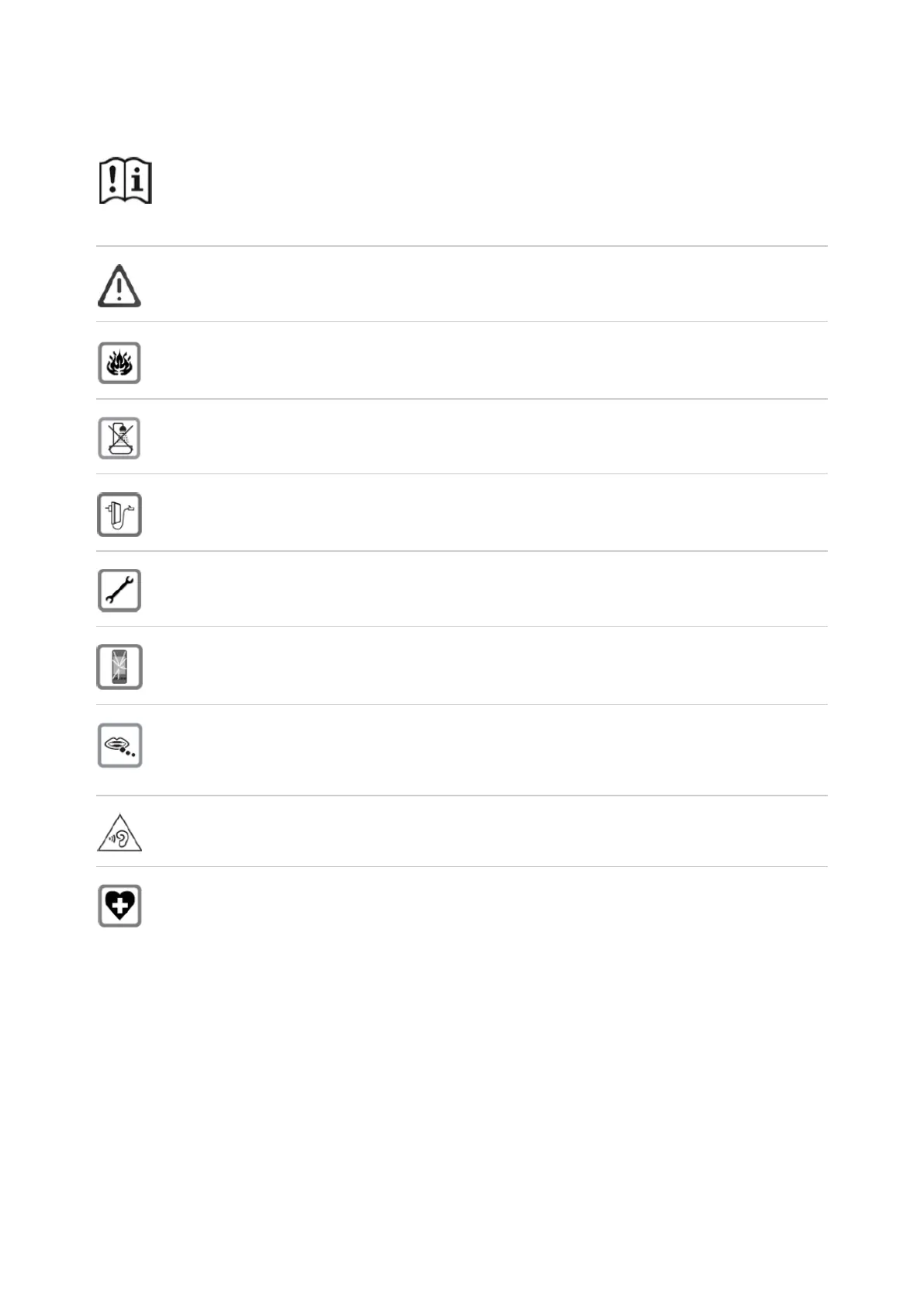
Safety instructions (P710)
Read the safety precautions and the user guide before use.
Comprehensive user guides for all telephones and telephone systems as well as
for accessories can be found online at . We thereby help to save wiki.gigaset.com
paper while providing fast access to the complete up-to-date documentation at
any time.
The device cannot be used in the event of a power failure. In case of a power
failure it is also not possible to make emergency calls. Emergency numbers
cannot be dialled if the keypad/display lock is activated!
Do not use the devices in environments with a potential explosion hazard (e.g.
paint shops).
The devices are not splashproof. For this reason do not install them in a damp
environment such as bathrooms or shower rooms.
Use only the power adapter indicated on the device. Whilst powering, the power
socket must be easily accessible. Use only the cable supplied for LAN connection
and connect it to the intended ports only.
Remove faulty devices from use or have them repaired by our Service team, as
these could interfere with other wireless services.
Do not use the device if the display is cracked or broken. Broken glass or plastic
can cause injury to hands and face. Send the device to our Service department to
be repaired.
Keep small parts, cells and batteries, which can be swallowed, out of the reach of
children. Swallowing a battery can lead to burns, perforation of soft tissue and
death. Severe burns can occur within 2 hours of swallowing. In the case of a
swallowed cell or battery, seek medical care immediately.
To prevent loss of hearing, avoid listening at high volume over long periods of
time.
Using your telephone may affect nearby medical equipment. Be aware of the
technical conditions in your particular environment, e.g. doctor's surgery. If you
use a medical device (e.g. a pacemaker), please contact the device manufacturer.
They will be able to advise you regarding the susceptibility of the device to
external sources of high frequency energy (for the specifications of your Gigaset
product see "Technical data").














 To Next Page