1.
a.
b.
c.
i.
ii.
d.
e.
f.
g.
h.
Adding/editing entries on the web interface (P710)
Click in the menu on the left side.Directory
Adding new entry
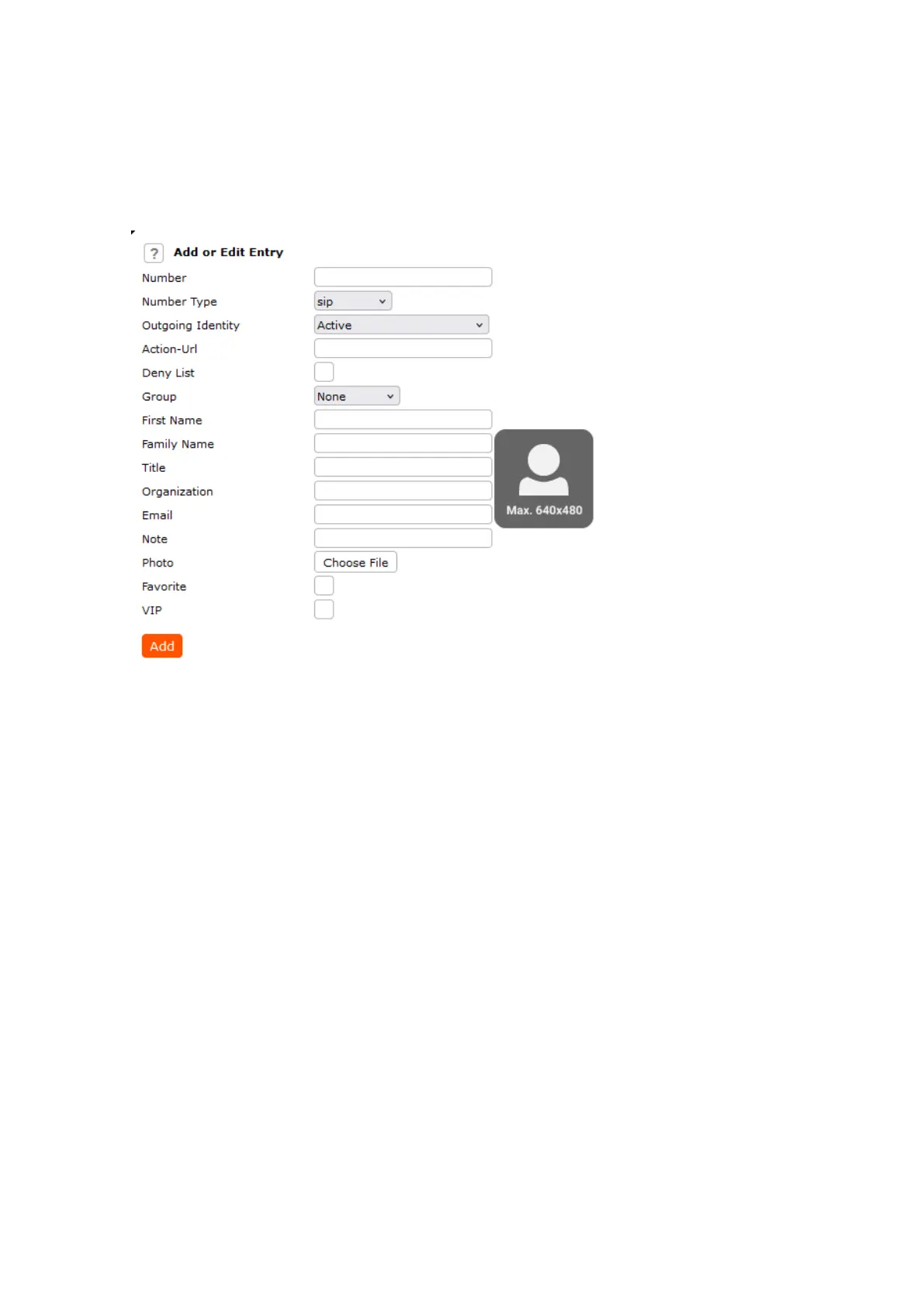
Type data in text fields of Add or Edit Entry.
Number: Type the number exactly as you would dial it, with country and area codes, if necessary, and
without parentheses, hyphens, blank spaces.
Note: If the directory already contains the number you have entered, the existing directory entry with that
number will be overwritten when you save the new entry.
Number Type: Select the type of connection from the drop-down menu. The default setting is SIP.
Contact Type: Select "None", "VIP", or Deny" from the drop-down list. The default setting is
"None".
Calls from entries on the "VIP" list will always ring on the phone, even when the phone is in a call
or in DND mode.
Note: You can assign a distinct ringtone to the contact type "VIP": page >Preferences Directory
section.Ringtones
Calls from entries on the "Deny" list will not ring on the phone. The caller will always hear the busy
signal.
Outgoing Identity: The drop-down list shows all identities configured on the phone. If you select one of
the identities for one of the numbers listed in the phone book, all calls to that number initiated from the
phone book will show that identity on the callee’s phone.
Deny List: Calls from phone numbers with this contact type will not ring on your phone. The caller hears
the busy signal.
Group: The available group types are Friends, Family, Work, Colleagues, Server or None. The default
setting is none. You can assign a distinct ringtone to each group type.
First name, family (last) name: Will be added in this order under "Name" in the directory, unless you
have also entered a nickname.














 To Next Page