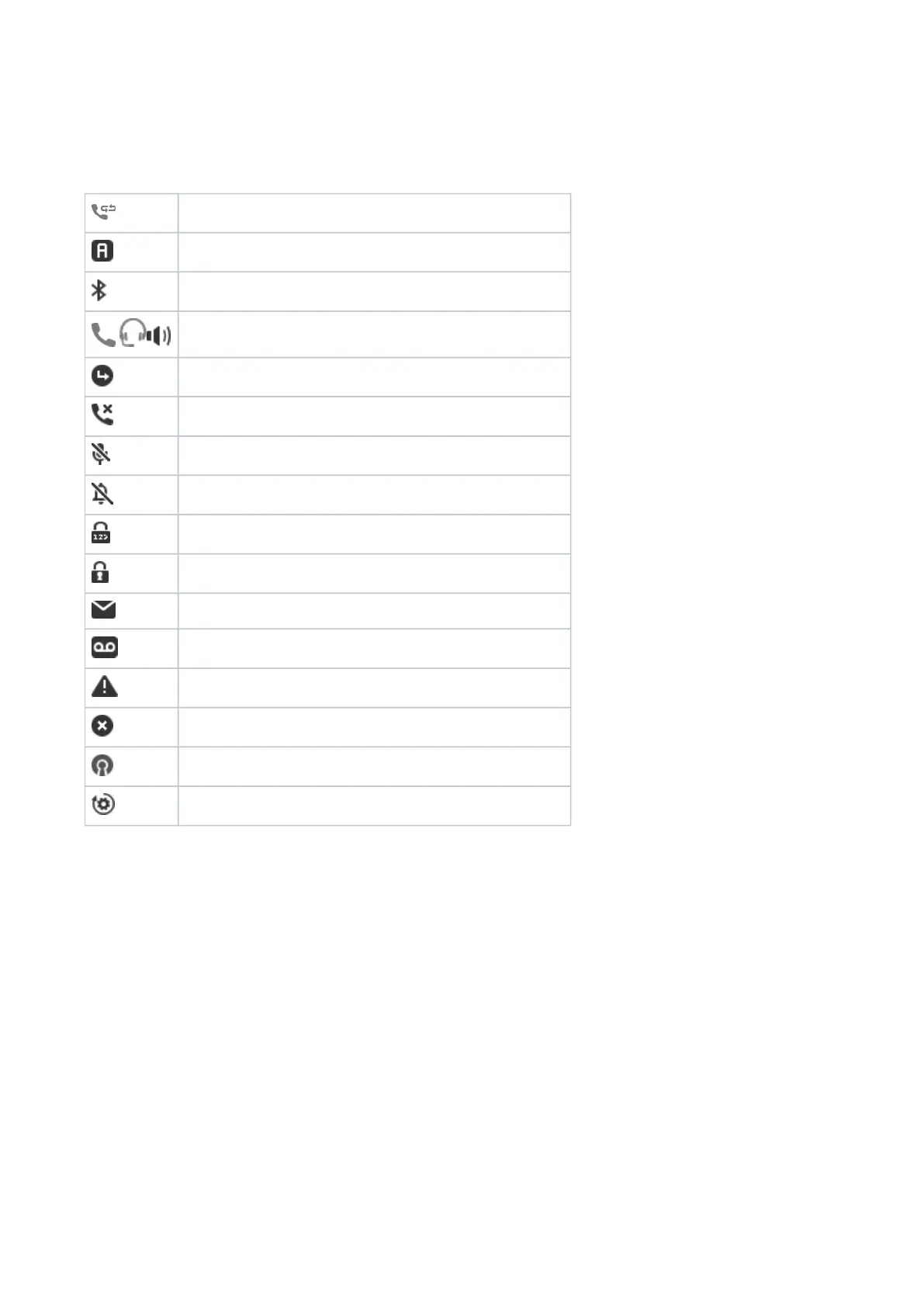
Symbols found in the info bar/status line (P710)
The icons in the info bar/status line at the top of the display screen contain information on the current status of the phone,
e.g., which page of the SmartLabels is on-screen, which audio device is being used for the current call, whether call
forwarding is activated, etc.
Call completion active
Anonymous mode
Bluetooth mode
Handset / headset / speakerphone is the active audio device.
Call forwarding active
Missed call
Microphone muted
Ringer off
Keypad locked
SRTP
Message available
Voicemail active
Warning
Error
VPN active
Provisioning














 To Next Page