Definitions, explanations (P710)
Directory entries
Each entry must have at least one phone number; multiple associated phone numbers are possible. If you do not
enter a first and/or last name and/or nickname, the phone number will appear under both " " and " ".Name Number
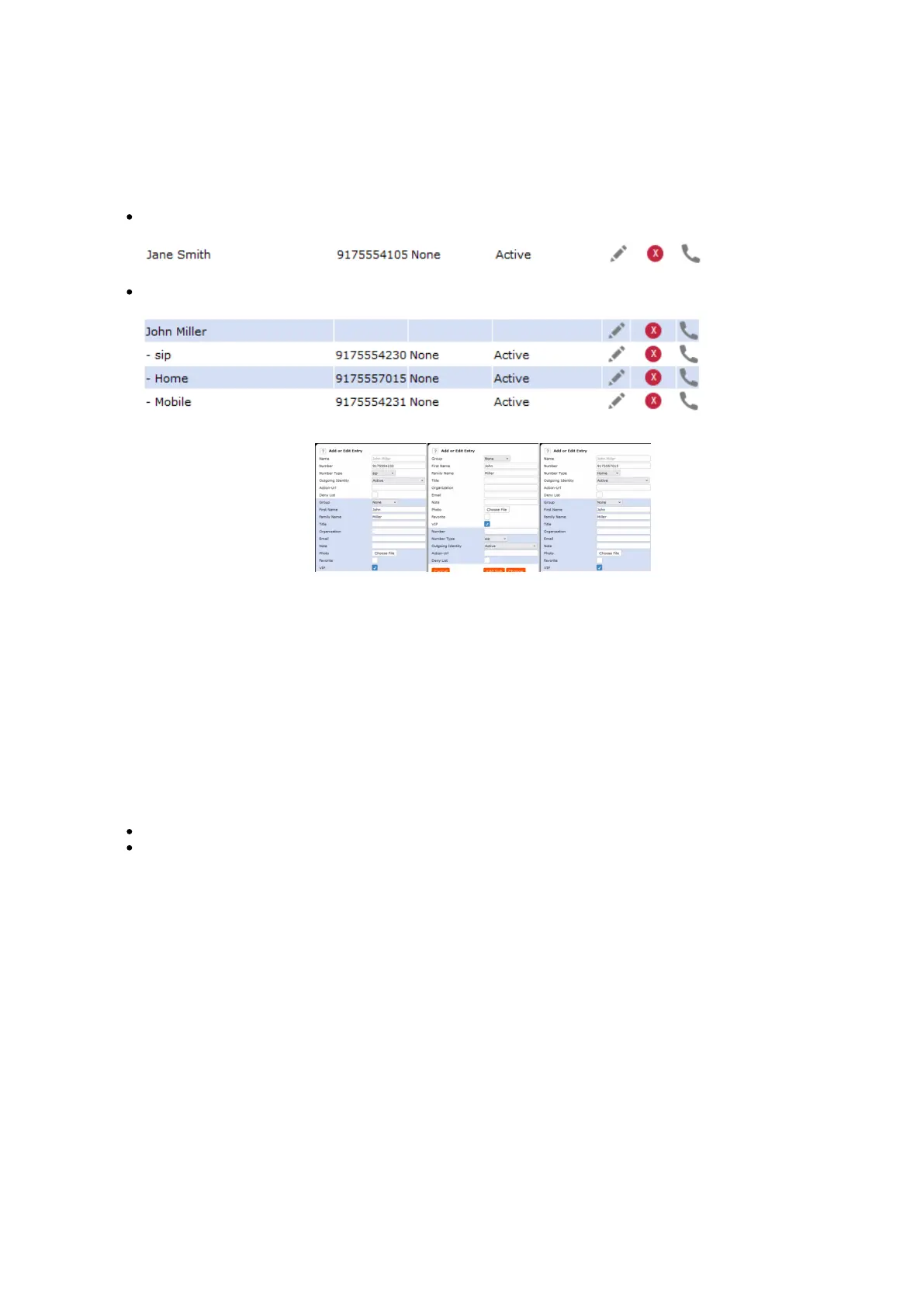
Entry with one phone number:
Entry with several associated phone numbers:
Number area (N): Individual
settings for the master record
and each sub entry possible.
Blue area. Data can be
different for each associated
phone number. If sub entry
text fields are blank, the data
from the master record is
displayed.
Name area. Same data for the
master record and all sub
entries.
Contact Types
VIP: Calls from numbers with this contact type will ring on your phone even when DND mode is active. You can
assign a ringtone to this contact type. If your VIP is also assigned to a group (see below) and if that group has a
distinct ringtone, the ringtone assigned to the group will be played.
Deny List: Calls from phone numbers with this contact type will not ring on your phone. The caller hears the busy
signal. To remove the number from the deny list, you can either
delete the entry from the directory by clicking on the delete symbol
or - if you want to keep the number in the directory - disable the "Deny List" setting.
Outgoing identity
The default setting is " " which means that the phone will use the current outgoing identity whenever you dial Active
the number of the phone book entry.
You can also select a specific identity to be used as the outgoing identity whenever the number is dialed, for example,
if you want to use a specific VoIP provider for these calls.
Note: To use an outgoing identity specified in the directory, you must dial the number from the directory. If you
simply type it on the keypad, the current outgoing identity, as indicated on the display, will be used.
Group
The available group types are Friends, Family, Work, Colleagues, Server or None. The default setting is none. You
can assign a distinct ringtone to each group type.














 To Next Page