Missed Calls (P710)
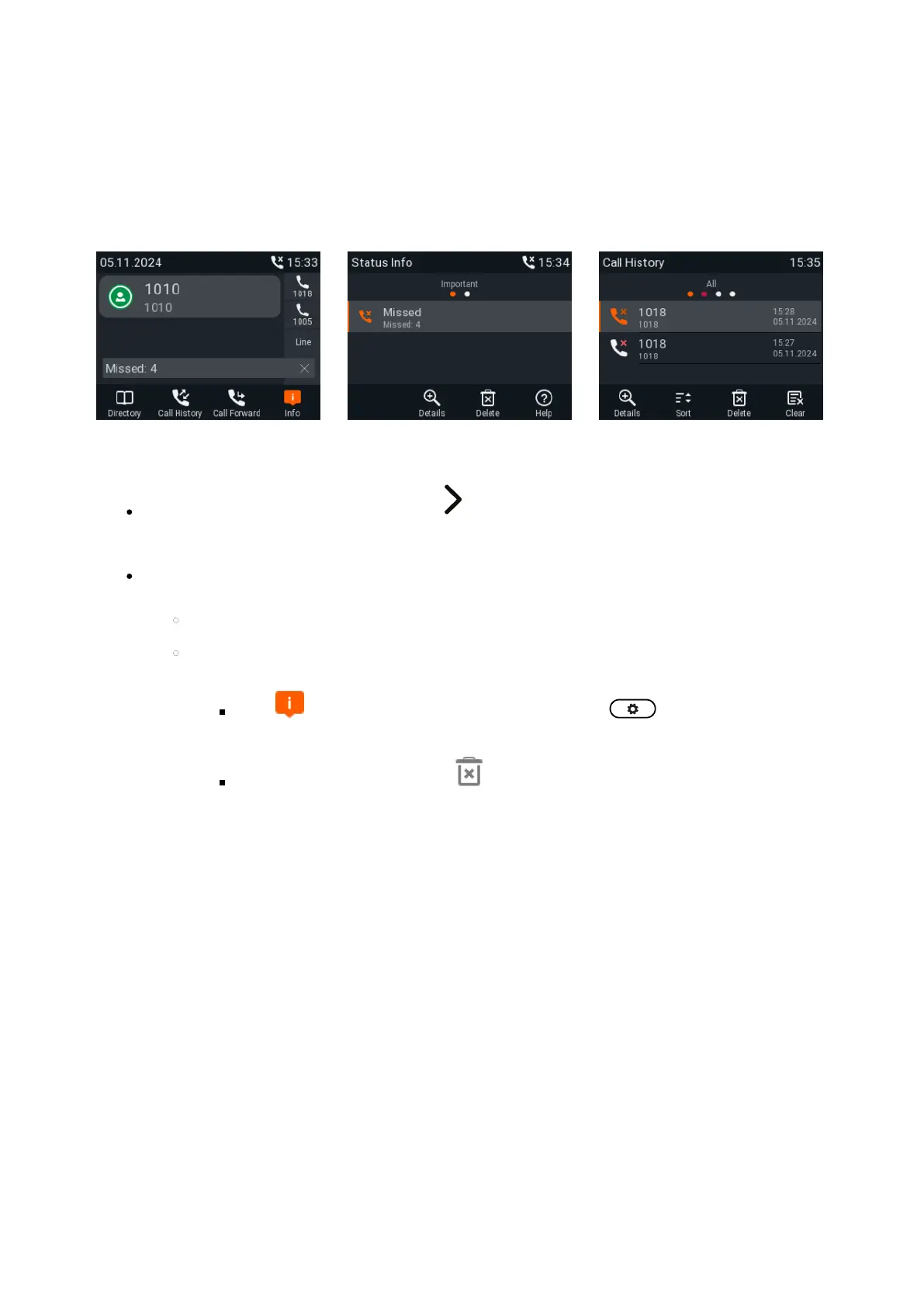
Missed calls are indicated by the call LED (steady light), the missed call symbol in the status line, and by the "Missed"
message with the number of missed calls on the display (Fig. 1) and on the Status info screen (Fig. 2).
Note: If there are status messages with a higher priority, the status line will show the message with the
highest priority.
Fig. 1 Fig. 2 Fig. 3
To view your missed calls, press the right arrow on the navigation key. The red dot indicates the arrival of
new missed messages since the last time the missed calls were viewed (Fig. 3). It is removed from the list of
all calls and turns blue in the list of missed calls once the list has been viewed.
Turning off the missed call indications (LED and "Missed" message). Use one of the following methods:
View the list of missed calls.
Via the screen.Status info
Press , if available (Fig. 1), or open the menu > I Settings nformation > Status
Info to view the status info messages.
Press the function key underneath to delete the "Missed" message line (Fig. 2). If there
are other status info messages, you may need to use the up/down arrows on the navigation
key to select the "Missed" message line.
Note: This will only remove the status message "missed" and turn off the LED. The call will
remain on the missed calls lists.














 To Next Page