Alphanumeric Keypad (P710)
Input modes and navigation
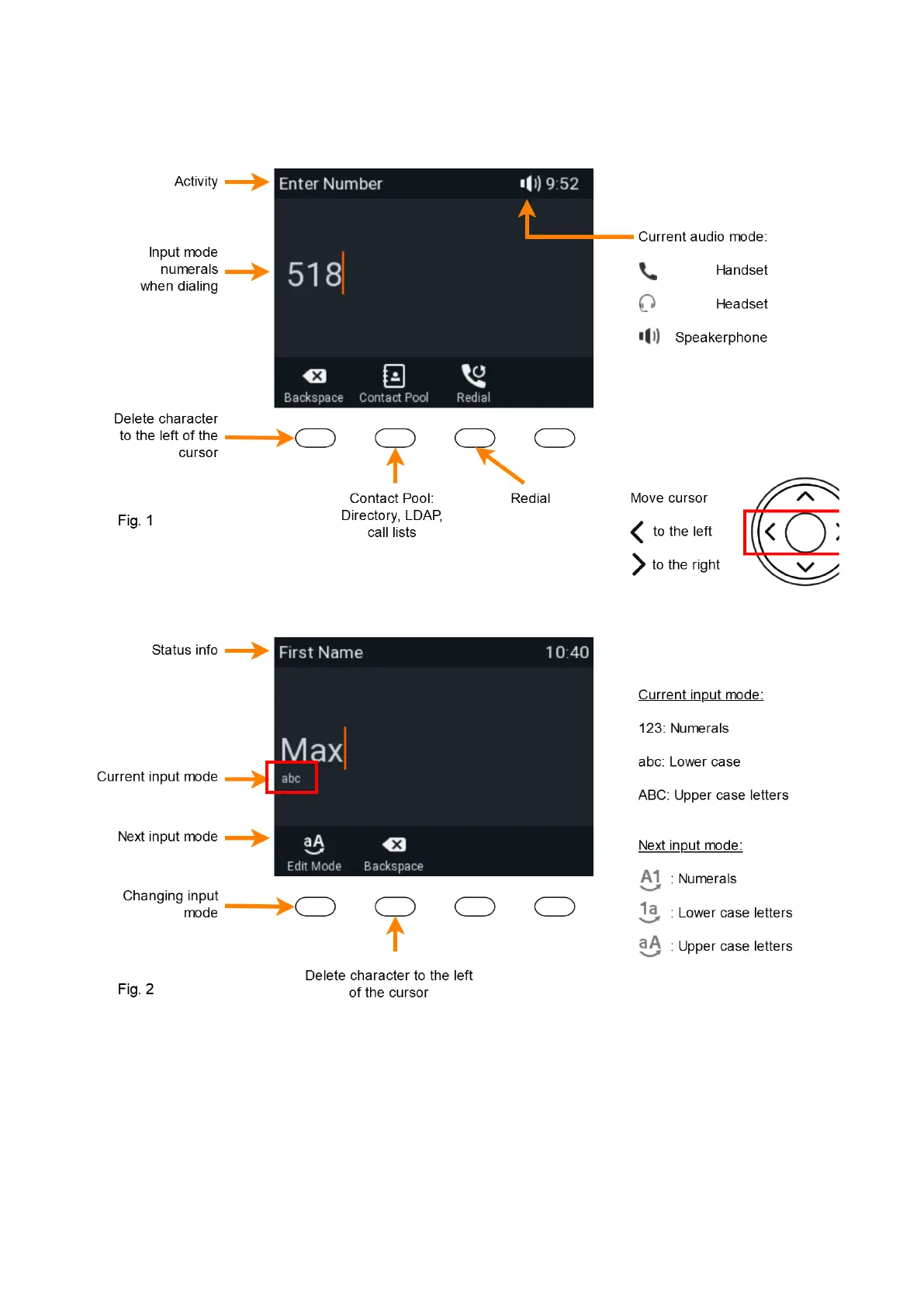
Press any key on the alphanumeric keypad or pick up the handset to open the "Enter Number" screen.
When dialing a number (Fig. 1), the input mode is always numerals. When editing directory entries (Fig. 2) and identities,
the current input mode is indicated in the line underneath the cursor. Press the left function key underneath the display to
switch to the next input mode.














 To Next Page