1.
2.
3.
4.
5.
6.
QuickLookUp (number guessing / auto completion)
(P710)
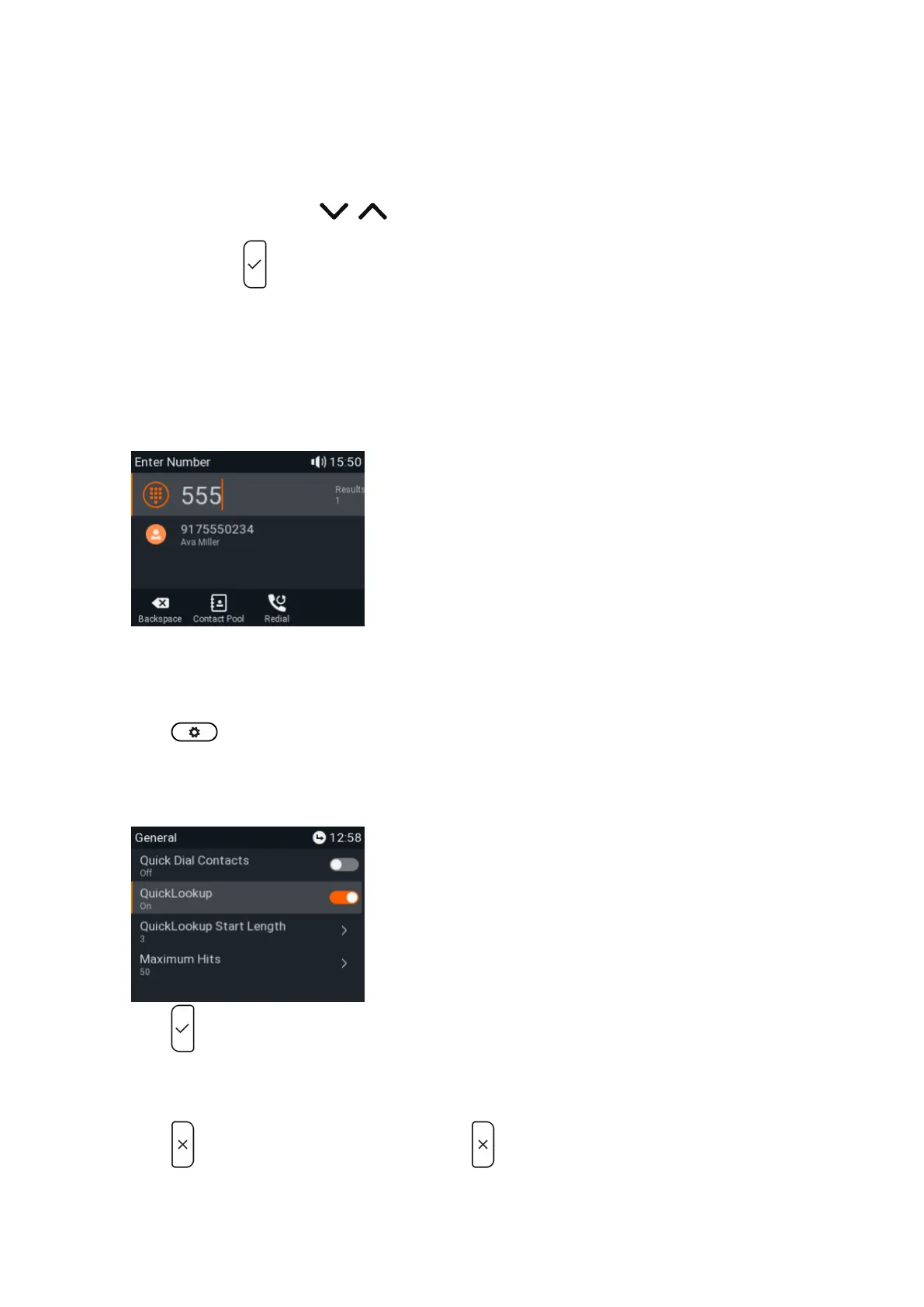
When the function is enabled, the phone will propose numbers containing the typed string from the numbers saved on its
call lists and in the directory as soon as you have typed the minimum number of digits on the "enter number" display. If
there is more than match, select with / on the
navigation key and press to dial.
Note: The default setting for QuickLookup is on, and the minimum number of characters that must be entered
before QuickLookup starts looking for matches is three. To turn QuickLookup off, open the phone's menu and
select - - .Preferences General QuickLookup
In the following example, the minimum number of characters is three:
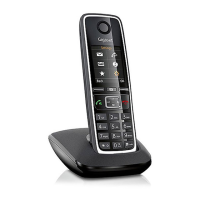
Setting on the phone
Press and select .Preferences
Select .General
Select .QuickLookup
Press to change the setting from to (on / off) and vice versa to enable or disable the function.yes no
When it is enabled, type the number of digits that must be entered into the text field of QuickLookUp Start
.Length
Press briefly to return to the previous menu, press for two seconds to return to the idle screen.





 To Next Page