1.
2.
3.
4.
5.
6.
7.
User mode/administrator mode (P710)
Gigaset phones can be operated in administrator or user mode. In administrator mode, all settings are accessible and
can be modified; in user mode, a number of settings are not accessible. The factory default is administrator mode.
When the phone is running in user mode, the administrator password is required to revert to administrator mode. The
default administrator password is 0000 (4 x zero). You must change the password for security reasons.
Note: Do not forget to write the new password down and store it in a safe place; without it, a reset to factory
values is necessary to return the phone to administrator mode.
If your phone is administered centrally, user mode may be the rule. Please check with your administrator.
User mode on the phone
The "Network" menu and various other settings are inaccessible in user mode. Returning the phone to admin mode
from user mode:
Press
Select and press Maintenance
Select and press Security
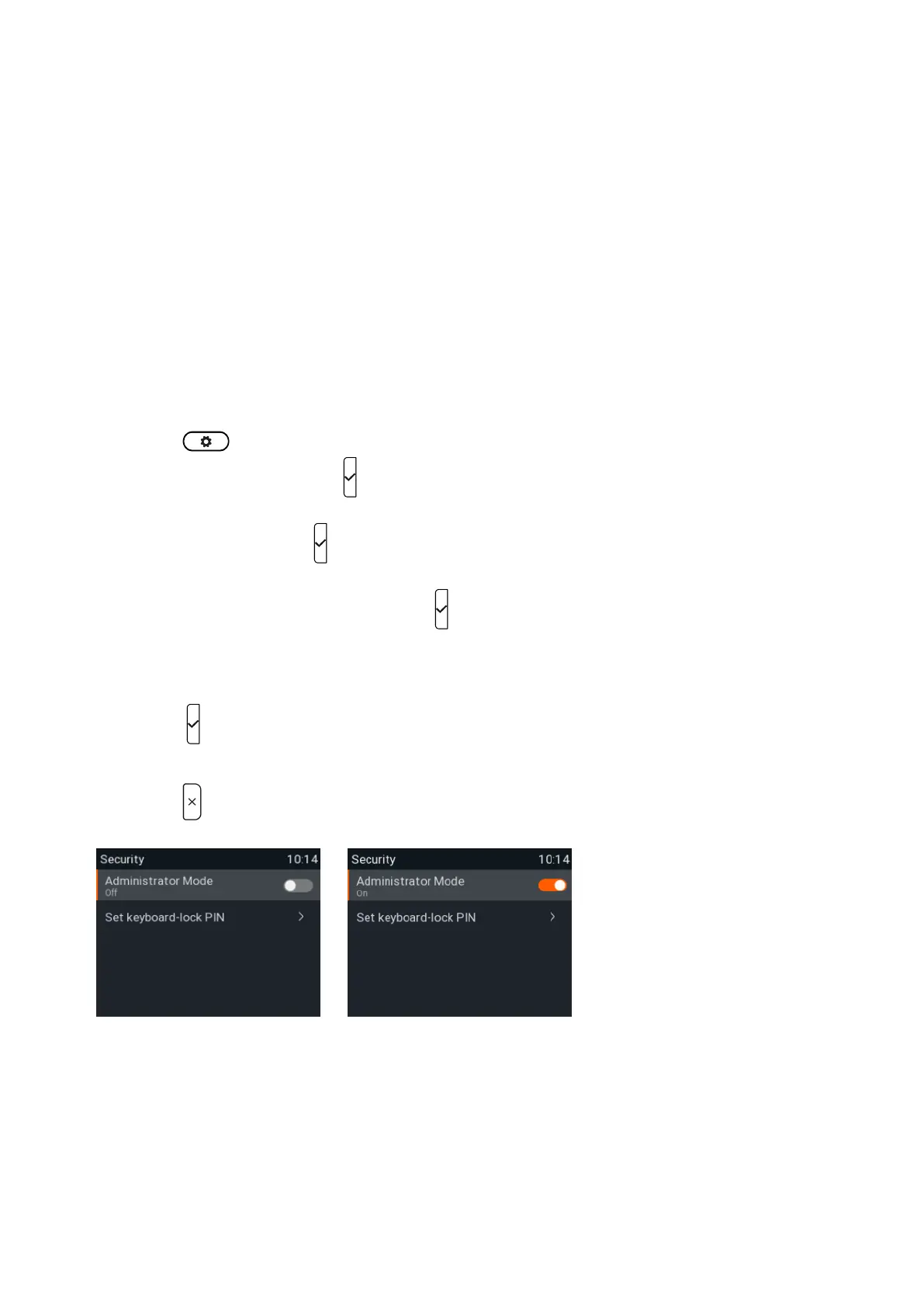
Select (Fig. 1) and pressAdministrator Mode
Enter the .Admin Mode Password
Press to save and return to the menu where has been changed to "on" Security Administrator Mode
(Fig. 2).
Press for two seconds to return to the idle screen.
Fig. 1
Fig. 2














 To Next Page