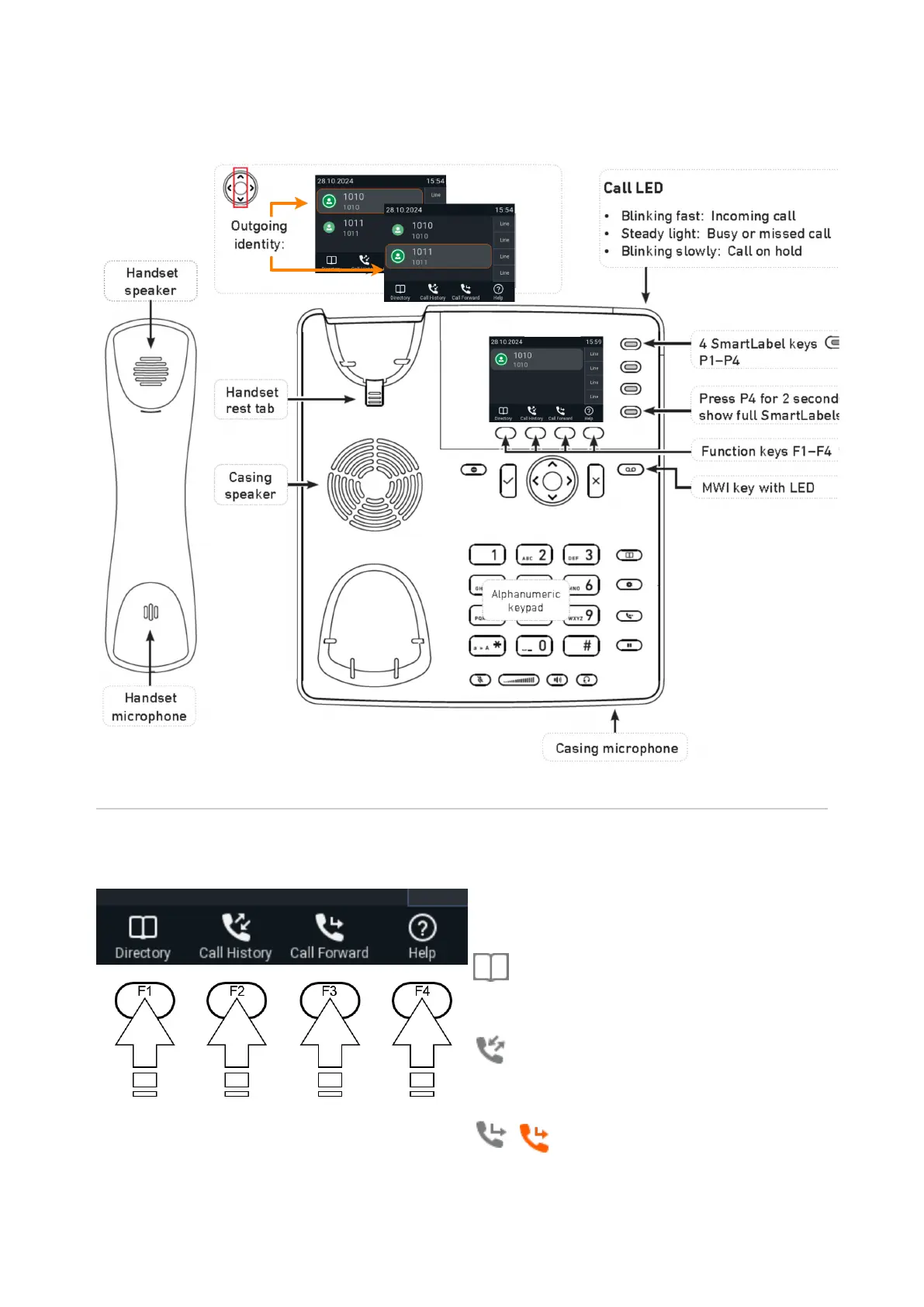
At a glance (P710)
The factory settings at a glance:
Context-sensitive, programmable function symbols and function keys F1–F4
Press the function key underneath the display
symbol to activate the function, open the list
etc. depicted by the symbol above the key.
Standard functions available on idle screen. Default
settings and icons depend on firmware installed on
phone.
Internal phone directory
Call lists (missed, received, dialled calls)
/ Forwarding all calls (turning CFWD on/off )














 To Next Page