GETTING STARTED
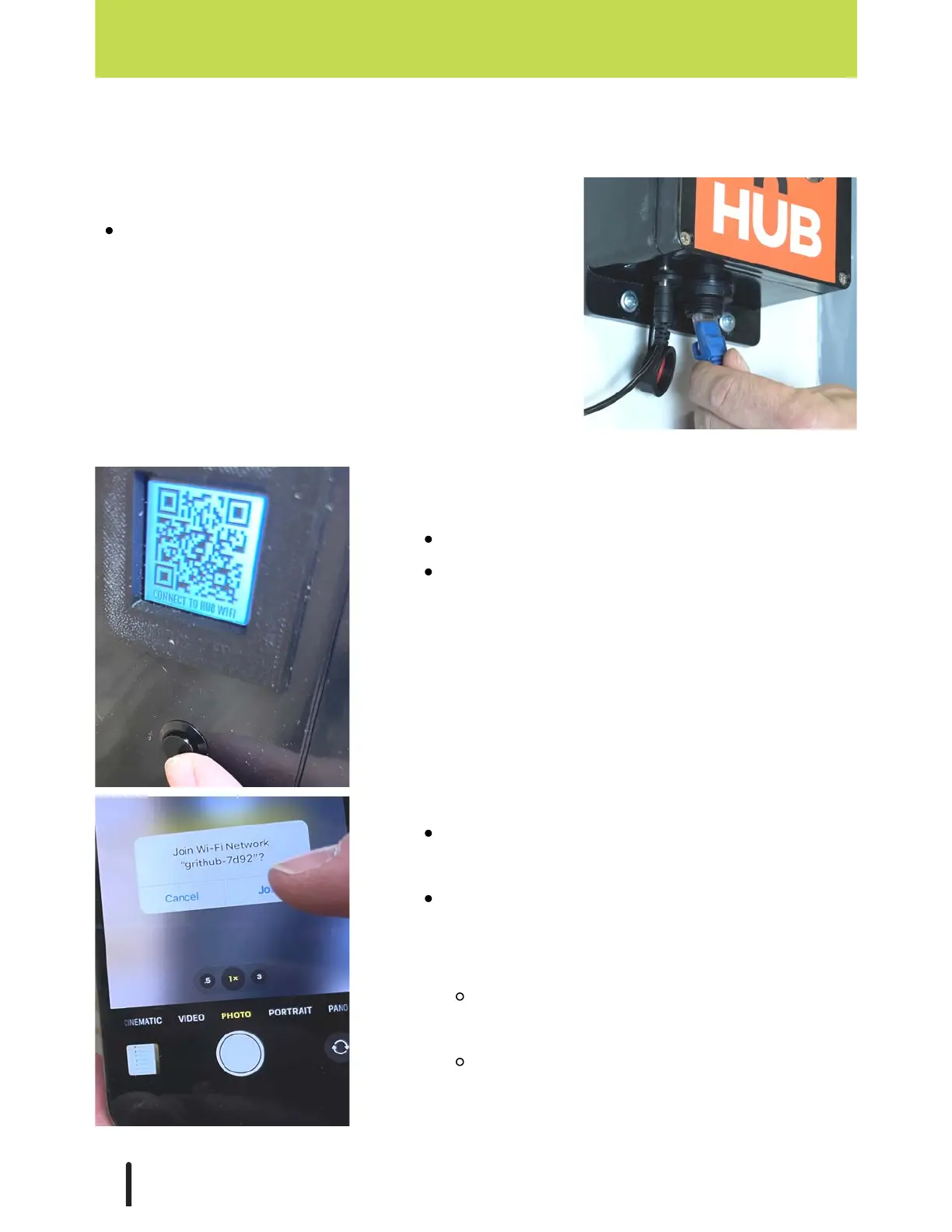
Ensure ethernet is not plugged in.
Press the button on the left side of the Hub
until a QR code labeled 'CONNECT TO HUB
WIFI" appears on the display screen.
Scan the QR code with your phone or tablet's
camera to join.
If your phone/tablet has trouble, you can
manually connect. Go to the device's Wi-Fi
settings.
Select the Wi-Fi network that starts with
'grithub-'.
The password is gritautomation (all one
word, all lowercase).
Option 2: Connect with GRIT Hub® Wi-Fi
GRIT Hub® Connection Options
Plug an ethernet cable into the port located on the
bottom of the Hub.
Option1: Connect to GRIT Hub® with ethernet
18



 To Next Page