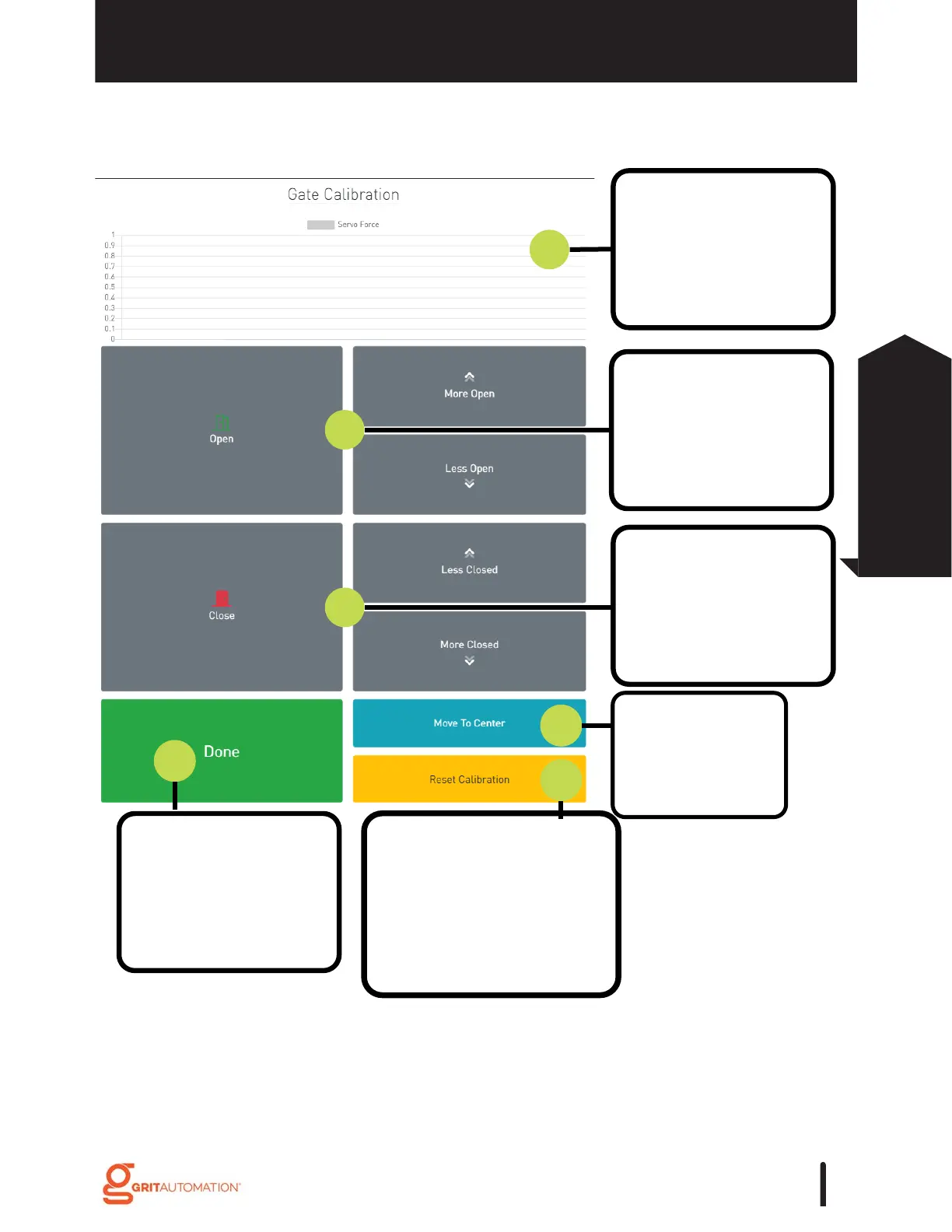
1. Servo Force power
graph shows the amount
of stress against the
gate actuator.
2. Press 'Open' to swing
the Arm into the open
position. Press More
Open/Less Open to
adjust.
3. Press 'Close' to swing
the Arm into the closed
position. Press More
Closed/Less Closed to
adjust.
6. Press 'Done' to close
calibration screen and
return to Gate Control
detail page.
4. Press 'Move to
Center' to place
Arm in its center
swing position.
5. Press 'Reset Calibration'
to clear previous settings
made. The open/closed
positions will return to the
values it had when it was
first bound.
Calibration
GATE CONTROL
*Tips/Tricks: The LEDs on the Gate will flash each time you adjust its Open/Close position.
Decrease the amount of the Open/Close if the stress on the servo becomes high.
Indications that the position is too far in one direction is servo shuttering, the gate
opening/closing spontaneously, or the LEDs turning off and the gate resetting.
91
Gate Control
Configuration



 To Next Page