26
GRIT HUB® + APP
10.10.1061
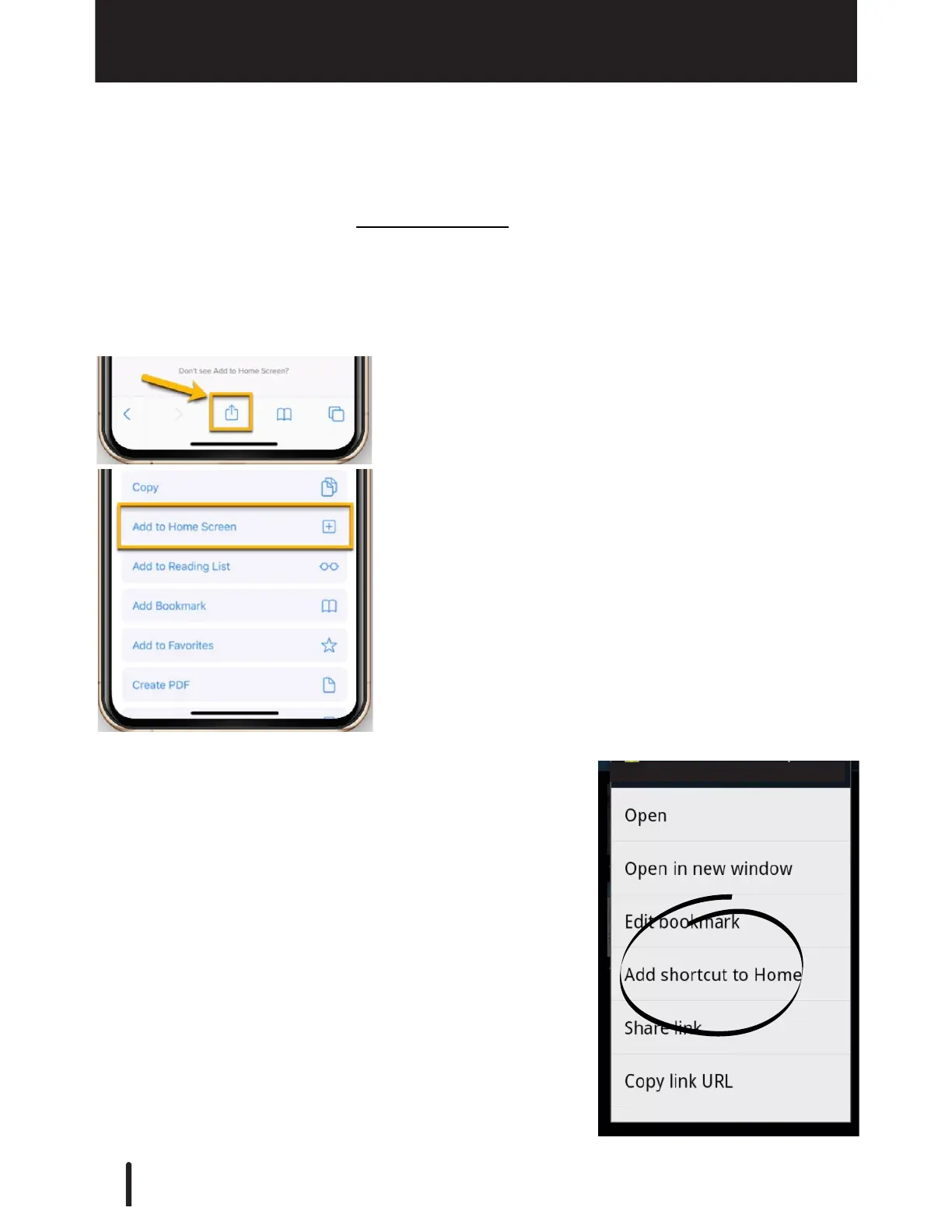
On Android:
1. Once you have opened the app in Chrome,
press Menu then select 'Bookmarks'.
2. Long press the bookmark and click 'Add
Shortcut to Home"
Save App to Home Screen
On iOS:
1. Once you have opened the app in Safari, select the
'Share' icon in your browser's lower icon bar.
2. Select 'Add to Home Screen"
GRIT App
After connecting with your Hub and creating your GRIT administrator account, save the
GRIT app to your Home Screen(s) for easy future access. Be aware that the network your
phone/tablet/PC is on must be
the same network used by your Hub. You will not be able to
access the App from a different network.



 To Next Page