GATE CONTROL
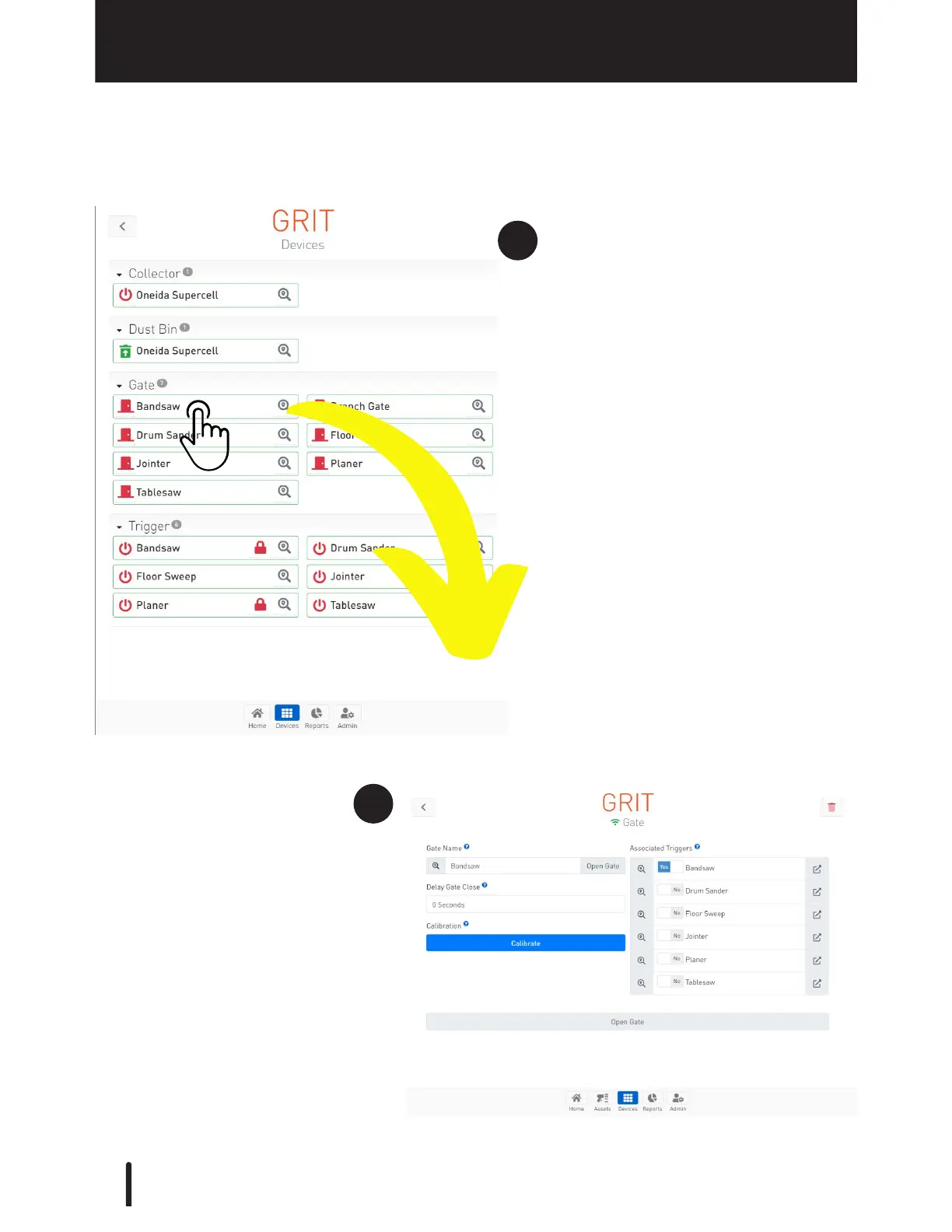
Gate Control Device Configuration
Navigate to the App's Devices
section, then select the gate you
want to configure.
Press the 'Locate' icon to find the
physical device in your shop.
Once a specific gate is selected,
you are taken to that device's
detail page for configuration.



 To Next Page