holiday-wifi
holiday-wifi
holidayguest-wifi
GRIT HUB® + APP
24
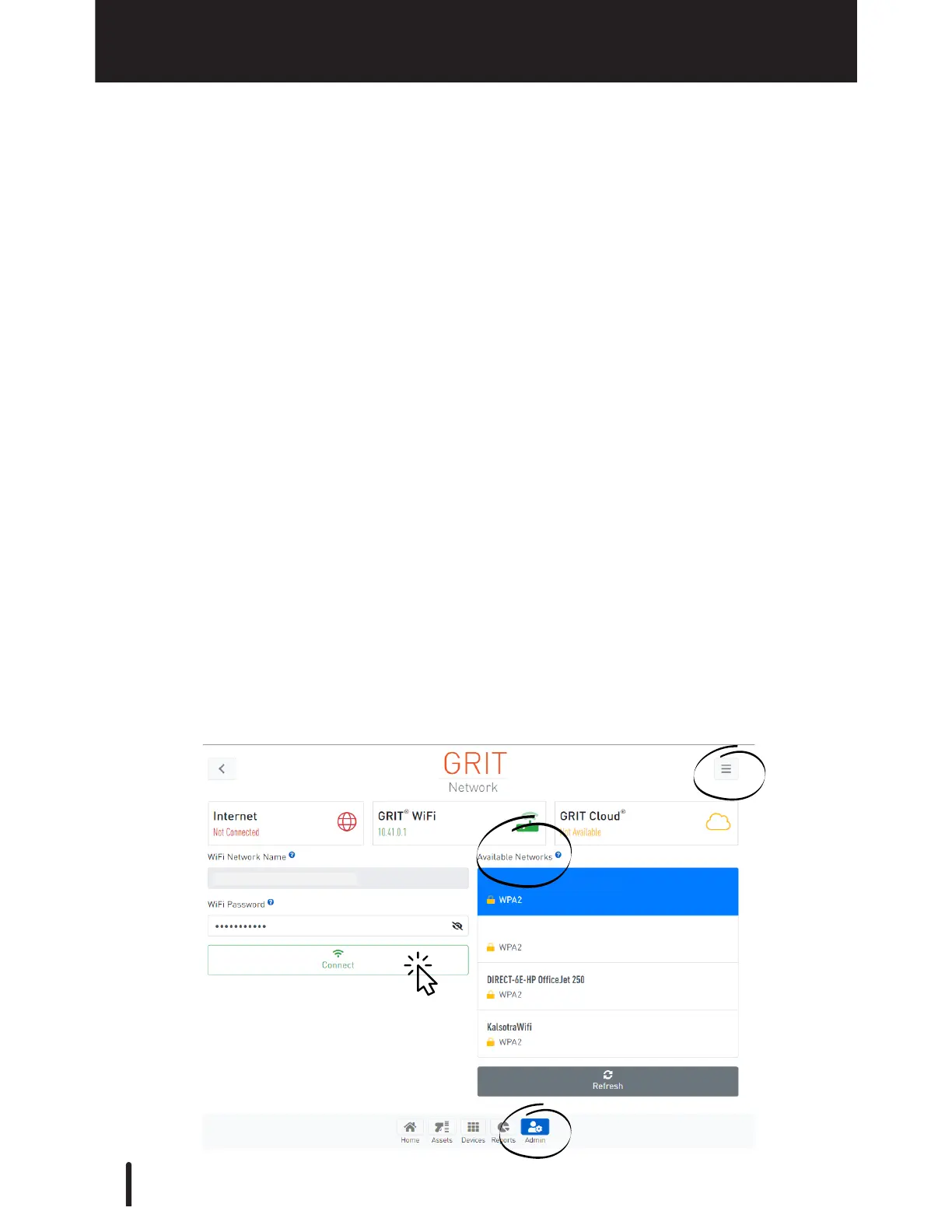
Login with PIN or username and password.
Go to the Admin section. Press the hamburger icon in the upper righthand corner.
Select Network.
GRIT automatically displays all networks in range under 'Available Networks', select
yours and enter your password. Press 'Connect'.
Connect with the Hub's own Wi-Fi (see Getting Started).
1.
2.
3.
If your Wi-Fi is not listed, press 'Refresh' and it will re-scan.
The GRIT Hub® does not need an internet connection to operate. It creates a Wi-Fi
network when not connected to ethernet or another Wi-Fi.
Connect via ethernet
Connect with GRIT Hub® Wi-Fi
Connect with a local Wi-Fi network (2.4Ghz only)
Refer to page 18 in Getting Started for step-by-step instructions of connecting to the Hub's
own Wi-Fi.
Refer to page 18 in Getting Started for step-by-step instructions of connecting to a local
network via ethernet.
-OR-
-OR-
GRIT Hub® Connection Options



 To Next Page