Activity Reports
GRIT REPORTS
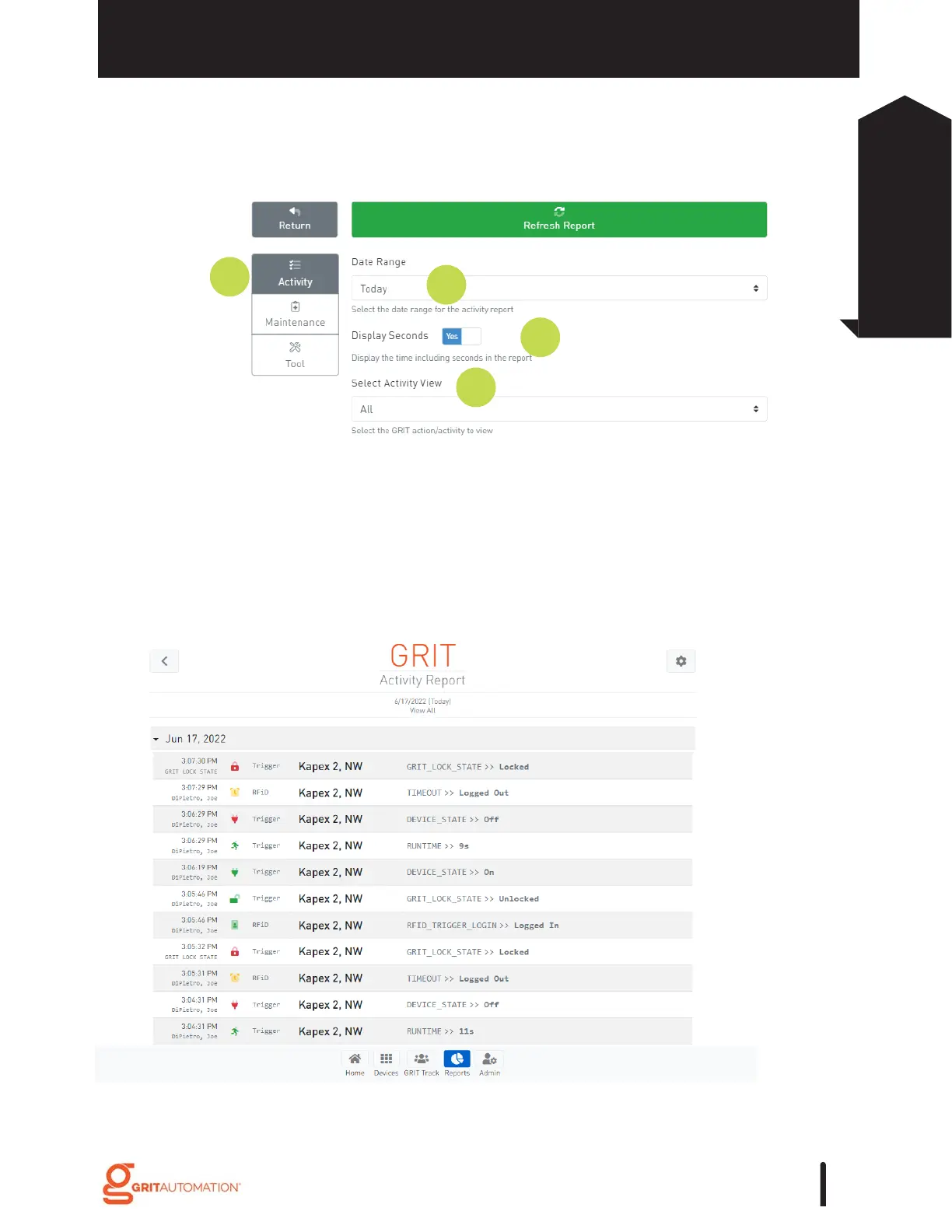
Activity Reports: produce a log view of GRIT device activity for the specified time
range.
Date Range: a view of the activity log within a range of preset time frames.
Display Seconds: control whether seconds data is displayed in the report.
Select Activity View: control the types of activity generated in the report: All, Runtime,
GRIT Track (in systems with RFiD), or Device Status.
1.
2.
3.
4.
Example Activity Report in a system without GRIT Track. Activity Reports run
with GRIT Track can be viewed by User.
GRIT Reporting gives you vital data from your shop to best inform decisions from staffing
to tool maintenance.
97
Reports
Activity Reports



 To Next Page