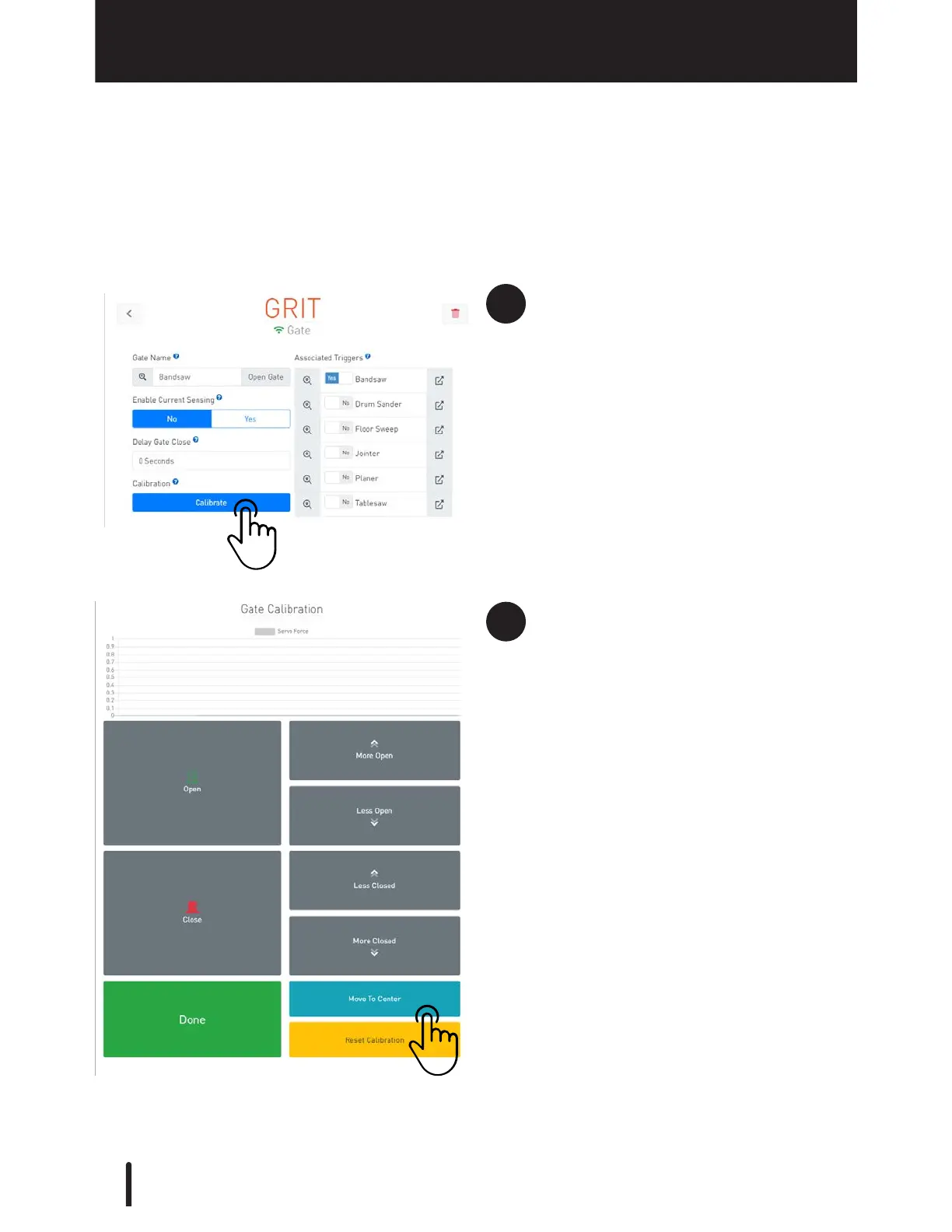
Select the detail configuration
screen of the gate you need to
reattach.
Then, press 'Calibrate'.
Once in the calibration screen,
press 'Reset Calibration'.
Then press 'Move To Center' to
move the servo into its center
position.
Reattach the Arm
The Arm of the Gate Control device arrives attached in the proper placement for
calibration and does not need to be removed during the installation process. If for any
reason you need to remove the Arm, please follow these steps to reattach it properly.



 To Next Page