GRIT HUB® + APP
GRIT App
Bind Devices
25
After physically installing the other GRIT devices in the shop, you must Bind the devices to
the Hub.
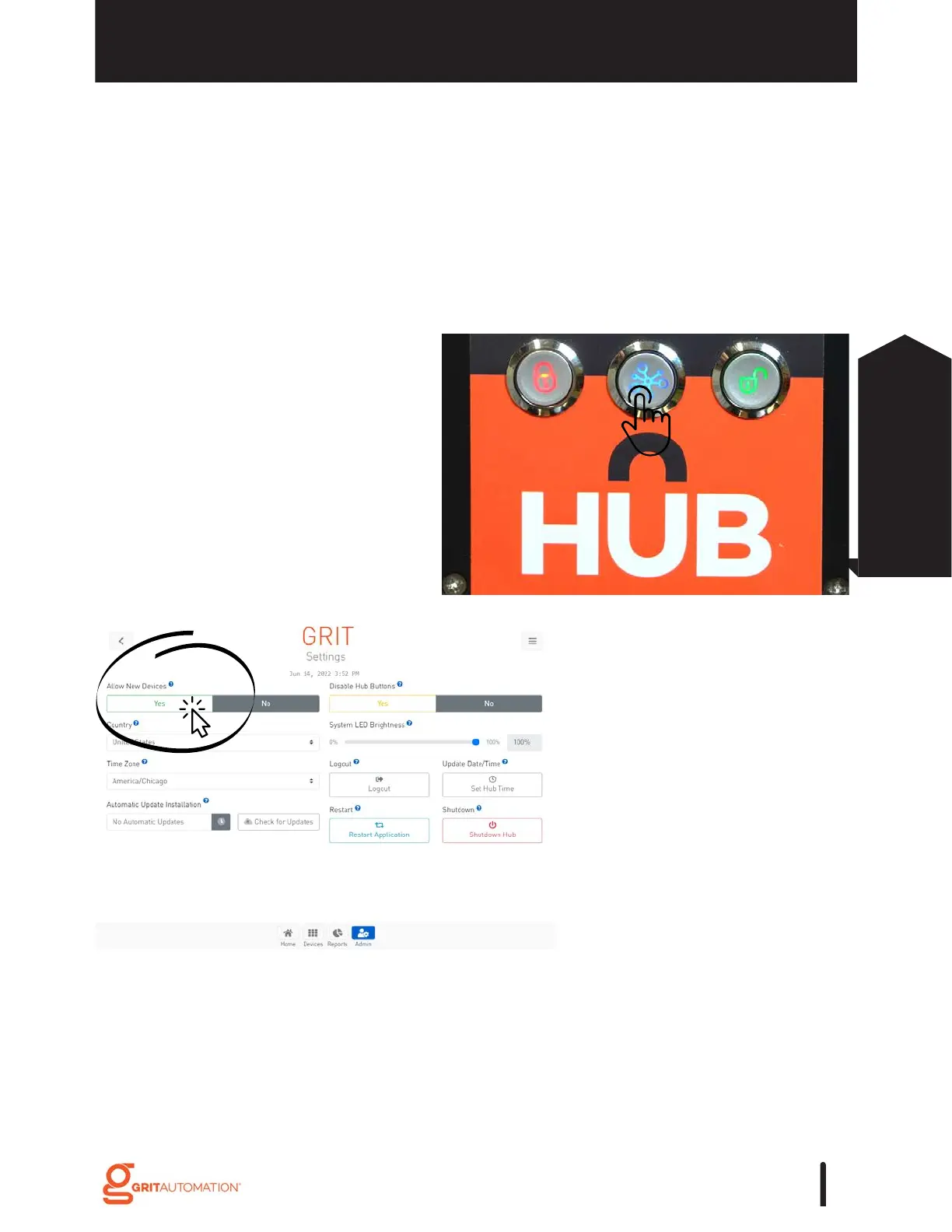
Bind Devices
1. Press the center 'Bind' button
on the front of the Hub.
There are 2 Ways to Bind Devices*
2. Press 'Yes' for 'Allow New
Devices' in the Admin Settings
section of the App.
*Once binding is turned on, binding will be enabled
for 5 minutes following the last bound device.



 To Next Page