TRIGGERS
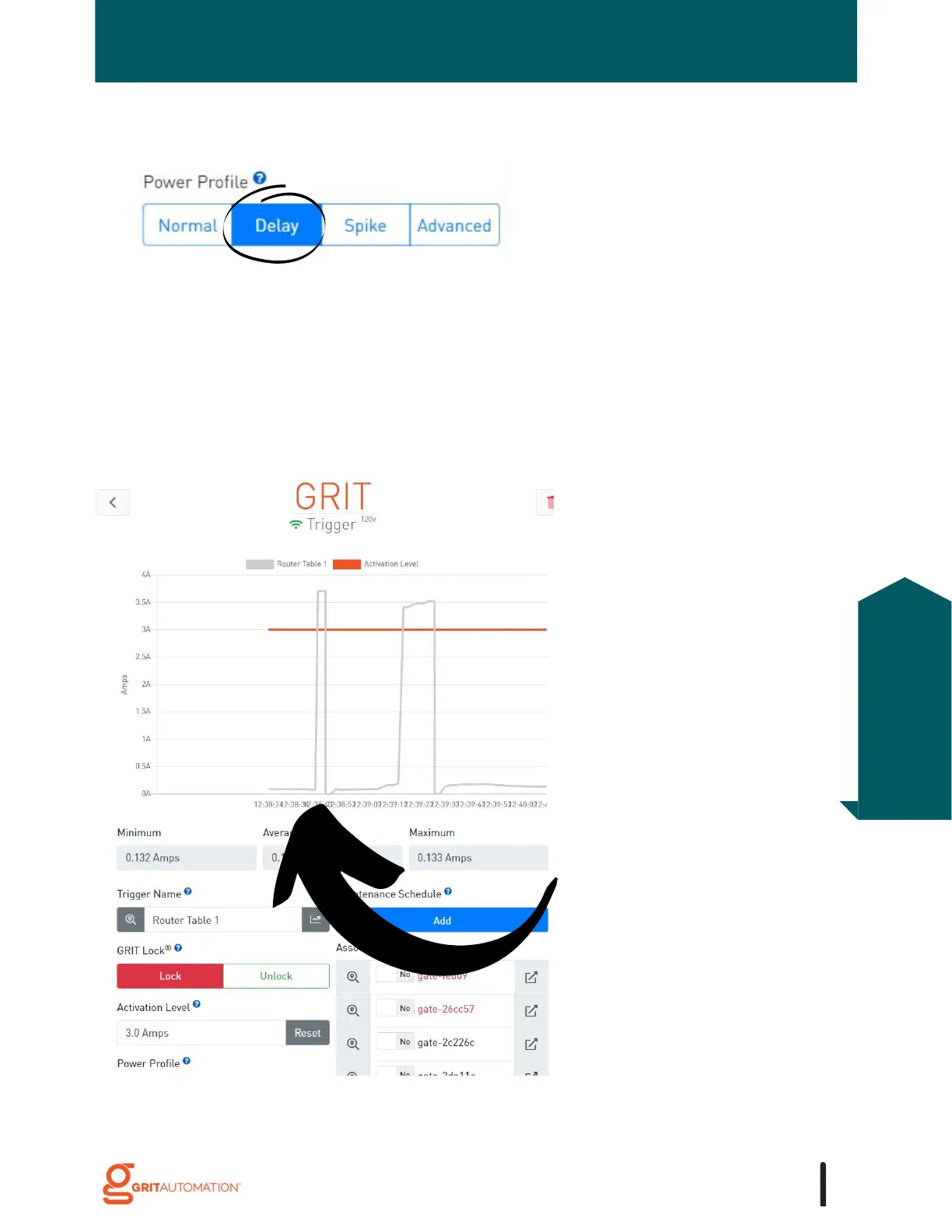
This power graph shows a tool with
a slow start motor which requires
the Delay Power Profile setting.
The first spike was captured with
the Power Profile set to Delay. The
system waited 100ms before
checking if the tool's power draw
was above 3.0 Amps, which was
enough time for the motor to reach
its full current draw.
If the tool in question is a router table with a soft start motor, there is a chance that the
"Normal" Power Profile might miss the current draw being above the Activation Level
immediately after the tool is unlocked. For tools that have a slow or soft start, the trigger
should be set to "Delay" for the Power Profile. This setting adds a sub-second pause
before measuring the current, allowing the motor to begin pulling power.
Delay
55
Triggers
Configuration



 To Next Page