Replace/ Delete Device
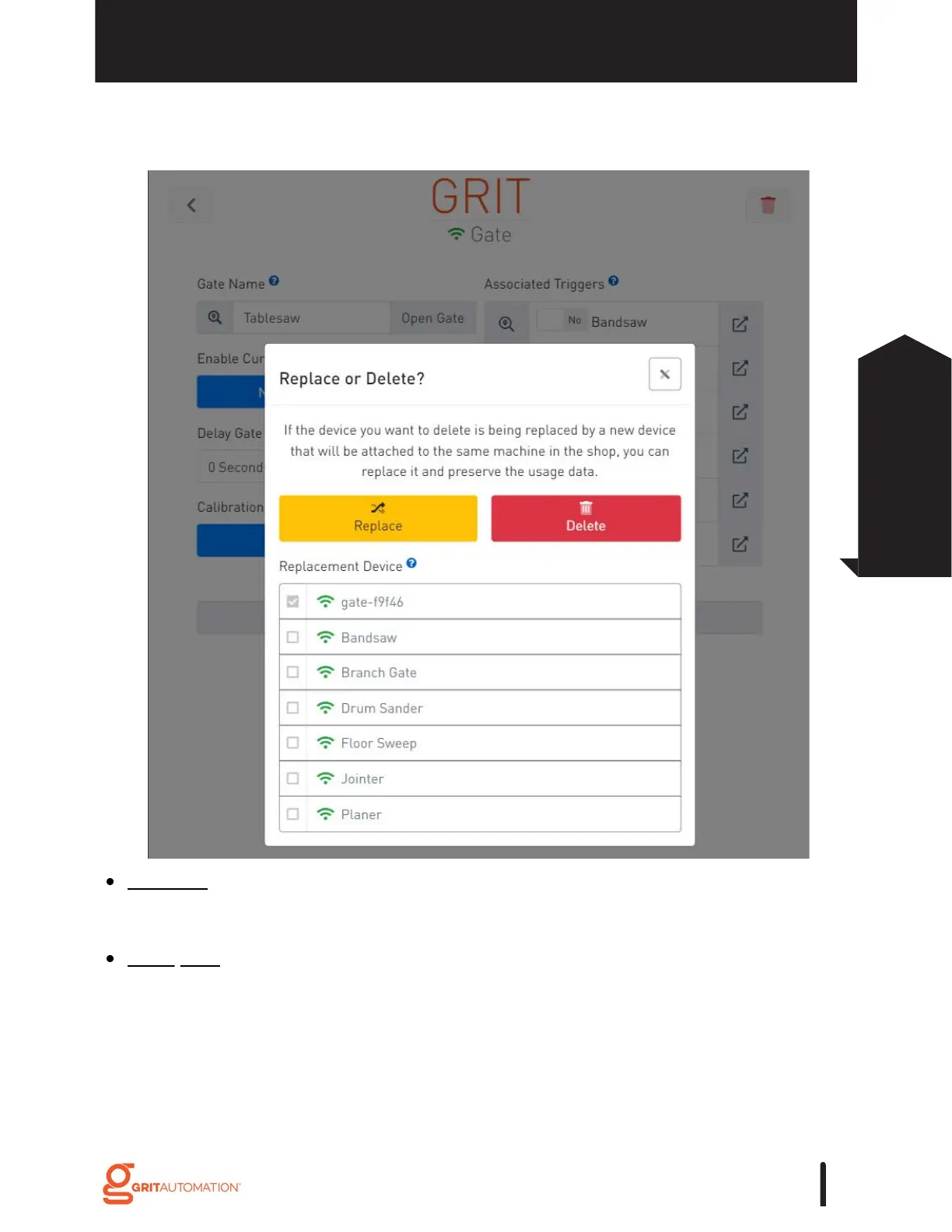
To Delete a device, go to the device's detail page and press the trash icon. Then select
'Delete'.
To Replace a device with a new one on the same machine, physically remove/ uninstall
the old device then install and Bind the new device. Go to the old device's detail page
and press the trash icon. Then select the newly installed device in the Replacement
Device list and press 'Replace'.
GRIT HUB® + APP
31
GRIT App
Functionality



 To Next Page