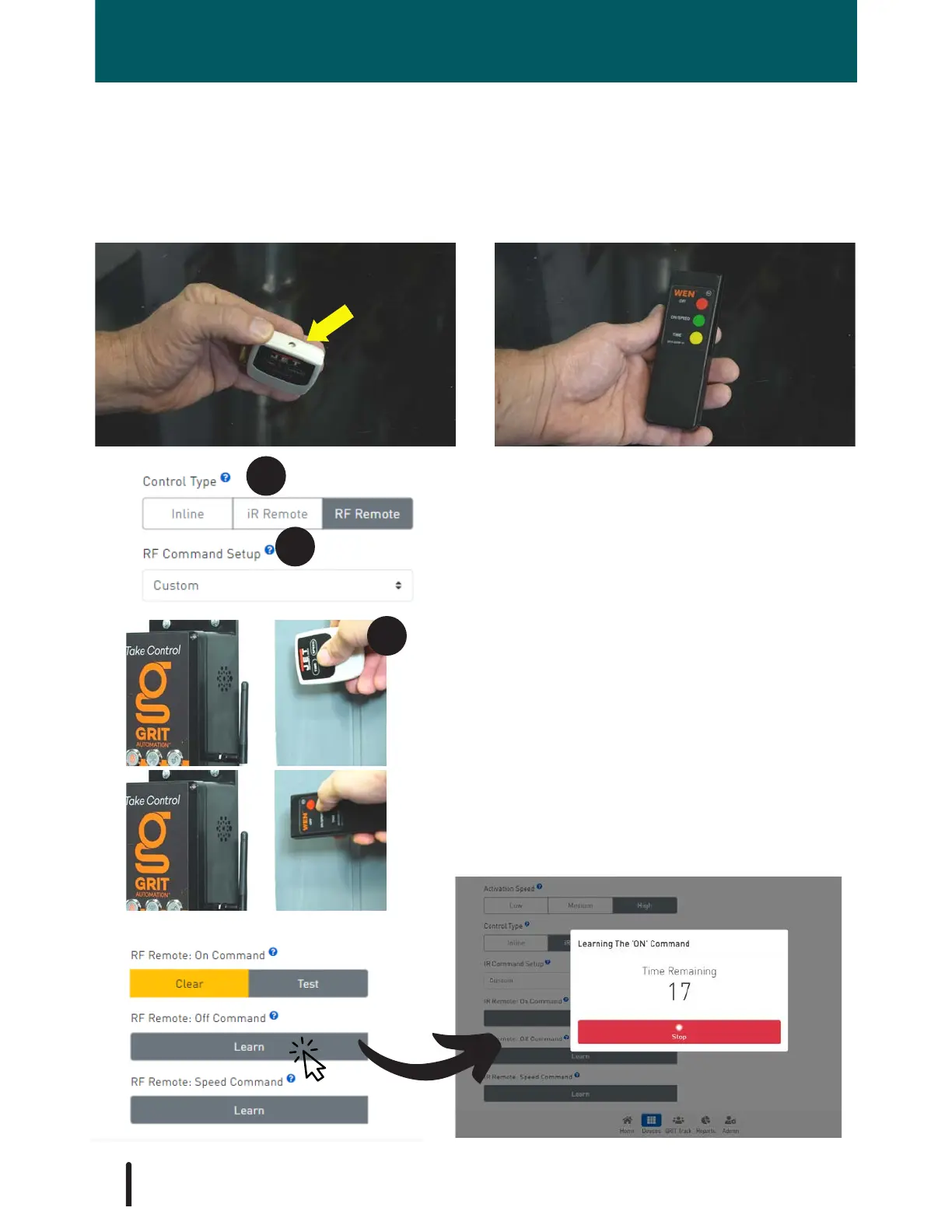
1. Select either inline, iR Remote or RF remote
according to your air filtration system.
Program an iR or RF Remote
To program the GRIT Air Quality device to your air filtration system, first determine if the
remote is iR or RF. If you are unsure, you can determine this by looking for a clear LED
bulb on the remote or a tinted plastic window on the top of your remote. If none is present,
it is RF.
iR RF
2. Select 'Custom' if your air filtration system is
not listed. If your air filtration system is listed,
no further programming is required.
3. Program by pointing the remote at the side of
the Hub.
Select 'Learn' for the 'On Command'. A timeout
popup will display on the screen. Follow the
prompts. The popup will disappear once the
command has been learned.
Repeat the 'Learn' sequence for each command.
94



 To Next Page