7.3.5.6 Switching on the FlexxPump 402/402B
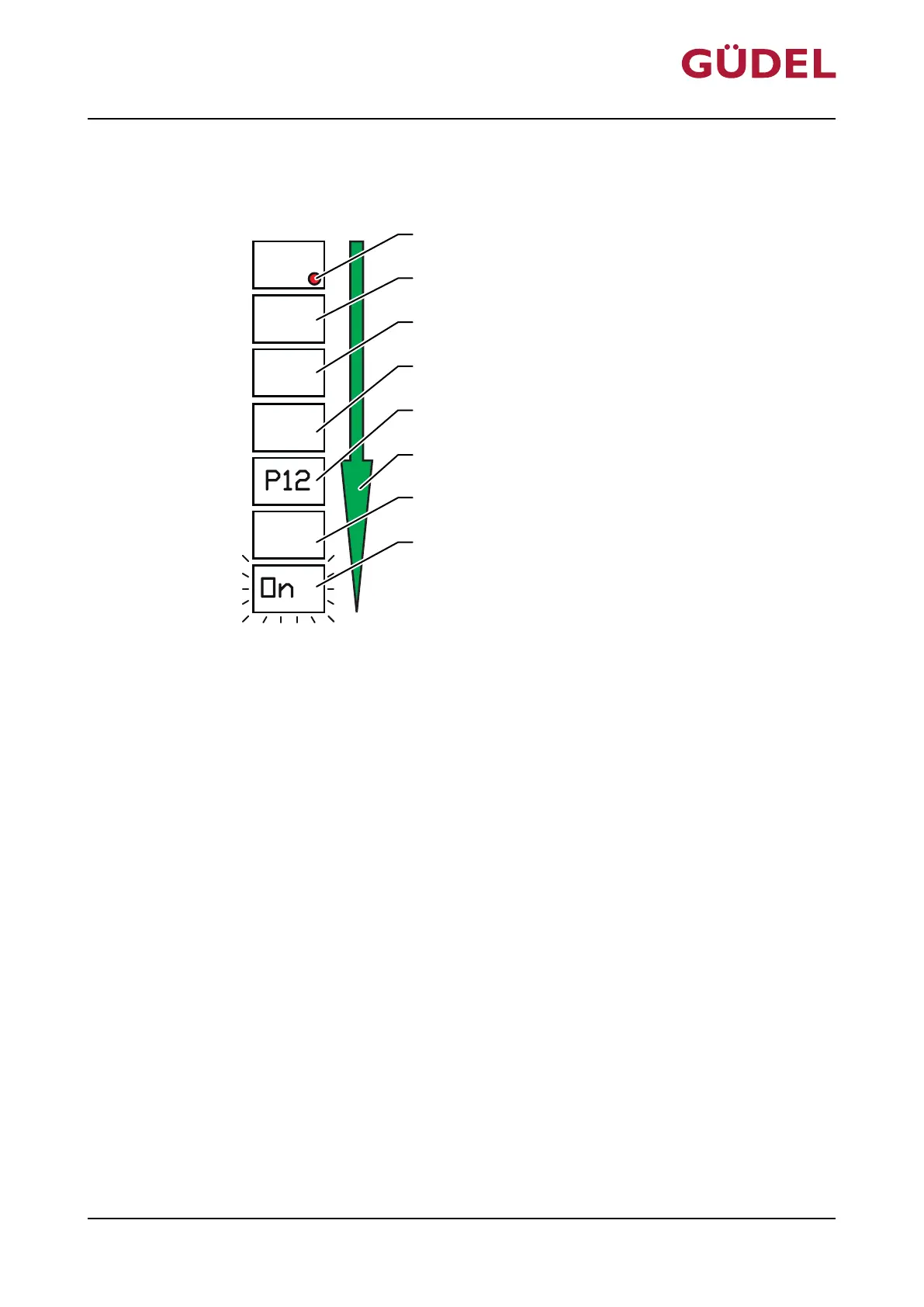
Fig.7-10 Display sequence of display LCD
A LED red E Emptying time P1 of cartridge in months
B Software number F Sequence of display
C Software release G Lubrication quantity P2
D Number of hydraulic outputs H FlexxPump switched on
Switch on the FlexxPump 402/402B as follows:
1 Touch the active surface with the magnetic peg
2 Wait for LED to flash 3x
3 Remove magnetic peg
The FlexxPump is switched on.
The FlexxPump lubricates according to the stored settings.
Maintenance
OPERATING MANUAL Automatic lubrication system
FlexxPump 402 / 402B
90071992656444683_v9.0_EN-US
101



 To Next Page