70 4000670450 E 04.19 USA / GB
D
- Operation instructions
3632T - HTT13
4 - Outriggers extension
Become familiar with the location and function of all controls. Learn to smoothly START and STOP all
boom motions.
• At the ground (lower) control box, turn the KEY SWITCH ( 1 ) counter clockwise to the GROUND
CONTROLS ( 1a ) icon. If power does not come on, make sure that both of the EMERGENCY STOP
buttons; GROUND ( 6 ), and PLATFORM ( 5 ), are pulled out and the main power disconnect plug is
plugged in.
• The control microprocessor will perform self-diagnostics to test the operating system. After several
seconds, the DISPLAY PANEL window will read : HAULOTTE GROUP - ACCESS SOLUTIONS.
• Monitor the battery condition indicator during operation and charge the batteries as necessary.
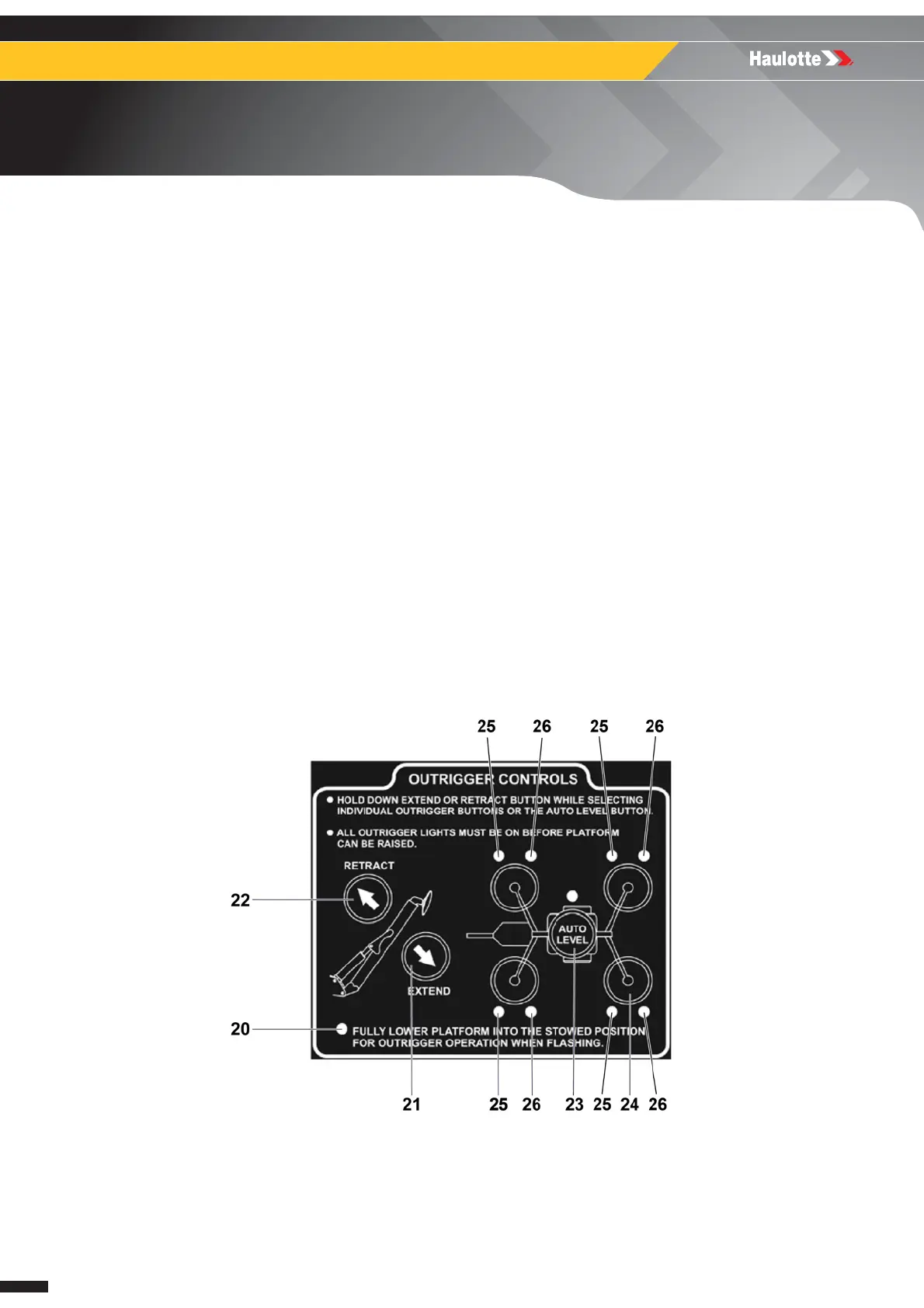
• Extend the 4 outriggers individually, or for simultaneous extension use the AUTO LEVEL ( 23 )
button and the EXTEND ( 21 ) botton on the ground (lower) control box.
• When the aerial work platform is leveled properly, a buzzer will sound, the 2 LEDs at each
OUTRIGGER ( 25 ) and ( 26 ) button, and the LED at the AUTO LEVEL ( 23 ) button will be lit.
Auto level :
• Press (push) and hold the EXTEND ( 21 ) and AUTO LEVEL ( 23 ) buttons at the same time.
Manual Level :
• Extend the two outriggers closest to the trailer coupler first. Lower the front pair of outriggers by
pressing (pushing) the EXTEND ( 21 ) button and the two front OUTRIGGER buttons at the same
time. Lower the back pair of outriggers by pressing (pushing) the EXTEND ( 21 ) button and the two
back OUTRIGGER buttons at the same time.
Outrigger Control Panel




 To Next Page