H E Y E R P a s i t h e c
Rev. 0.2 Draft – 12/09 HEYER Pasithec, Operator’s manual 73 / 106
Step 4
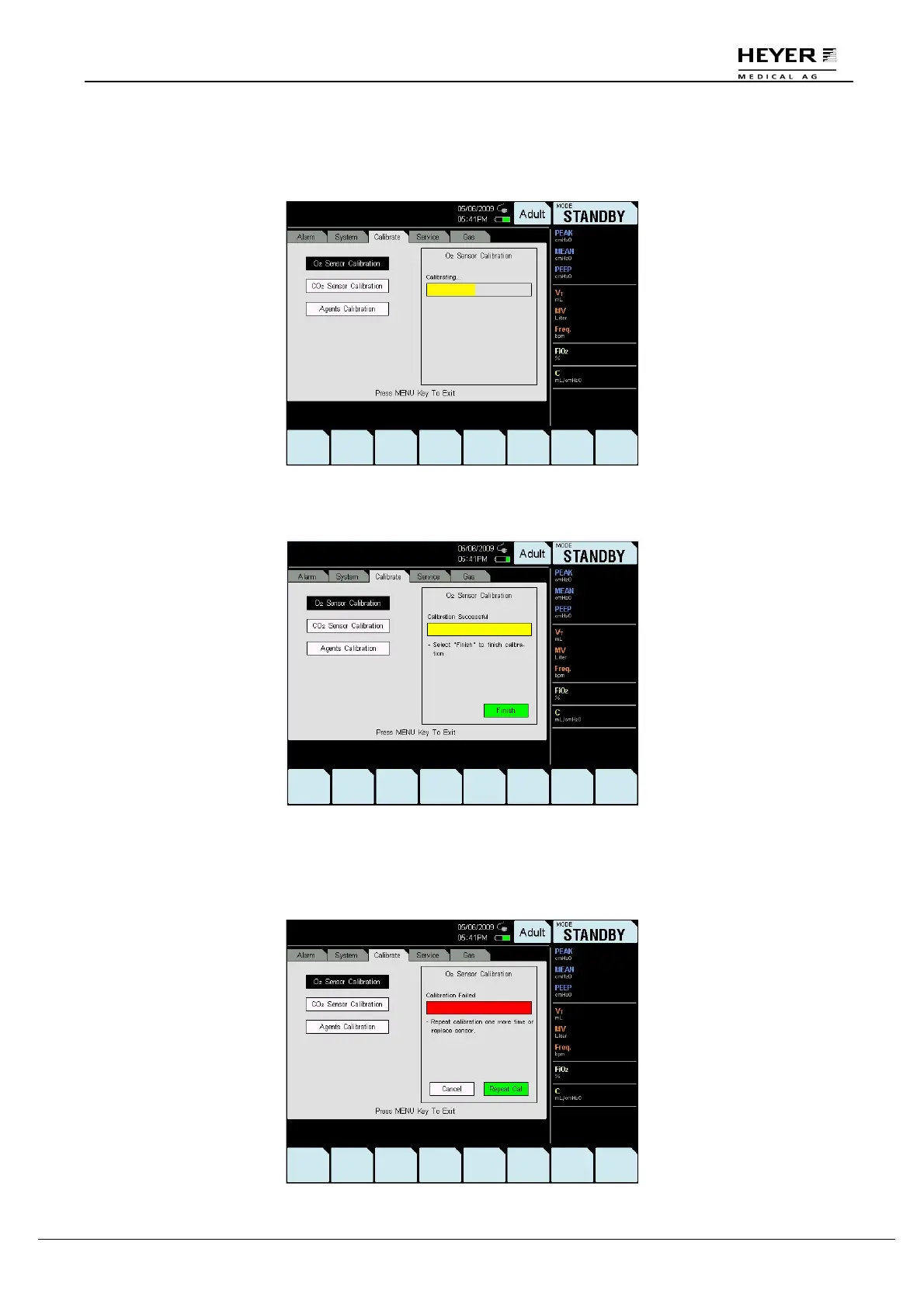
Press the knob to perform the calibration.
In the process of calibration, the word “Calibrating” displays on the screen.
“Calibration successful” will be displayed on the window after the O
2
Sensor calibration is successfully
completed. Replace the O
2
sensor and press “Finish” to continue.
If 21% calibration fails, the word “Calibration failed” is displayed in the window.
If calibration fails:
•
Repeat these steps to calibrate it again.
•
If it fails again, replace the O
2
sensor and recalibrate it.



 To Next Page