EasyManua.ls Logo

Hitachi VM-E530A - Using Auto Focus

Hitachi VM-E530A
56 pages
Print Icon
To Next Page IconTo Next Page
To Previous Page IconTo Previous Page
Loading...
Using
Auto
Focus
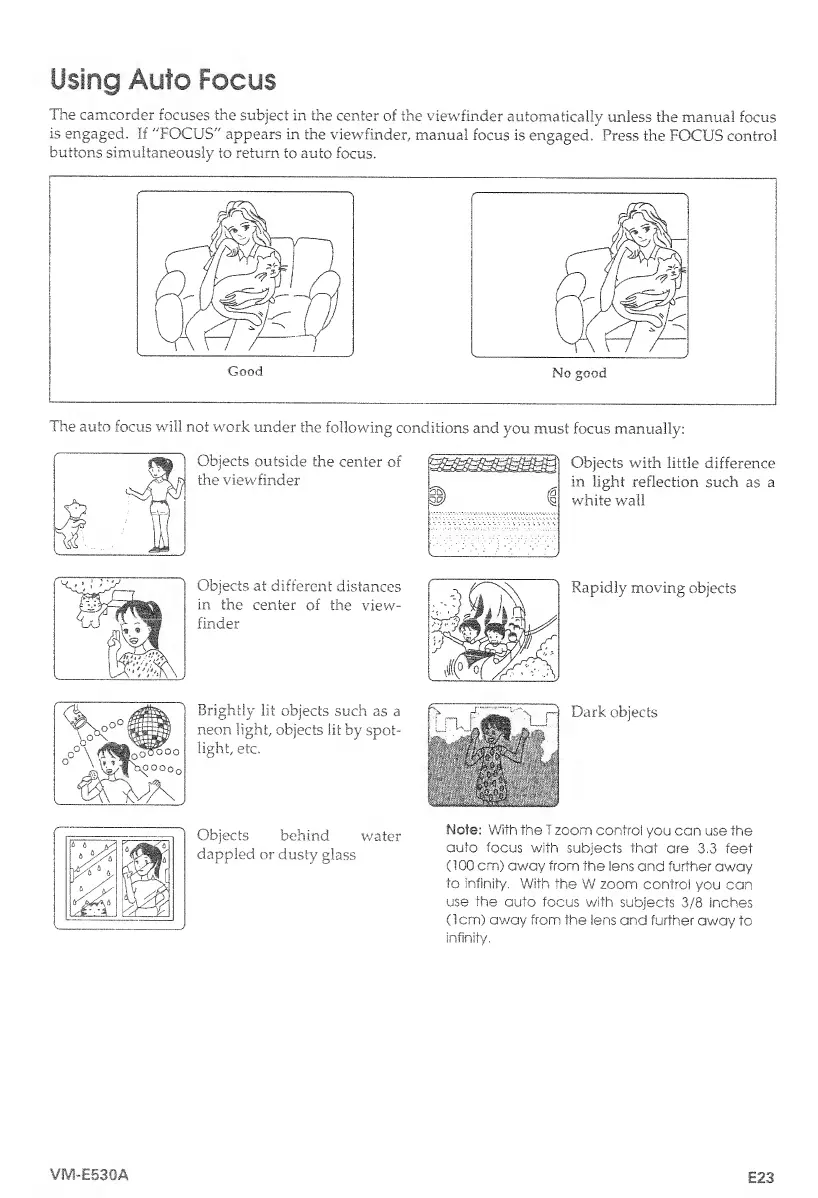
The
camcorder
focuses
the
subject
in
the
center
of
the
viewfinder
automatically
unless
the
manual
focus
is
engaged.
If
"FOCUS"
appears
in
the
viewfinder,
manual
focus
is
engaged.
Press
the
FOCUS
control
buttons
simultaneously
to
return
to
auto
focus.
The
auto
focus
will
not
work
under
the
following
conditions
and
you
must
focus
manually:
Objects
outside
the
center
of
the
viewfinder
Objects
at
different
distances
in
the
center
of
the
view¬
finder
Brightly
lit
objects
such
as
a
neon
light,
objects
lit
by
spot¬
light,
etc.
Objects
with
little
difference
in
light
reflection
such
as
a
white
wall
Rapidly
moving
objects
Dark
objects
Objects
behind
water
dappled
or
dusty
glass
Note:
With
the
I
zoom
control
you
can
use
the
auto
focus
with
subjects
that
are
3.3
feet
(100
cm)
away
from
the
lens
and
further
away
to
infinity.
With
the
W
zoom
control
you
can
use
the
auto
focus
with
subjects
3/8
inches
(1cm)
away
from
the
lens
and
further
away
to
infinity.
VM-E530A
E23

Table of Contents

Related product manuals